Why can't I access thebreastcancersite.com using firefox?

Tell me how I can access thebreastcancersite.com using firefox. I have always been able to do that in the past. Recently, it has become almost impossible to get to this website. WHAT IS THE PROBLEM???
All Replies (1)

annlouisetruschel said
Tell me how I can access thebreastcancersite.com using firefox. I have always been able to do that in the past. Recently, it has become almost impossible to get to this website. WHAT IS THE PROBLEM???
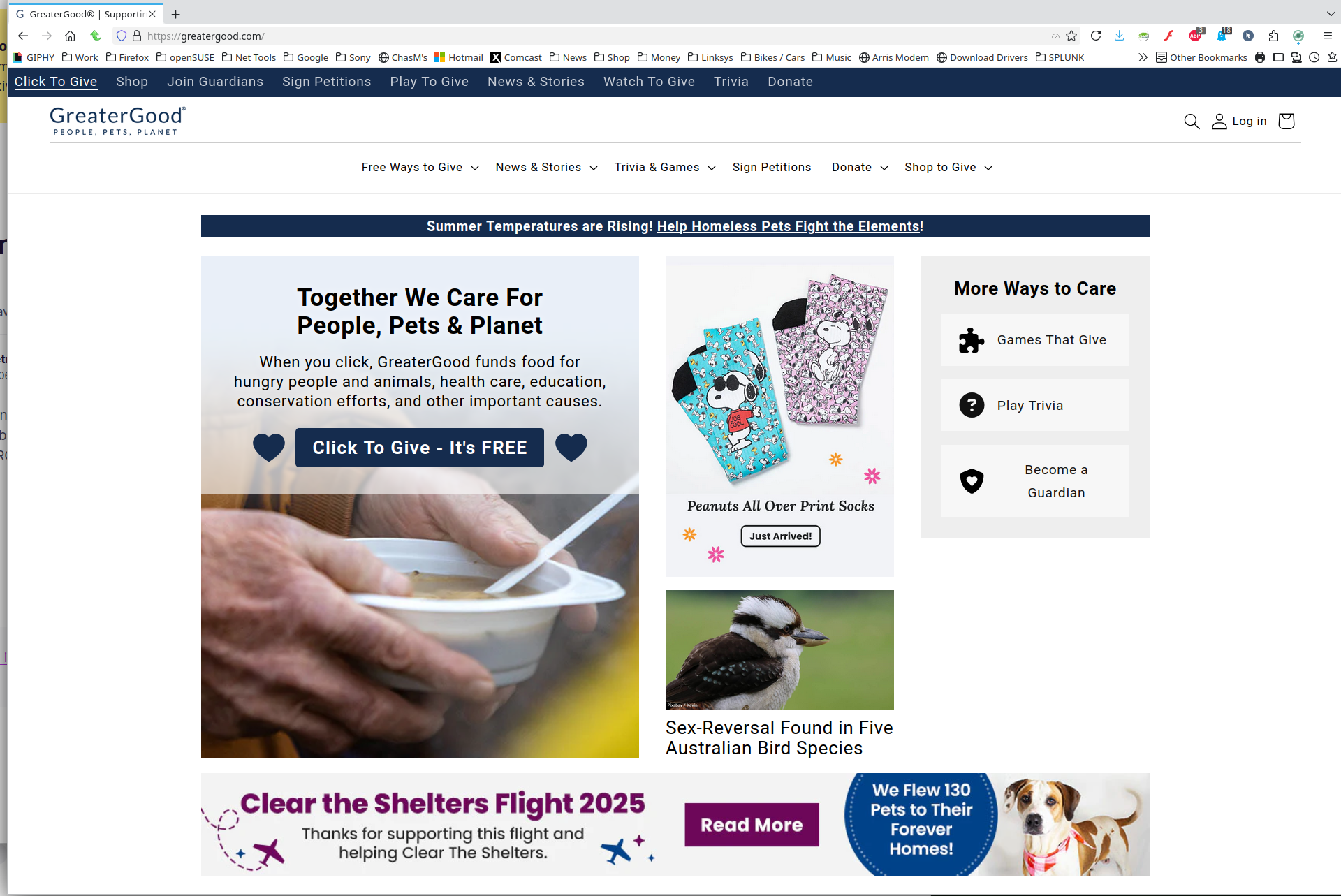
How about showing us what you're seeing? It works for me, but brings me to https://greatergood.com/?ctg-cause=breast-cancer-research. see screenshot
Windows home or pro?
Are you running any security software besides MS Defender? If Windows Pro version, try testing in Windows Sandbox (VM) to see if you have the same issue. https://www.howtogeek.com/399290/how-to-use-windows-10s-new-sandbox-to-safely-test-apps/
Did you try with Firefox in Troubleshoot Mode? https://support.mozilla.org/en-US/kb/diagnose-firefox-issues-using-troubleshoot-mode#w_how-to-start-firefox-in-4troubleshoot-modesf5safe-modesf
Did you clear your browser cache? https://support.mozilla.org/en-US/kb/clear-cookies-and-site-data-firefox
You can also try Refreshing Firefox. https://support.mozilla.org/en-US/kb/refresh-firefox-reset-add-ons-and-settings