


Firefox url and search bar display issue since last update (126)

There is a display issue when I search anything in the url bar. It goes up the window, and disappears completely if many suggestions are made. The issue disappears when in troubleshooting mode. I disabled all plugins, changed the theme to no avail.
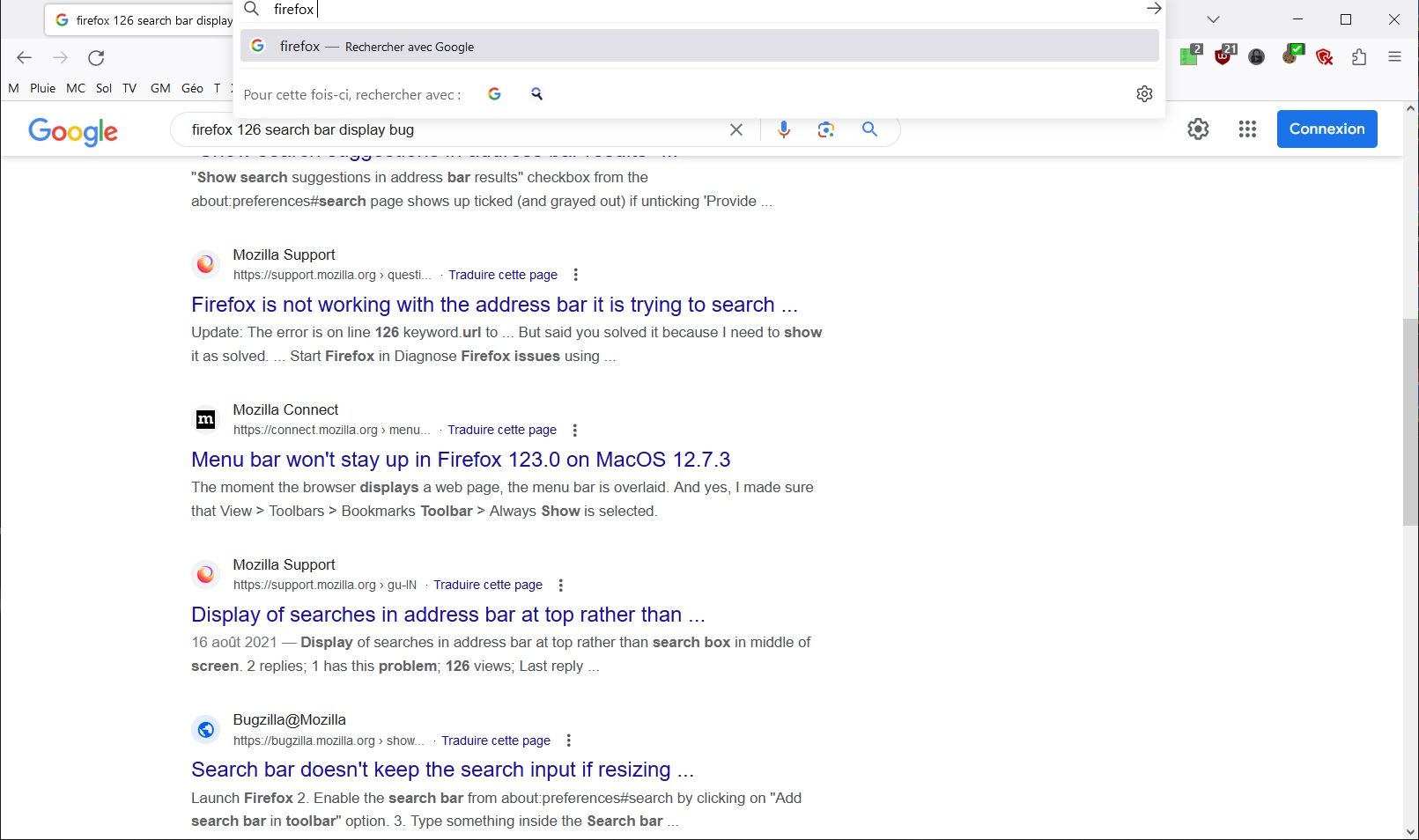
Isisombululo esikhethiwe
That looks like a problem with userChrome.css that needs an update in case you use this file.
Start Firefox in Troubleshoot Mode to check if one of the extensions ("3-bar" menu button or Tools -> Add-ons -> Extensions) or if hardware acceleration or if userChrome.css/userContent.css is causing the problem.
- switch to the Default System theme: "3-bar" menu button or Tools -> Add-ons -> Themes
- do NOT click the "Refresh Firefox" button on the Troubleshoot Mode start window
- https://support.mozilla.org/en-US/kb/diagnose-firefox-issues-using-troubleshoot-mode
- https://support.mozilla.org/en-US/kb/troubleshoot-extensions-themes-to-fix-problems
All Replies (2)
Isisombululo Esikhethiwe
That looks like a problem with userChrome.css that needs an update in case you use this file.
Start Firefox in Troubleshoot Mode to check if one of the extensions ("3-bar" menu button or Tools -> Add-ons -> Extensions) or if hardware acceleration or if userChrome.css/userContent.css is causing the problem.
- switch to the Default System theme: "3-bar" menu button or Tools -> Add-ons -> Themes
- do NOT click the "Refresh Firefox" button on the Troubleshoot Mode start window
Thank you ! I had completely forgotten about the userchrome I had put in place when the "Megabar" appeared a few years ago.