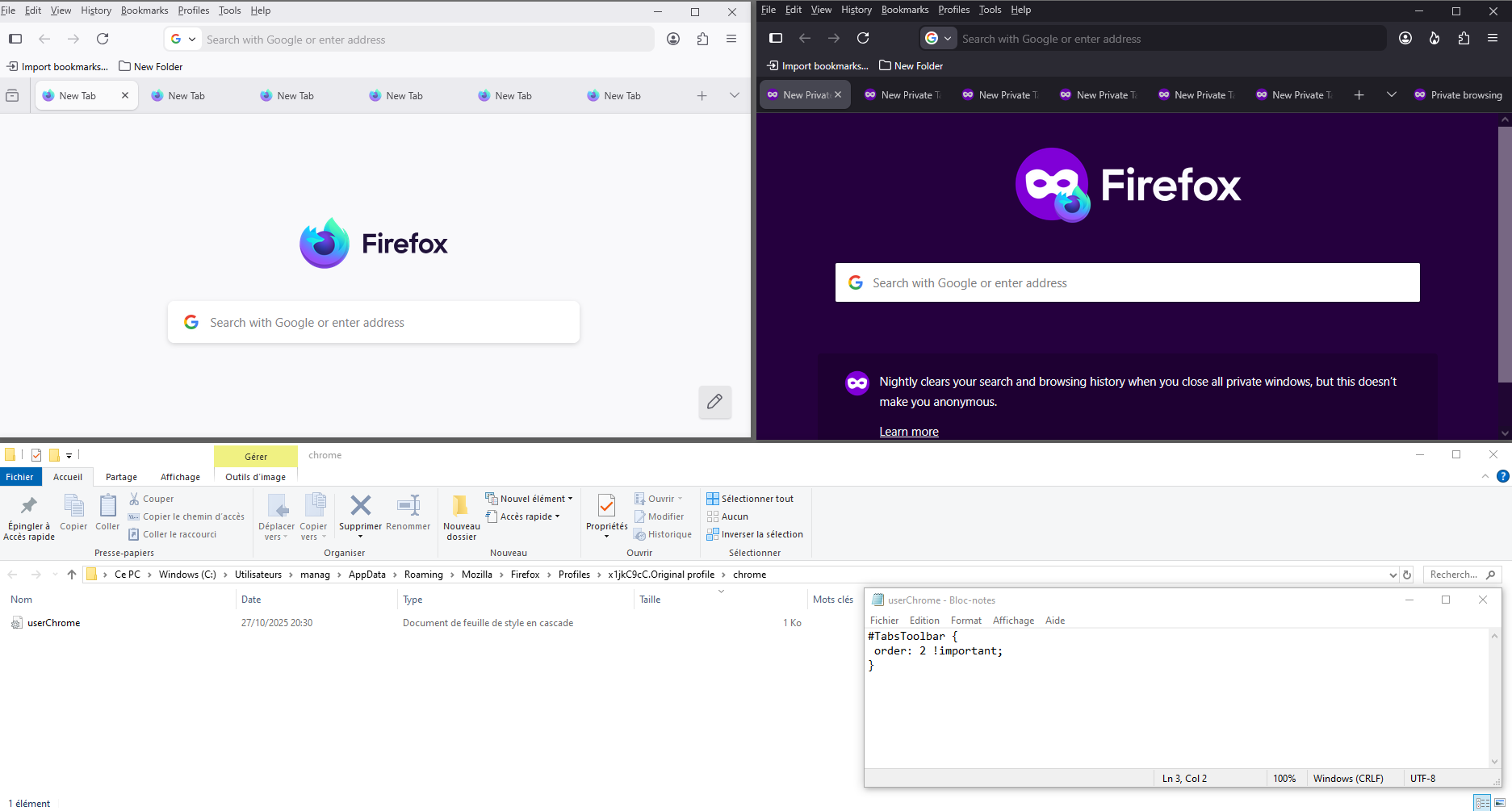
HELP! How do I move the Open Tabs back down to the bottom??

HELP! How do I move the Open Tabs back down to the bottom?? It ended up way up TOP after an Update :-(
Thanks [edited email from public community support forum]
由 James 於 修改
所有回覆 (1)
Hello
Is it this subject. https://connect.mozilla.org/t5/ideas/please-please-allow-us-to-place-the-tabs-at-the-bottom/idi-p/216
https://connect.mozilla.org/t5/discussions/with-version-113-0-1-the-tab-bar-is-back-at-the-top-where-i/m-p/31915/highlight/true#M11963 i have seen this userChrome.css code and tested to see if.
For information purposes. Firefox advanced customization and configuration options. https://support.mozilla.org/en-US/kb/firefox-advanced-customization-and-configuration
If you wish to try.
#TabsToolbar { order: 2 !important; }
Copy/paste the code into Notepad Save Type: All files userChrome.css
Create a chrome folder Move userChrome.css to your chrome folder
Go to your profile folder https://support.mozilla.org/en-US/kb/profiles-where-firefox-stores-user-data#w_how-do-i-find-my-profile
Move your chrome folder to your profile folder
Go to configuration editor https://support.mozilla.org/en-US/kb/about-config-editor-firefox Enter a search term toolkit.legacyUserProfileCustomizations.stylesheets Double-click on the preference, to set its value to true
And restart Firefox.