


MOZILLA BOOKMARKS
Hi,
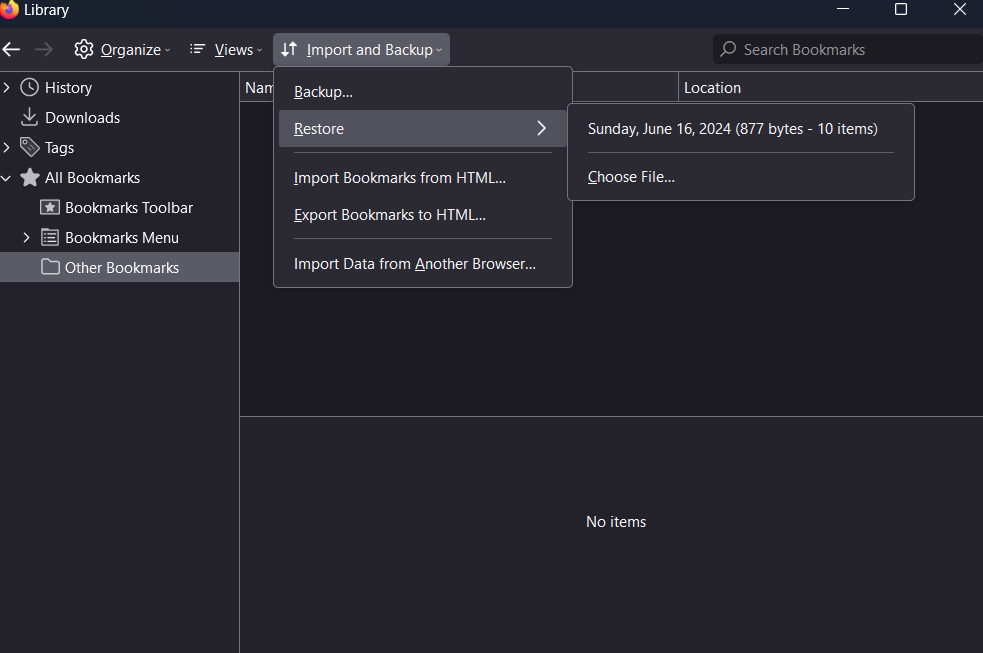
I factory restarted my computer and reinstalled Firefox. When I signed into my Firefox account, all my bookmarks showed up but none of my tabs were loaded. I figured out how to load my tabs up from my previous session but all my bookmarks then deleted. I tried to re-sync but none of the tabs showed up. When I try to restore my bookmarks from the manage bookmarks library, it does not appear. I do not have a backup file for my bookmarks.
所有回覆 (4)
Quote: I figured out how to load my tabs up from my previous session What did you do to recover your tabs that caused your bookmarks to get deleted?
You can check if you have a C:\Windows.old folder with your Firefox profile data.
Unfortunately, there is nothing in my Windows.old folder
Note that the Firefox profile folder is in a hidden location in case you have this folder.
- C:\Users\<user>\AppData\Roaming\Mozilla\Firefox\Profiles\<profile>
Can you answer my question on how you recovered the tabs.
I can't find a Mozilla folder inside of roaming. I recovered my tabs by clicking on my profile on the top left of Mozilla and luckily it shows all the tabs that I had opened from my other device which was from my last Mozilla session before I factory reset my computer.