


Windows 10 reached EOS (end of support) on October 14, 2025. If you are on Windows 10, see this article.

Search Support

Avoid support scams. We will never ask you to call or text a phone number or share personal information. Please report suspicious activity using the “Report Abuse” option.

Learn More
Open

Keyboard shortcuts for copy/paste not working on print dialogue.

jbr replied
Jeanneataroy

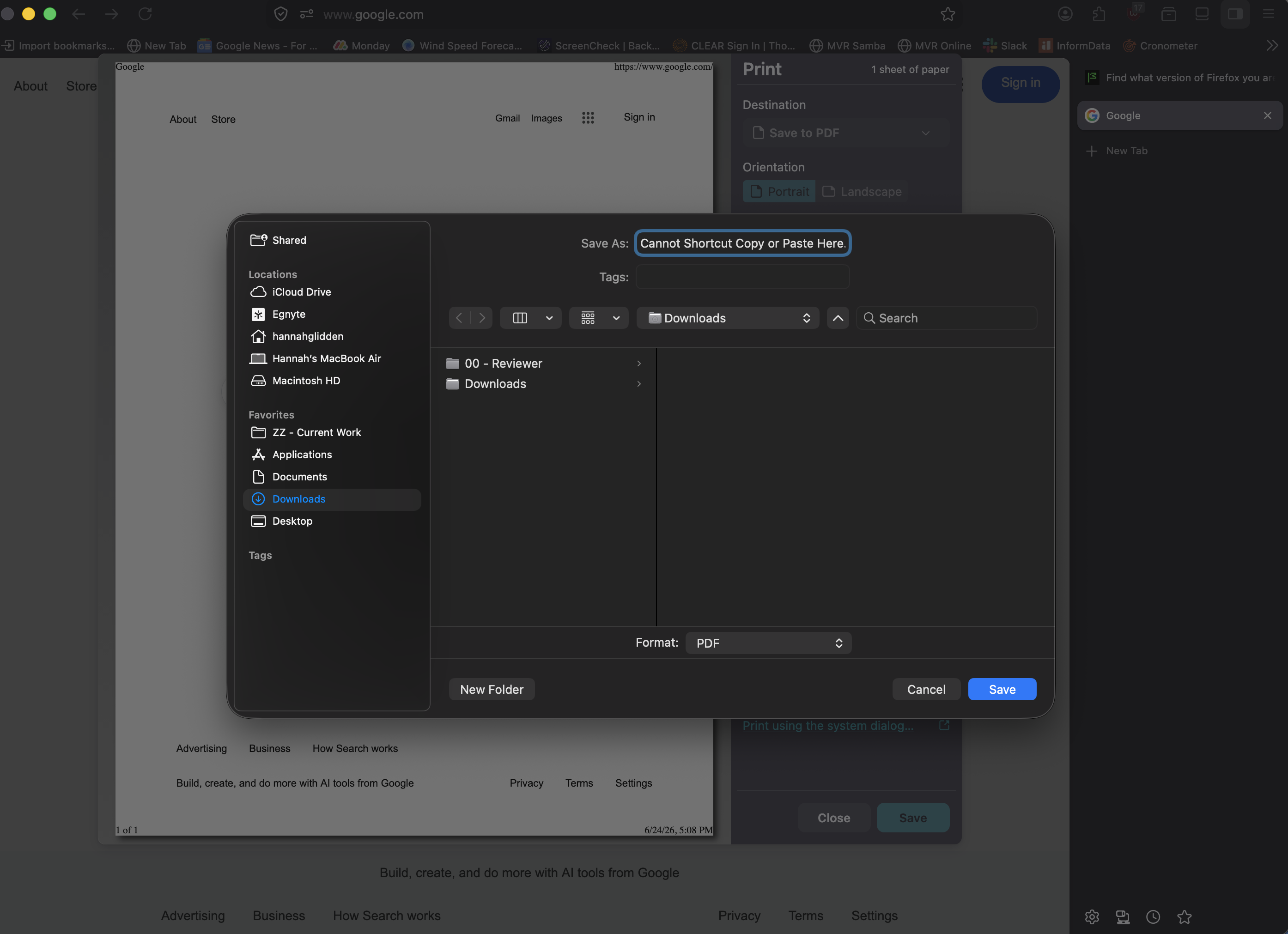
New (to me) issue, was not happening prior to system and browser updates. Using MacOS Tahoe 26.5.1 with Firefox Version 152.0.2 (64-bit), when I attempt to use keyboard shortcuts to copy paste into print dialogue (when I use Destination 'Save to pdf' and want to paste a file name I have copied), I get an error noise and no copy/paste happens. Using "right click" copy/paste is working properly (allows copy/paste of text into print dialog save to pdf name box). I have no custom keyboard settings for any apps and this issue is not occurring elsewhere in the browser (and is not occurring in other browsers). Have done the normal, updating OS and browser, used terminal to kill the clipboard and restart it, and restarted system and browser a couple of times. Would love to know if there is something I can do to fix this as I use this function frequently.
New (to me) issue, was not happening prior to system and browser updates. Using MacOS Tahoe 26.5.1 with Firefox Version 152.0.2 (64-bit), when I attempt to use keyboard shortcuts to copy paste into print dialogue (when I use Destination 'Save to pdf' and want to paste a file name I have copied), I get an error noise and no copy/paste happens. Using "right click" copy/paste is working properly (allows copy/paste of text into print dialog save to pdf name box). I have no custom keyboard settings for any apps and this issue is not occurring elsewhere in the browser (and is not occurring in other browsers). Have done the normal, updating OS and browser, used terminal to kill the clipboard and restart it, and restarted system and browser a couple of times. Would love to know if there is something I can do to fix this as I use this function frequently.
Iqhotyoshelwe imifanekiso ekwisikrini

Ilungisiwe ngu Jeanneataroy

All Replies (2)

Tahoe 🤦 … well, nobody really knows, seems to be something different for everyone:

There have been a few changes around both how the print dialog is raised, and also what system defaults are used for it in v152.0.4 — it would be interesting to hear back once you update if you still see the same issue. Thanks!

Buza umbuzo

You must log in to your account to reply to posts. Please start a new question, if you do not have an account yet.