web page won't load

I keep getting this message:
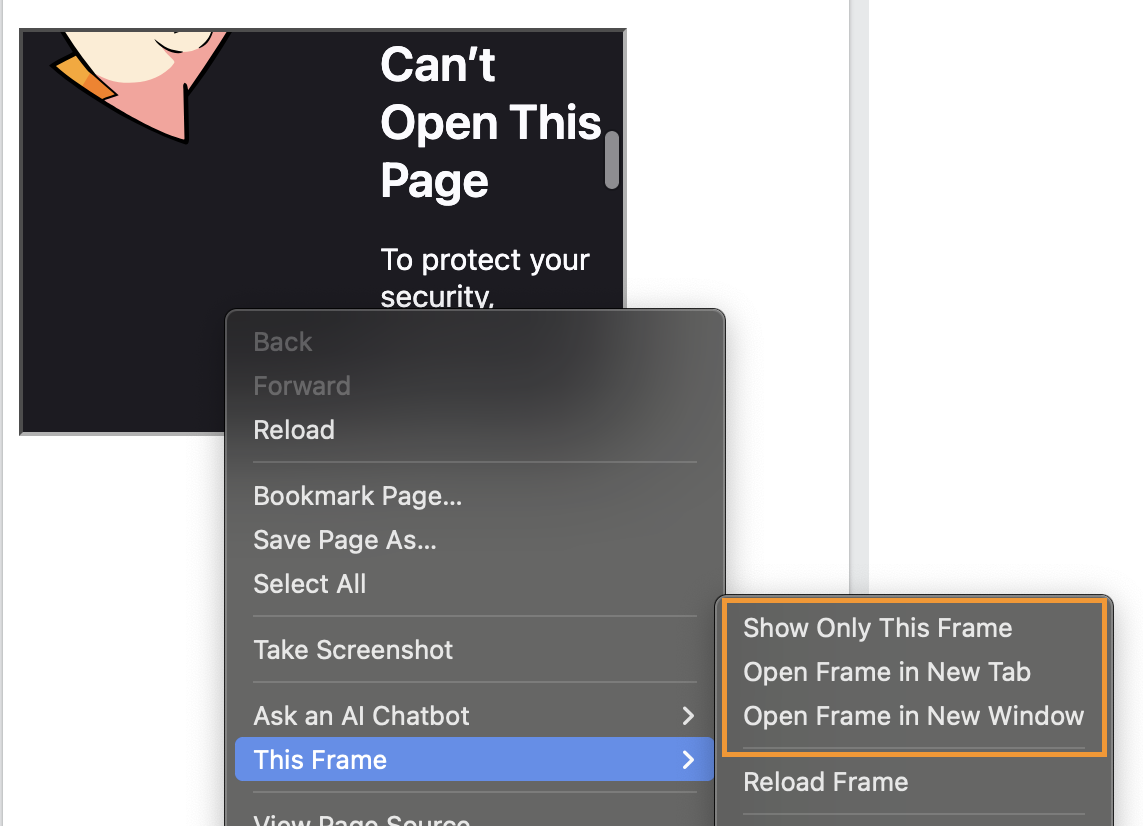
Firefox Can’t Open This Page
To protect your security, login.microsoftonline.com will not allow Firefox to display the page if another site has embedded it. To see this page, you need to open it in a new window. What can you do about it?
To protect your security, login.microsoftonline.com will not allow Firefox to display the page if another site has embedded it. To see this page, you need to open it in a new window.
I can't open the link in a new window as I have to click on a tab and when I right click on the tab it only gives the pop up box that says "take a screen shot" etc.
I tried "allowing" the website for pop-ups but it still didn't work. I don't know what to do now.
All Replies (1)
This is basically the MS login declaring it won't work, if another page tries to wrap around it (and the browser respecting that setting). There are ways for the inside frame to get open on top level, and you were really spot on with the context menu.
If you right click on the actual frame content (i.e. the Firefox error in this case), there will be additional menu items for "This Frame", and either of the options should work for you — I usually just "Open Frame in New Tab":