


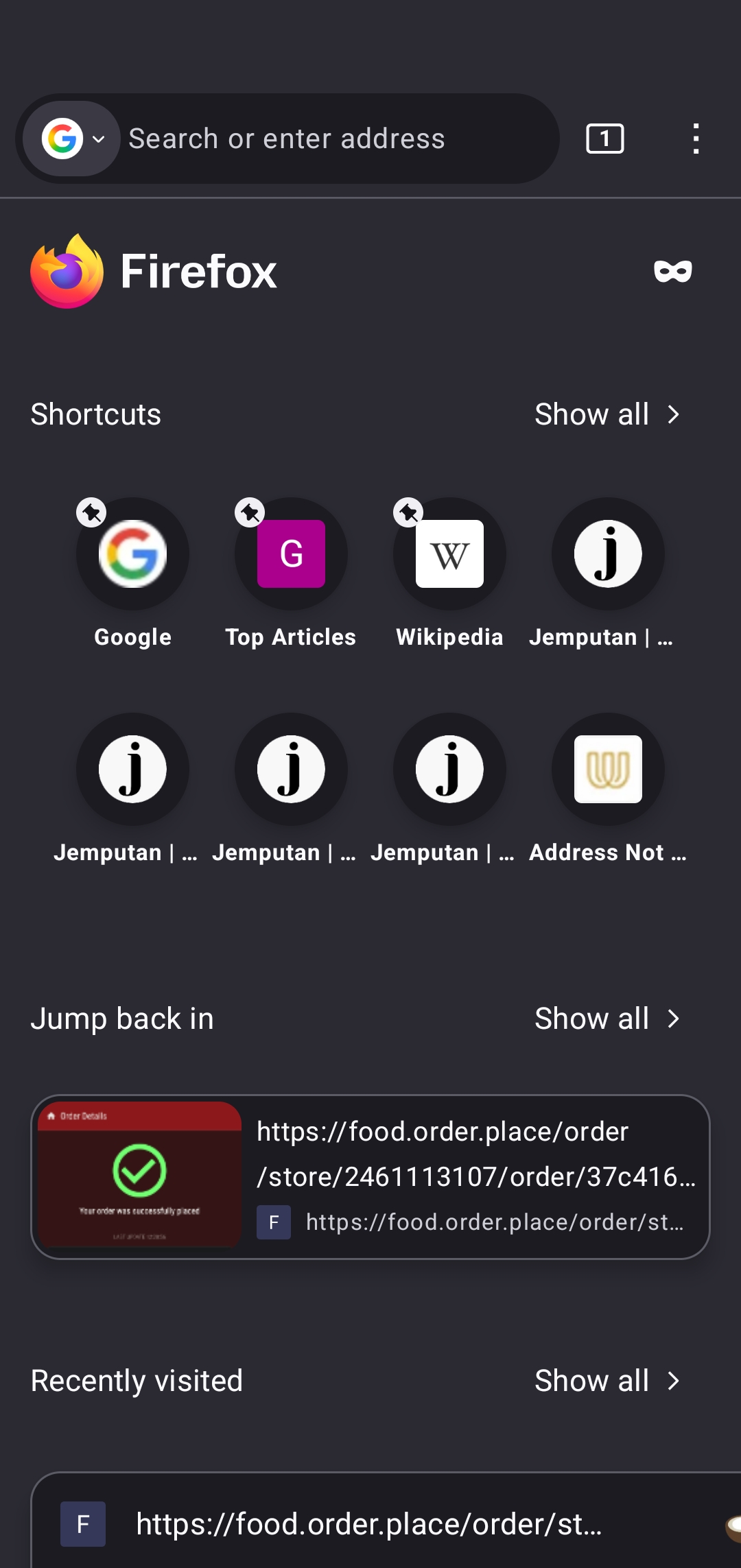
Header size increasing

Switching between private browsing mode to normal browsing mode or vice versa results I the header size increasing. Need to close it and reopen for it to go back to normal. Running Android 15 on an Asus Zenfone 10
All Replies (1)
Update the browser Make sure your browser (likely Google Chrome or Firefox) is fully updated. Bugs like this are usually patched quickly. 2. Force stop + clear cache (not data) Go to Settings → Apps → your browser Storage → Clear Cache Then “Force Stop” and reopen This refreshes the UI without deleting your saved logins. 3. Check Display scaling / font size Settings → Display → Display size & text If it’s set too large, it can exaggerate header resizing bugs when switching modes. 4. Try disabling “Tab Grid” or experimental flags (Chrome only) In Google Chrome: Type chrome://flags Search for “tab” or “grid” and reset to default Some UI experiments affect private tab layout. 5. Test another browser Try something like Brave Browser or Microsoft Edge. If the issue disappears, it confirms it’s a browser-specific bug, not your phone. 6. Reinstall (last resort) Uninstall updates or reinstall the app to reset UI behavior.