


Moving 90 folders

I have a local folder which has 90 folders within it. These are folders brought over from Eudora (the mail system I used before Thunderbird). It would help me if I could easily move all 90 from their current "Eudora" folder to the big "main" folder that Thunderbird has. To make it clear what I'm asking, here's an example, using two folders, Danbury and Fritz.
D (folders whose names begin with D) Eudora folder, which has two folders - Danbury and Fritz F (folders whose names begin with F)
Is there any way to move the 2 folders that are currently within the "Eudora" folder so that they're "first level" folders. In other words, Danbury would be among the "D" folders and Fritz would be among the "F" folders.
The only way I know to achieve this is by manually creating the new folders, moving the items from the old folder to the new folder, and then deleting the old folder. This is cumbersome.
All Replies (8)

I'm not sure I understand your intention, but multiple folders can be selected in the Folders List by holding down the <Ctrl> key while clicking on non-contiguous ones, or while holding <Shift> and selecting a range. You can then right-click on the selection and use the <Move To> pop-up menu to move them to the top level of your Local Folders. The selection can also be drag-and-dropped to the top level of Local Folders.
Thank you Lin. I used this method successfully for a few folders, but then somehow or other I screwed things up so that folders being moved went to the very bottom of the list, even though that makes them not in alphabetical order. I shut Thunderbird and reopened it, hoping it would fix it. It didn't. It's as if they're in a phantom alternate folder at the bottom. If I try to move them to the "Local Folder" group I get this message:
A subfolder with the name 'CSEA' already exists in this folder 'Local Folder'. Would you like me to move this folder using the new name 'CSEA(2)'?
CSEA is the name of the folder I was trying to restore to its previous position.
I respond "CANCEL" because I'm afraid things are only going to get worse.
(I've always been a klutz when it comes to using the cursor to select ranges.)

Tom, it could potentially be helpful if you could attach a screen image showing the user interface elements in question.
I've attached a picture of the bottom of the Local Folders list. The entries for Arnold Schoenberg to CSEA shouldn't be at the very bottom but I can't figure out how to make Thunderbird re-alphabetize the list. It's as if these entries have something internal which puts them at the end of the sequence.
I'm sorry, I don't know how to capture a screen print and insert it here. Hopefully you can see the file I uploaded.
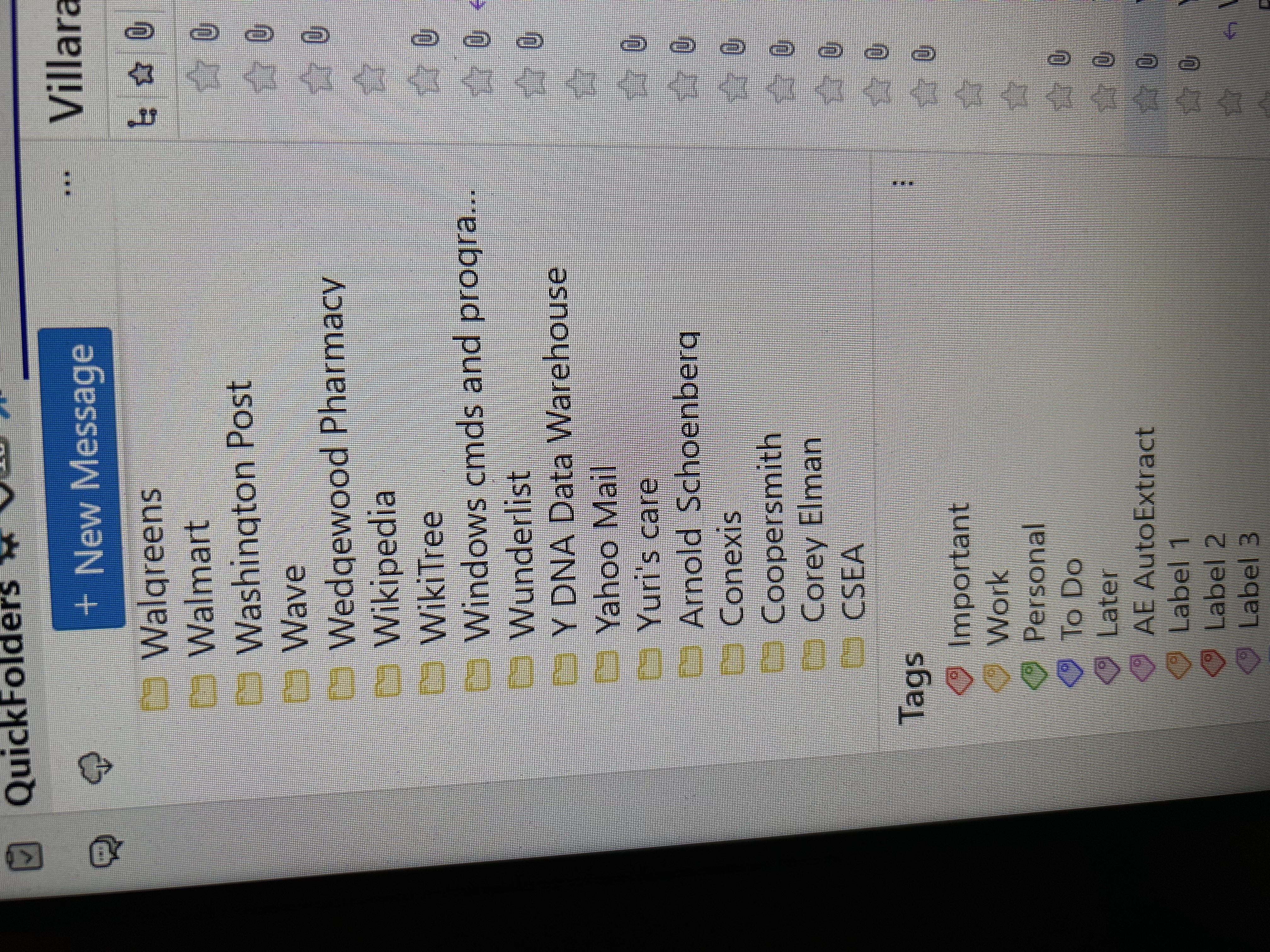
You appear to be using the QuickFolders add-on. I don't know exactly what that does, but it would have been an important factor to mention when you are having trouble with folders. If the issue is due to the add-on, you will need to get support for it from the author.
What happens when you disable it?
Ilungisiwe ngu Lin
Hi, I hadn't considered QuickFolders. I disabled it but the directory entries didn't magically find their proper place in alphabetical order. I'm not claiming that QuickFolders wasn't involved in getting the list out of order, I'm just saying it's inconclusive. I've attached another picture about which I'm curious. You'll see I'm attempting to move one of the folders. Notice the list of destinations. At the very bottom, separated by a line from the others, is the entry "Local Folders - Local Folders." This shows up even when I try to move one of the directory entries which are above the new out-of-order entries. I don't know whether the display of this entry is normal because even with QuickFolders inactive I see it. Can you tell me what you see on your system when you try to do a "Move To" for a folder?
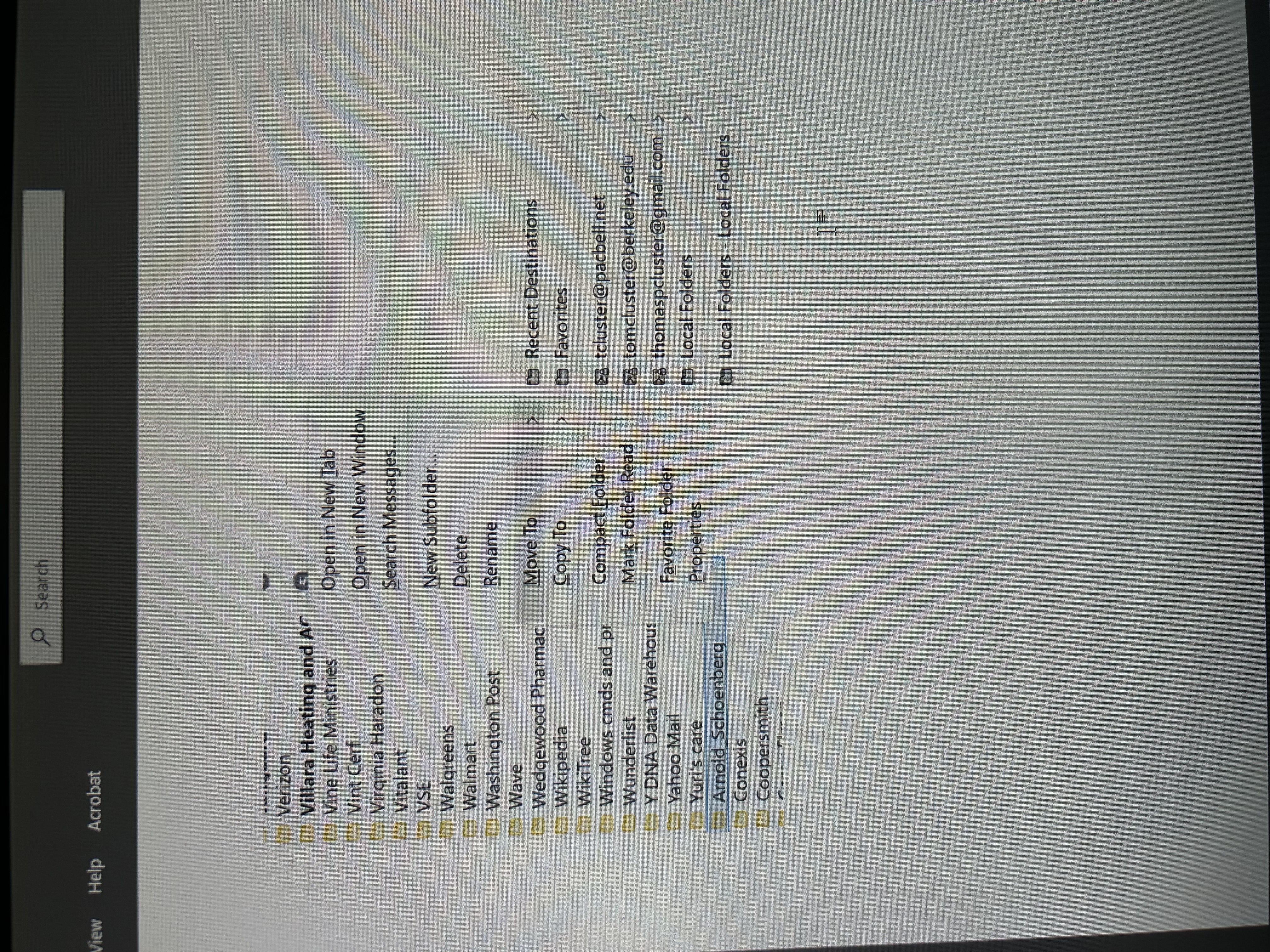
The last entry in that list is the last location you moved or copied something to. It's intended to make subsequent moves easier to do with fewer clicks.
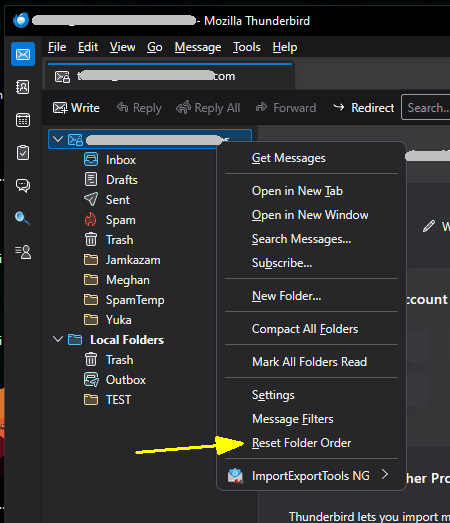
You don't mention what version of Thunderbird you're using. The Current version 147.0.1 has the new option to Reset Folder Order, which will alphabetize them, though it leaves the special folders (Inbox, Drafts, Sent, Spam, Trash) at the top. The option can be found by right-clicking on the account name (see attached image.)
Version 140.7.1esr does not have this option. You can reorder them manually by dragging and dropping, but that's a delicate operation and it's easy to accidentally drop it into another folder rather than between them.
Ilungisiwe ngu Lin
Sorry to report that "Reset Folder Order" did not re-alphabetize the folders. I tried it both with QuickFolders active and inactive. As you say, dragging and dropping is a delicate operation. I'm a klutz with such maneuvers and something that I did caused those folders, which had been a single selected group, to go to the end of the sequence, and I have no idea how to duplicate that. I had successfully made such moves before.