


Revert Colorways changes

On startup this morning, I saw the Colorways options. I tried a few, but decided to keep my Dark theme.
One of the first set of Colorways options was "no option," a circle with a slash. On the new Firefox View > Colorways page, that is no longer an option. I tried Settings > Manage Colors, to no avail.
The Firefox I'm using now has screwed up colors. I want to revert to the Firefox I had on startup. How do I do that?
Isisombulu esikhethiweyo
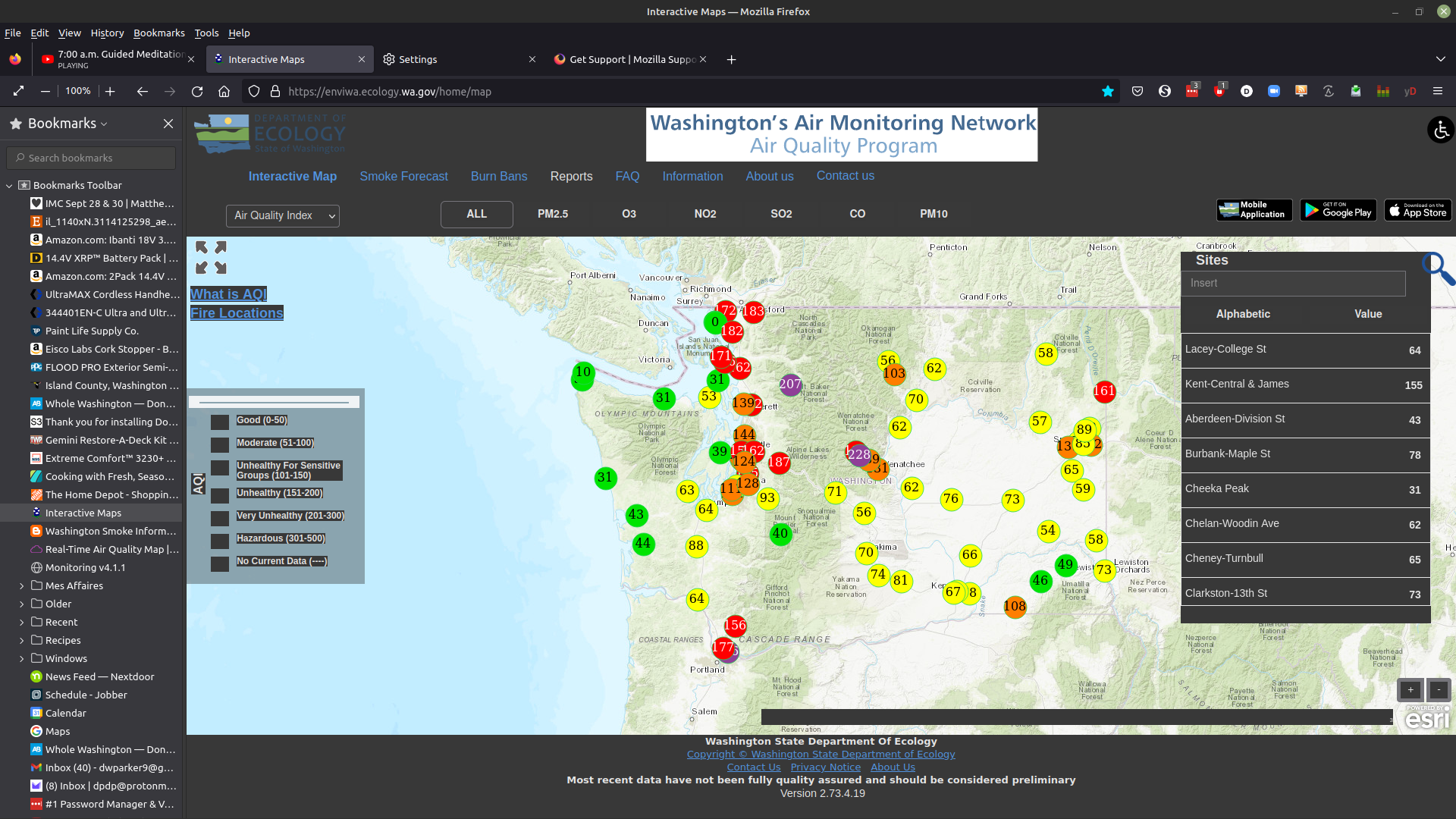
I found a suitable fix: In Settings > Manage colors, selected "Override settings: Only on sites with High Contrast themes." IIRC, It used to be "Always." But now I can see colors on sites (see image). Putting it down to operator error lol.
Funda le mpendulo kwimeko leyo 👍 0All Replies (3)
You can revert it in Addons and Themes -> Themes.
Isisombululo esiKhethiweyo
I found a suitable fix: In Settings > Manage colors, selected "Override settings: Only on sites with High Contrast themes." IIRC, It used to be "Always." But now I can see colors on sites (see image). Putting it down to operator error lol.

Ilungisiwe ngu Dave Parker
Thanks for replying, TyDraniu. That didn't work when I tried it earlier. It's functioning like I need it to now, so I'm satisfied.