


Firefox crashing on opening
When I open Firefox for the first time when turning on my PC, it works for about 5 minutes, after that, it just crashes and when I try to open it again it doesn't even open it only shows the error, it happens until even in Firefox Safe Mode, and after all that happens, my Windows Explorer keeps shutting down all the time, and it makes the whole computer sort of 'restart', has anyone here had this error and can you help me?
Note 1: I already uninstalled and did a clean installation but nothing resolves
Note 2: if I do not open Firefox, my Windows Explorer does not keep closing, I have tested it with all the browsers I have...
All Replies (1)

In the address bar, type about:crashes<enter>. Note: If any reports do not have BP- in front of the numbers/letters, click it to submit them.
The crash report is several pages of data. We need the report numbers to see the whole report.
Using your mouse, mark the most recent 7 - 10 Submitted crash reports, and copy them. Now go to the reply box and paste them in.
Please, Do not post a screenshot ! !
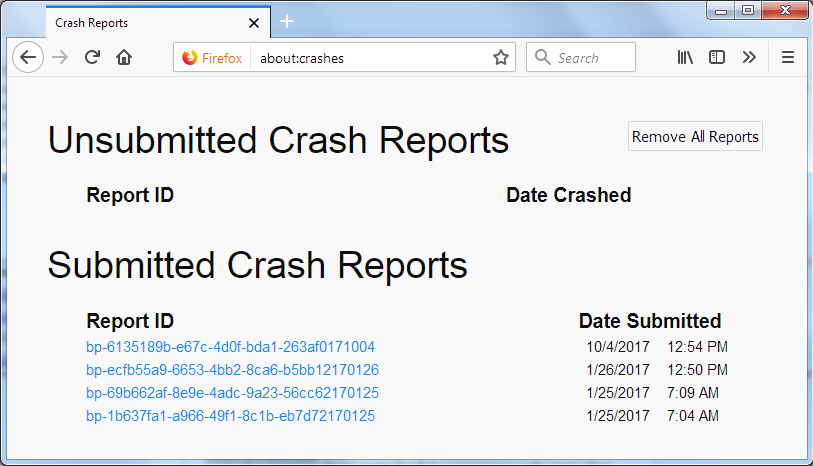
For more help on crash reports, see; https://support.mozilla.org/en-US/kb/firefox-crashes-asking-support