


Click on Bookmarks sometimes close and reopen Firefox v29

I have a lot of bookmarks and sometimes when I open them and having multiple tabs and switching from one to another and enter drop down menu of bookmarks they close and reopen. Problem is very annoying and that starts to happend when I update to new v29. I remove previous version from every folder + registry, and installed this fresh version. So I don't know why is this happening, please fix it in next release.
Info: Win 7 SP1 x64 (latest updates) Firefox v29 Latest adobe flash
Được chỉnh sửa bởi Thermaltake vào
Tất cả các câu trả lời (13)
Anyone ?
OT: I really hate that bookmarks button connected with favorite button, I accidently clicked few times on it really irritating.
Được chỉnh sửa bởi Thermaltake vào
Hi,
I would like to just understand better this issue.
I have a lot of bookmarks and sometimes when I open them and having multiple tabs and switching from one to another and enter drop down menu of bookmarks they close and reopen.
What are the exact steps that this happens? Is it:
- I have a few tabs open
- I open a bookmark from the bookmark bar? From the navigation bar?
- I click on another tab
- In that new tab I open a bookmark from where?
- They the the tab closes?
Can you please correct this steps? This way I can try this to see what you mean. I look forward to your reply, please private message me to get my attention today. :-)
It only happends when I have few tabs open, not if I have only one. And when I switch through that tabs, and open bookmarks menu in menu bar menu sometimes close and reopen and it's really iritating.
I upload picture, maybe that will be more helpfull than my words :D
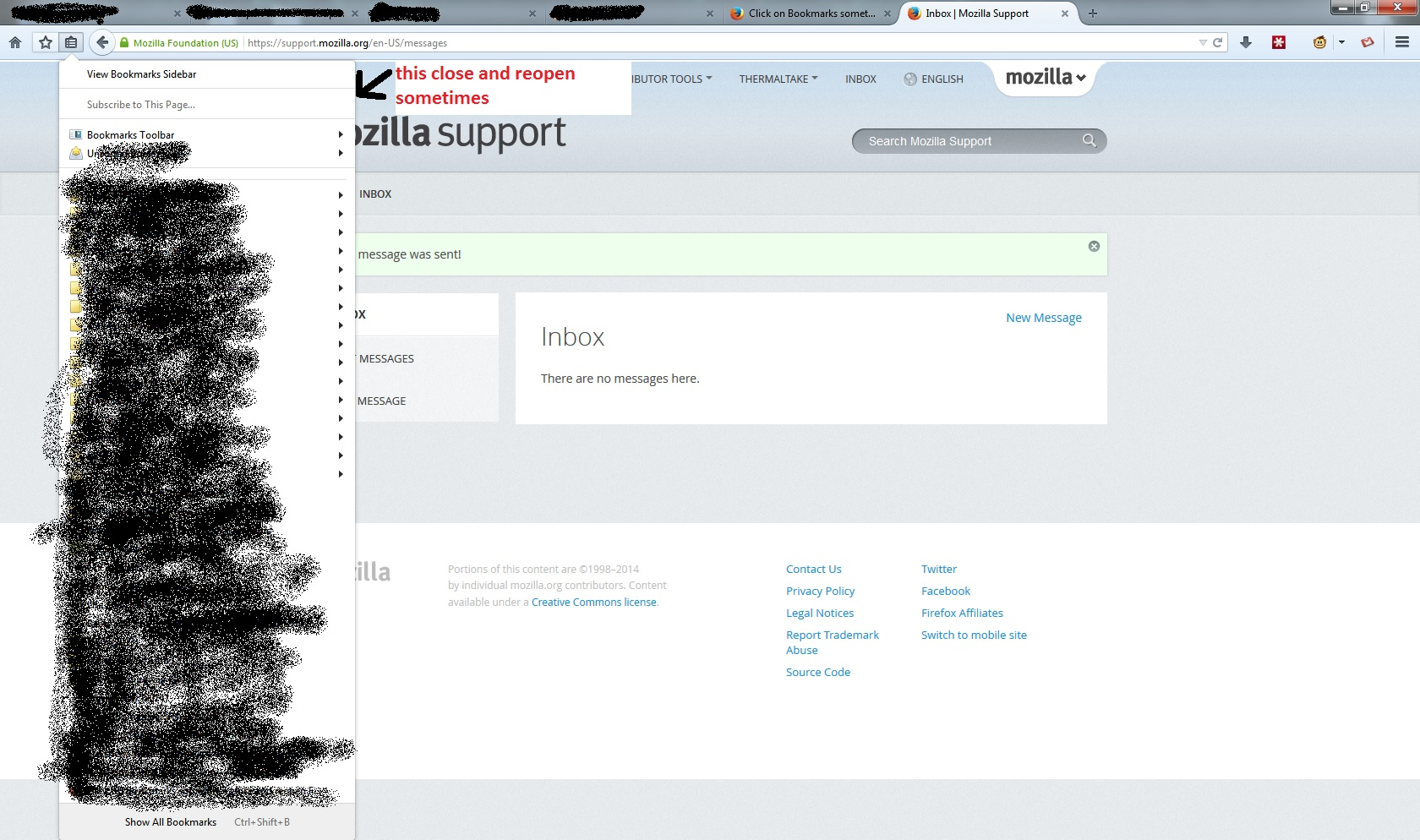
Được chỉnh sửa bởi Thermaltake vào
Ah, I understand. So click that top option "View Bookmarks Sidebar" and that should make it stay open. That is how it was designed. There is the classic theme restorer add on too, but let me know if this works.
But I don't want that. I want them to open normally like it used to on v28 you click on it and it opens without any problems. But when I update on this v29 this new theme is probably kind of buggy or something and when I click on that bookmark icon that drop down menu opens and close and reopen again sometimes, and that's not suppost to happend.
Được chỉnh sửa bởi Thermaltake vào
The name of the addon is Classic Theme Restorer
I know about that add on but it would be nice to fix this one, it looks nice but needs a little fixing.
Tell developers about this issue so they can fix it.
Được chỉnh sửa bởi Thermaltake vào
I suspect that problem may have to with you having moved that double bookmarks button to the left side of the page.
Don't know, but I like it there. And it would be great if favorite button could be separate from bookmark button.
Được chỉnh sửa bởi Thermaltake vào
There is an old hack that separates the two, but it may be outdated: http://forums.mozillazine.org/viewtopic.php?f=23&t=2778917&sid=b35...
Where should I write that code ? In console ?
Được chỉnh sửa bởi Thermaltake vào
That would be in the userChrome.css file.
Add code to the userChrome.css file below the default @namespace line.
@namespace url("http://www.mozilla.org/keymaster/gatekeeper/there.is.only.xul"); /* only needed once */
The customization files userChrome.css (user interface) and userContent.css (websites) are located in the chrome folder in the Firefox profile folder.
You can use this button to go to the currently used Firefox profile folder:
- Help > Troubleshooting Information > Profile Directory: Show Folder (Linux: Open Directory; Mac: Show in Finder)