


Text in web pages becomes corrupt, temporarily fixed by selecting & deselecting.

When reading text part of it becomes blocky & unreadable. If I select the text then deselect it, it becomes ok for a short time but soon becomes corrupt again. Only sections of the text are affected at any one time,but it is very frustrating. It's even happening to the text I'm typing at the moment. I've tried several of the suggestions given but to no avail.
Tất cả các câu trả lời (2)
hello samgill, this sounds like an issue with hardware acceleration - please try updating your graphics driver, or in case this doesn't solve the issue or there is no new version available at the moment, disable hardware acceleration in firefox > options > advanced > general.
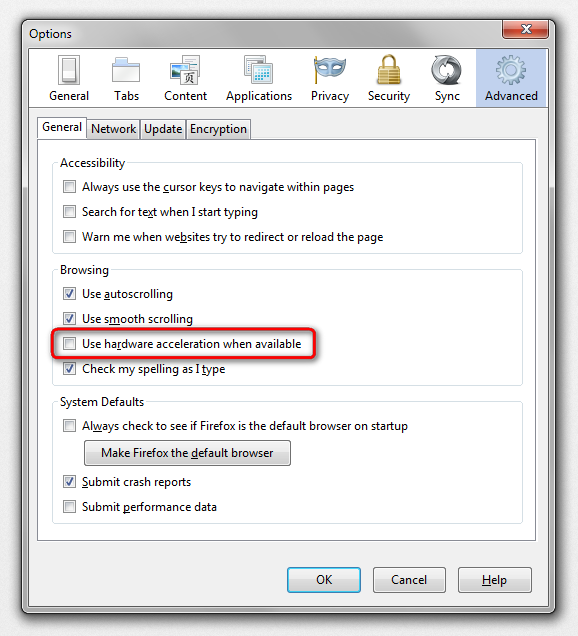
Thanks for trying philipp, but the graphics driver is up to date & disabling the hardware acceleration made no difference.