


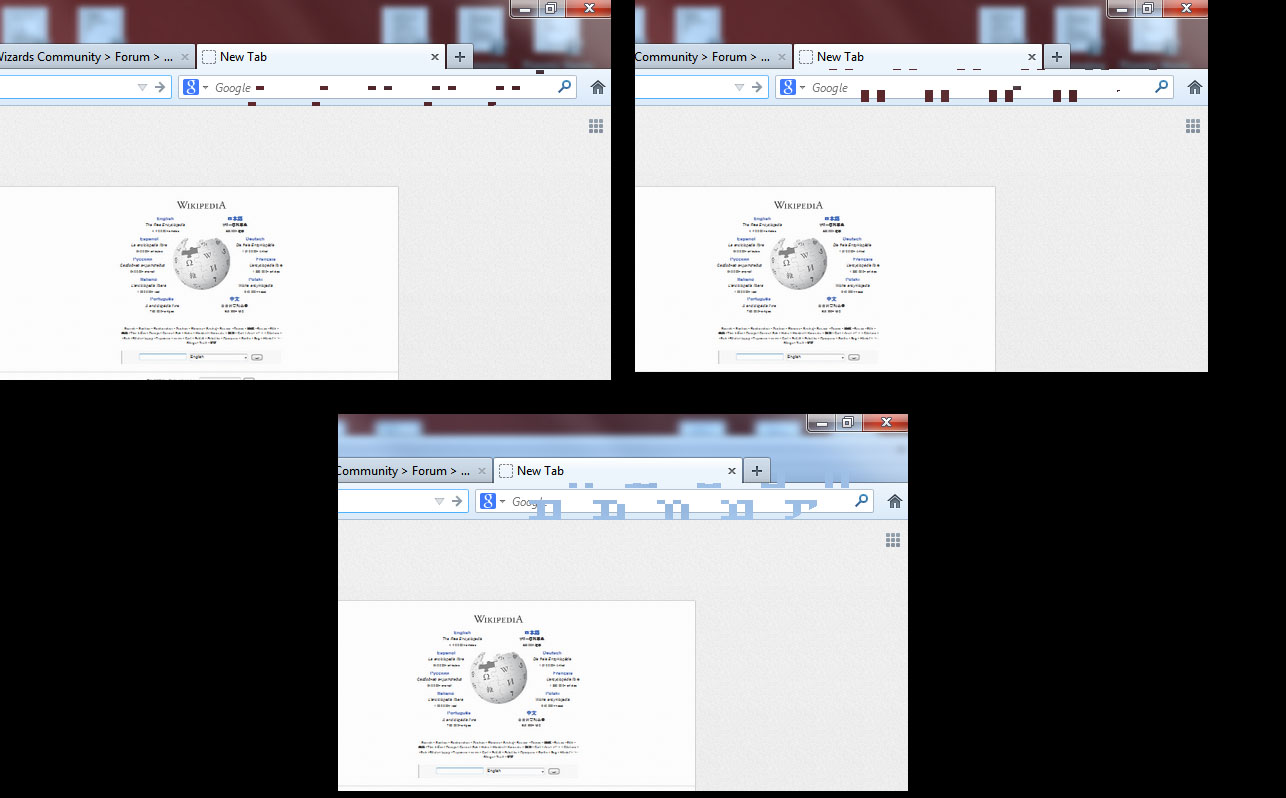
Periodically, I'm getting a checkerboard pattern of missing, transparent rectangles in the upper right or lower right corner when using Firefox in full-screen.

I'm not sure if this is actually a Firefox problem but I haven't been able to reproduce it in another program. It's not that the graphics are completely missing, just whatever should be visible in my FIrefox window isn't, and I can see the same fuzzy, transparent background image as is shown behind the top border of windows in WIn7.
Tất cả các câu trả lời (5)
Giải pháp được chọn
Can you attach a screenshot?
- http://en.wikipedia.org/wiki/Screenshot
- https://support.mozilla.org/kb/how-do-i-create-screenshot-my-problem
Use a compressed image type like PNG or JPG to save the screenshot.
Try to disable hardware acceleration in Firefox.
- Tools > Options > Advanced > General > Browsing: "Use hardware acceleration when available"
- https://support.mozilla.org/kb/Troubleshooting+extensions+and+themes
I managed to reproduce it three times. The third is in front of another open window so you can more clearly see that it's transparent and not just blank.
Update: although it's not the only time it happens, I can pretty much get one every time now when I open a new tab. It forms in a triangle shape (you can see the right edge in the third picture) but the bottom of it quickly disappears.
Turning off hardware acceleration seemed to fix it. I'll post if it comes back. I hope this gets fixed in the future, I don't know how much benefit a browser actually get from hardware acceleration but I'll take all the speed I can get.
Được chỉnh sửa bởi Jason Chmielewski vào
Did you try to disable hardware acceleration ?
Yes, sorry, you were probably posting as I was editing the above message.
It seems to have fixed the issue, thank you very much!

Also happening on Windows 8, Firefox v21; mainly in the add-on sidebar (Sage). Disabling Hardware Acceleration appears to have worked so far, but would obviously be nice to get a fix for the problem.