Chủ đề này đã được lưu trữ.
Vui lòng hỏi một câu hỏi mới nếu bạn cần giúp đỡ.

Đã lưu trữ
Firefox shows uneven chinese characters

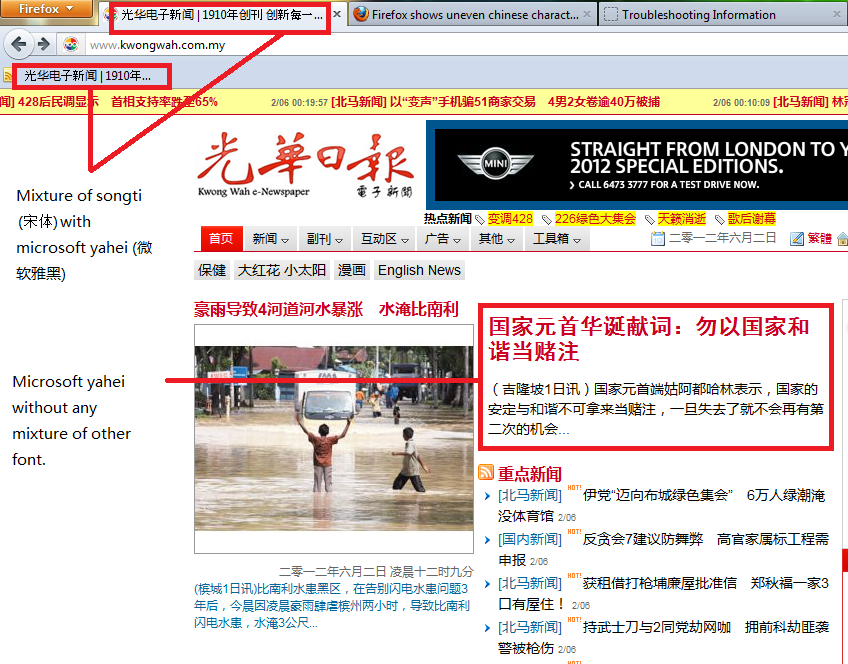
When firefox changing from chinese font songti(宋体)to microsoft yahei (微软雅黑), the chinese font on the title bar and bookmark showing the mixture of these 2 fonts.Any solution to resolve the problem?
When firefox changing from chinese font songti(宋体)to microsoft yahei (微软雅黑), the chinese font on the title bar and bookmark showing the mixture of these 2 fonts.Any solution to resolve the problem?
Tất cả các câu trả lời (2)
Provided with this photo to illustrate the problem
I just found out the solution to resolve the problem as stated above.
1. Install firefox addon that you want. Don't restart firefox after the addon installations .
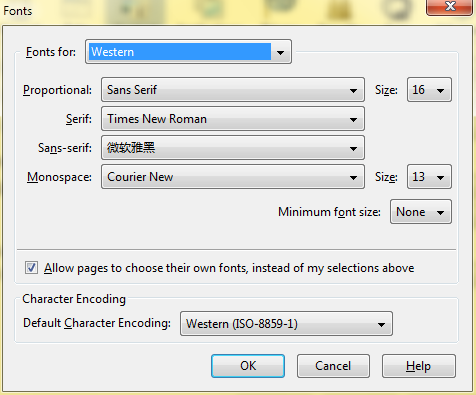
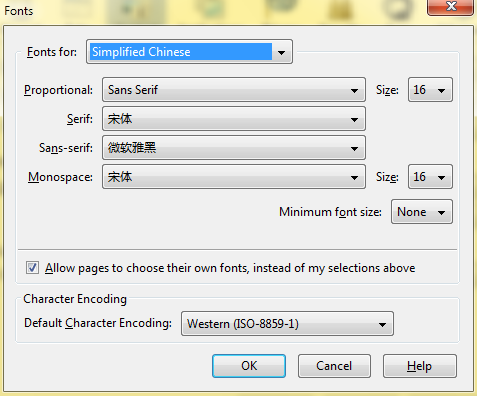
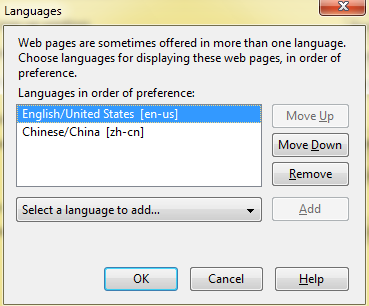
2. Make sure the font and language settings in firefox are set as attached pictures below.
3. Restart the firefox and the mixture of chinese fonts are gone! Bravo~
Good Luck!