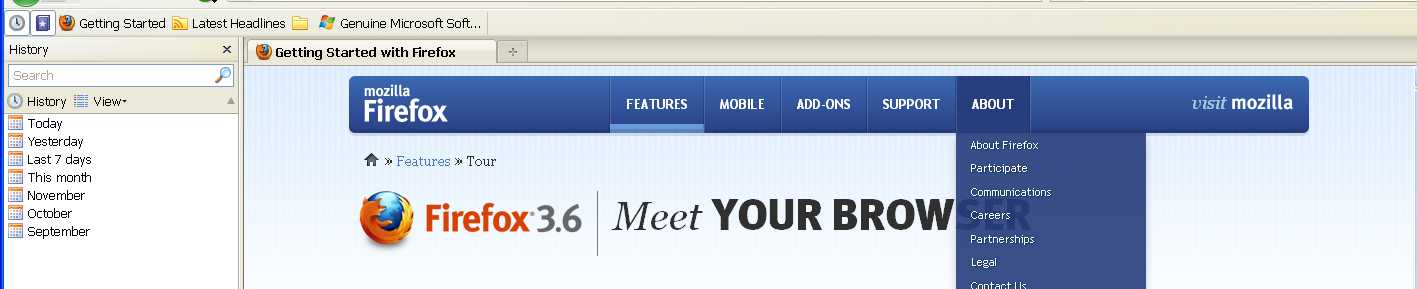
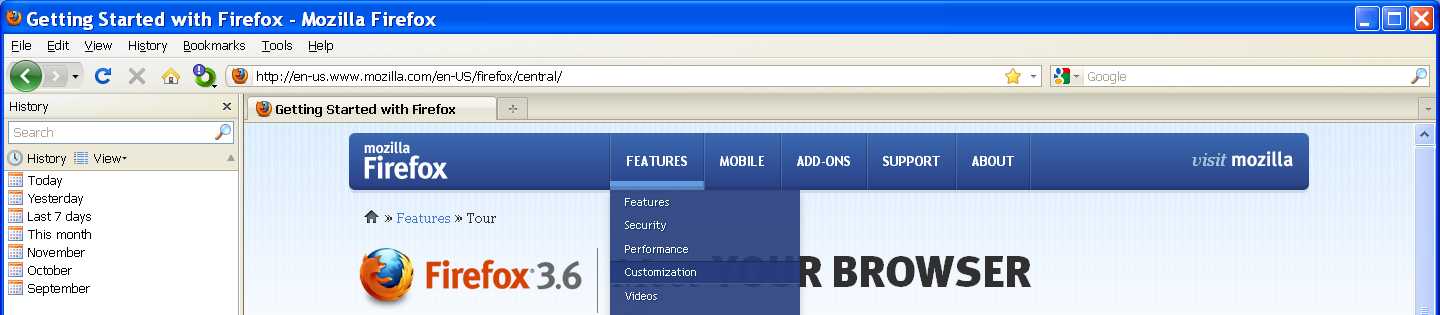
when i clikc on the FFbookmarks icon to open the sidebar the all ff bar is going off

When i click on the small icon (ffox bookmarks) to open my sidebar, the all FF tool bar is going off.
When I checked the View>>Toolbars>>Bookmarks toolbar is unchecked.Does not keep the check mark.
If I try to open the sidebar from View>>>Sidebar>>>Bookmarks.I don not have any problem.
Được chỉnh sửa bởi the-edmeister vào
Tất cả các câu trả lời (4)
Try disabling the Google Toolbar extension and see if that problem goes away.
Remains the same.The History icon works OK

"When i click on the small icon (ffox bookmarks) to open my sidebar, the all FF tool bar is going off."
What do mean by that? In your screenshot all three of your toolbars are showing, the "Bookmarks button" is depressed but the Sidebar isn't open.
Yes they show the bookmarks button No 021 Screenshot I have click on History button and the sidebar opes show me History list. You can see also the bookmarks button depressed.But never depressed it.
No 022 Screenshot. Here I click on bookmarks button.As you can see, the sidebar is there but not the bookmarks only the History list. Also The FF Toolbar went off.