


If I archive emails from a "LOCAL Folders" folder where do the emails go? Can I recover them?

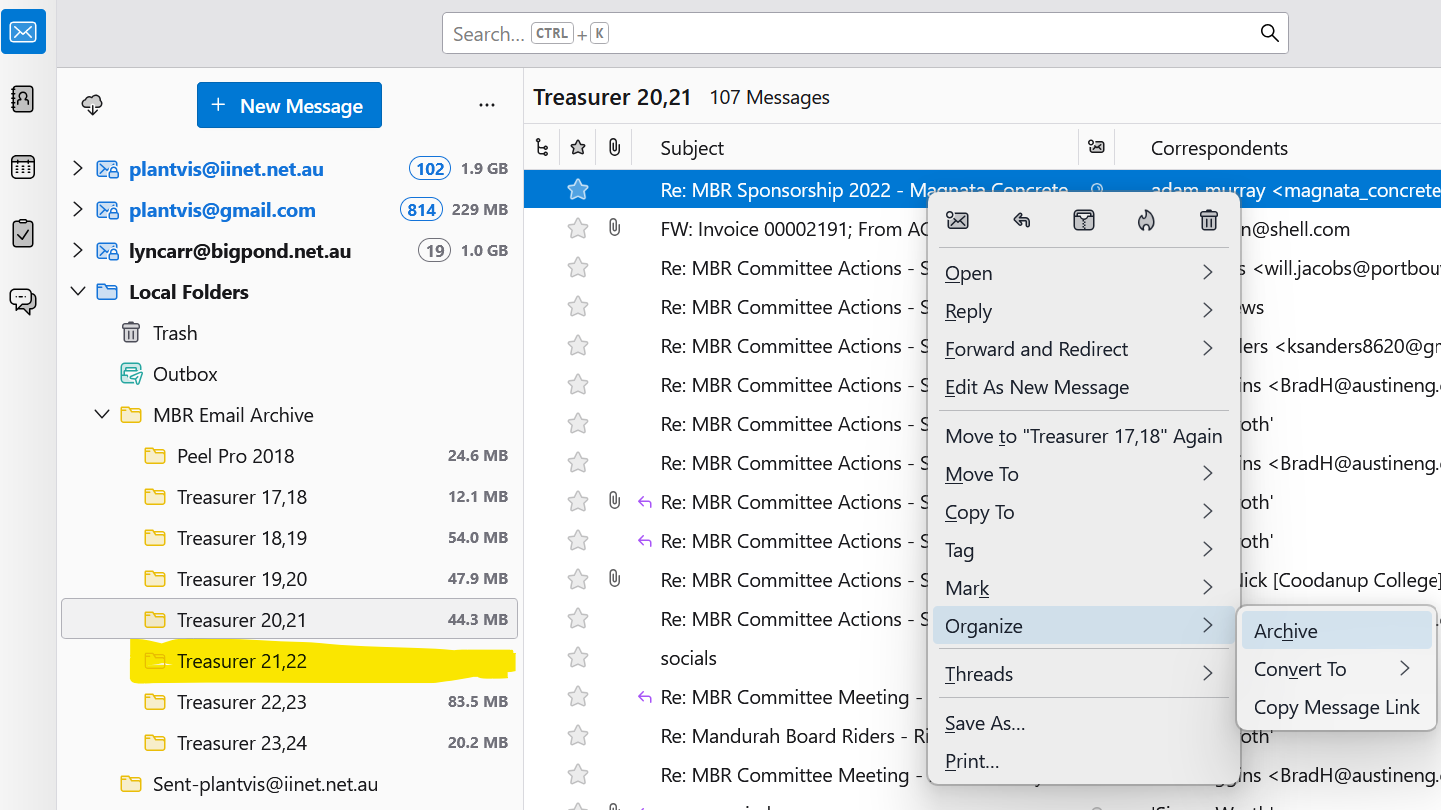
In Thunderbird I selected all of the emails in a folder that is stored under the "Local Folders" section of my account right clicked then selected Organise/ Archive. All of the emails disappeared slowly and now I can not see any of them. There is no "Archive" folder under the "Local Folders" section in thunderbird , so I do not know how to recover these emails? Can you please advise. Thanks
Tất cả các câu trả lời (3)
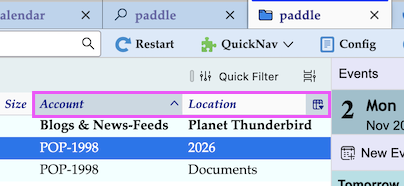
I just repeated your archive action with a message being stored in one of my folders created in Local Folders and saw it disappear without knowing where it had gone. Since Thunderbird has a global search feature I typed the "From" name in the search field and showed the results as lists. I found that the archived message was now located in the 2026 subfolder of the Archives folder of my POP account where it initially had been downloaded before I had moved it in my "Documents" folder in Local Folders. So you should use the global search function, display the search results as list and activate the "Account" and "Location" columns.
Giải pháp được chọn
Mapenzi, Thankyou for your help , As you suggested I found the emails within the archive folder of the account they were downloaded from. They had been split into sub folders "2021" and "2022" which is the year they were created and it looks like they are all there. I run 3 separate accounts within my Thunderbird session so it was not obvious what had occurred. Thankyou for your investigation . Much appreciated.
Hopefully the developers can update the help files to include these examples to help others in the future as it was not obvious what had happened.
I have a similar issue, but have stored emails from a redundant account in Local Folders; what will happen if I archive them?
I'm puzzled that I can archive messages from other accounts in the Local Files Archives tree, but not the messages from the Local Account itself