Mở
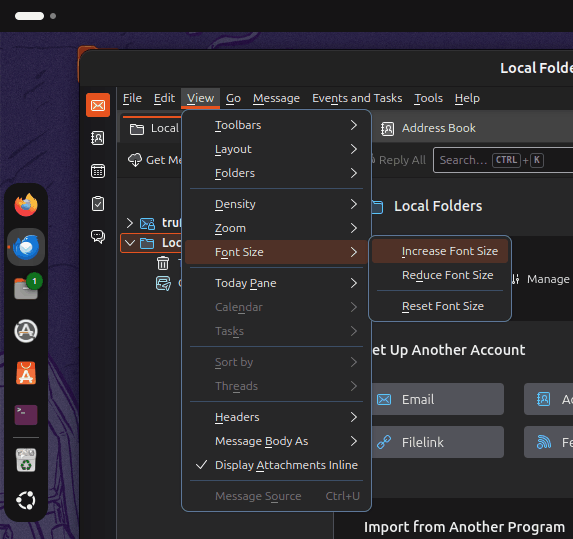
View does not have a font option

A previous answer to the question "how do I enlarge the font" in an email message?" suggested clicking on "View" and then on "Font Size". No such options are available to me in Ubuntu. What can I do?
'
A previous answer to the question "how do I enlarge the font" in an email message?" suggested clicking on "View" and then on "Font Size". No such options are available to me in Ubuntu. What can I do?
'
Tất cả các câu trả lời (1)

I beg to differ. The options is right there, as you can see in the attached image. This is Thunderbird 158.0 running in Ubuntu 26.04.
But you misunderstand the option. It changes the size of the font used in the interface, To change the size of the font in the Message Reader, use <Ctrl+"plus"> and <Ctrl+"minus">.