


Since the latest Firefox update, Google thinks I'm a robot. How do I remove thhe Firefox VPN?

The latest updates added a Firefox VPN toggle to the top of my screen. Now when I search on Firefox Google asks me to verify that II am not a robot. How to I remove the VPN I don't want? I do not want to verify I am not a robot just to search for holiday gifts.
Giải pháp được chọn
randy.aberg said
The latest updates added a Firefox VPN toggle to the top of my screen. Now when I search on Firefox Google asks me to verify that II am not a robot. How to I remove the VPN I don't want?
The built-in VPN in desktop Firefox is off by default so this is not the cause. You need to go about a few steps to even turn it on.
Tất cả các câu trả lời (3)

Bonjour
About, Use built-in VPN in Firefox https://support.mozilla.org/en-US/kb/built-in-vpn
See also https://support.mozilla.org/en-US/questions/1576925
About, Google - systems have detected unusual traffic from your computer network
If it's not already experimented, nevertheless, you can use alternative search engine https://support.mozilla.org/en-US/kb/change-your-default-search-settings-firefox
See also https://support.mozilla.org/en-US/questions/1606479 I use a other vpn, and below also, my vpn is not used.
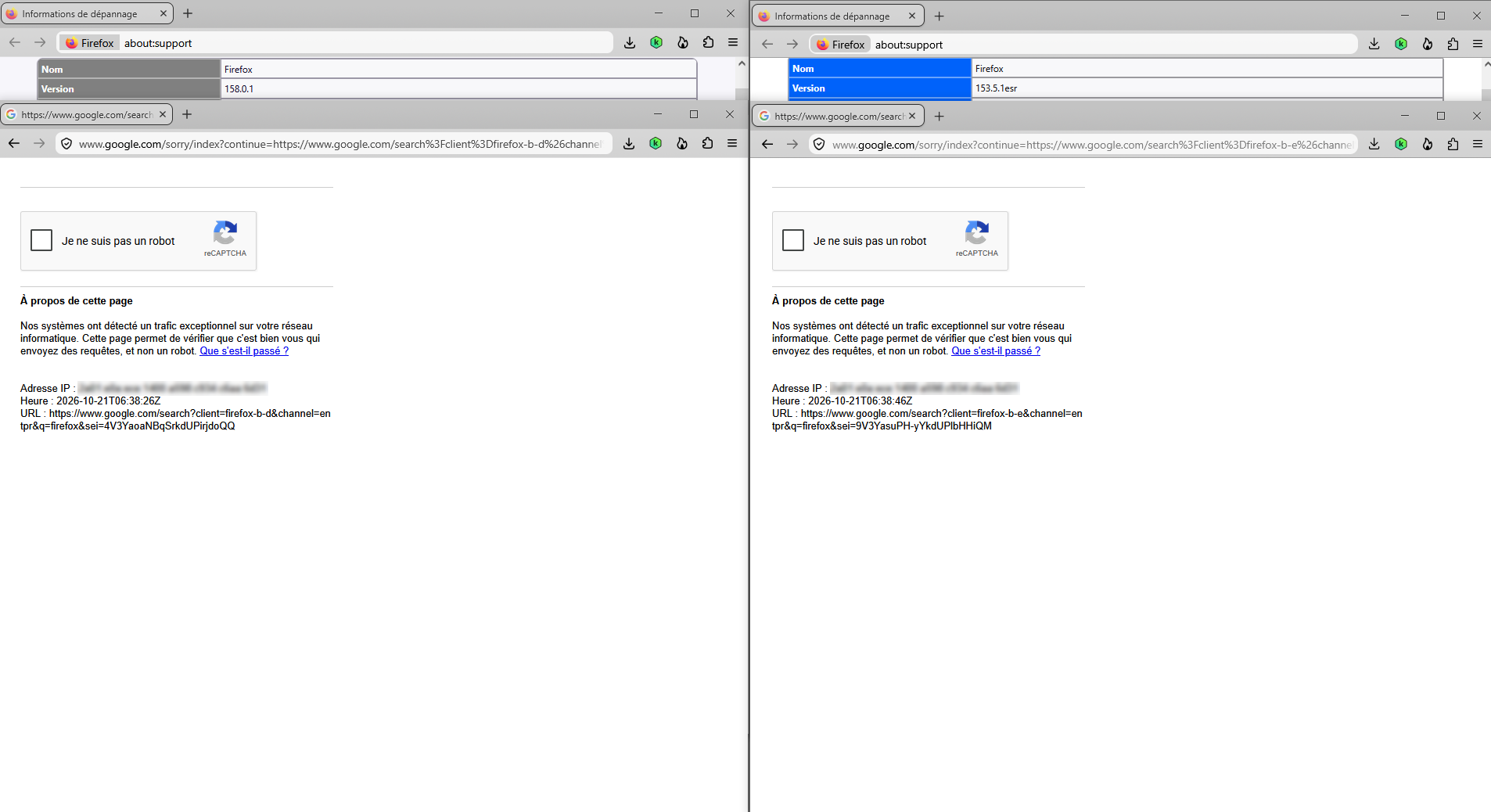
Được chỉnh sửa bởi Agent virtuel vào
Giải pháp được chọn
randy.aberg said
The latest updates added a Firefox VPN toggle to the top of my screen. Now when I search on Firefox Google asks me to verify that II am not a robot. How to I remove the VPN I don't want?
The built-in VPN in desktop Firefox is off by default so this is not the cause. You need to go about a few steps to even turn it on.