


Allow creation of whitelist for local LAN based websites

I have several websites in my own LAN. They run on HTTP. When I open one of these sites Firefox forces me to jump through hoops before I am allowed to open the intended webpage, because they are not running HTTPS, nor have a certificate. The security mechanism is valid for remote hosted websites, and I like the functionality.
But I own, operate and trust my LAN based websites, but I cannot prevent Firefox from complaining about them. I must do the song and dance to finally be able to open the webpage. All webbrowsers (Safari, Firefox, Chrome) do this, and it is very annoying
Solution: Allow the user to create a whitelist, either based on the website's ip adress, mDns name or blanket subnet. Come up with a solution that is easy for the user, and inspiring for your competition!
Tất cả các câu trả lời (8)
There's no issue with local sites if they do not expose HTTPS — using HTTP is just fine. Are you sure you don't have anything trying to respond on TLS port/handshake and ending up returning noise? What is the exact error you're presented with?
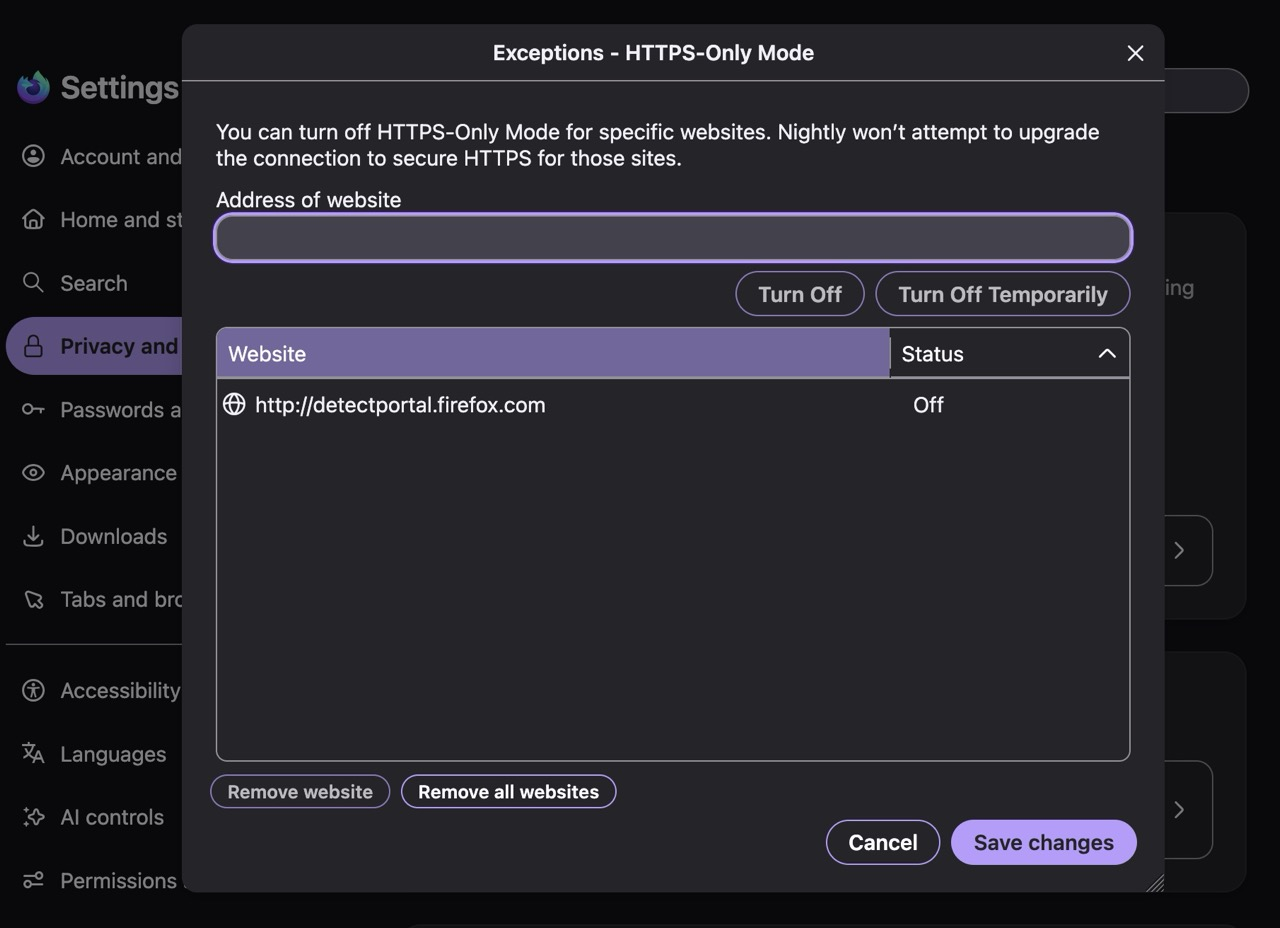
If this is about HTTPS–Only setting, it has its own exclusion list:
Thanks for your reply, The picture attached displays the nagware: it is presented whey I open the pihole admin screen on a local host. By the looks of the screen it is complaining about the validity of the on-board certificate. I don't care, it is a locally running linux server. Firefox now forces me to do stuff that won't be resolved (easily), and I don't want to jump through unnecessary hoops to get some internet CA approved certificate on a system that really doesn't need it. So I want to have a whitelist that prevents this message to be generated.
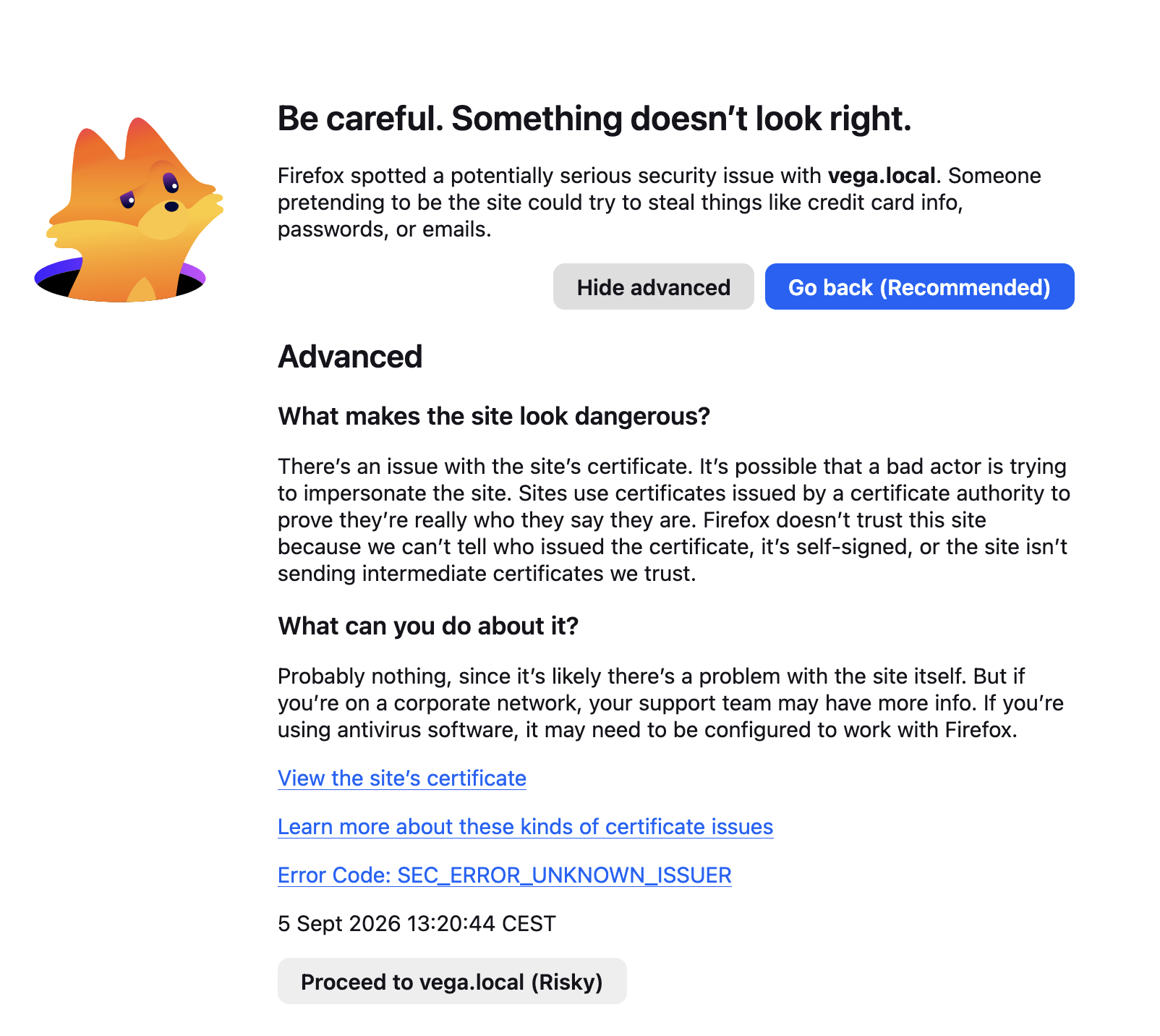
So the appliance DOES present HTTPS, but with invalid chain. That's separate from your question before.
If you don't want the HTTPS there, just disable it.
If you want to add the invalid chain into your trust store, follow the links from that error — not sure if really invalid issuers can be added, but if you just switch that to a simple self–signed certificate you can easily add that one manually.
This above is not about HTTP vs HTTPS access, or certificate exceptions in Firefox per se. The appliance on that host is misconfigured regarding its TLS and the certificate chain it presents.
Much as I appreciate your effort to analyse it as a problem, I really don't care where the fault lies, in my view there is no fault because it lives on a trusted network and the servers provide the results I built them to perform.
The browser is playing policeman, and it has to stop doing that. I need it to obey its owner, that's me. A discussion is irrelevant.
So again, I want a functionality with which I can tell the browser "trust host x, y, and z", or alternatively trust subnet RFC1918 a.b.c.d/24
That's not how trust in TLS works. (Hence the hint earlier, to not try TLS in such case.)
The error you see is most likely from a missing intermediate — i.e. something not sent from the server. Please consult pihole support channels if they have recommendations how to store the exception, it will most likely entail either a) concatenating multiple certs on the serving side, and/or b) retrieving the device intermediary to add it to the trust store. Generally speaking, their default stack provided seems to use "pihole" or "pi.hole" as the host — using a custom host and TLS at the same time might entail some extra configuration that's out of scope here unfortunately.
I currently don't see any similar proposals on connect.mozilla.org — you might want to try searching for any previous discourse on that topic (mostly HSTS RFC compliance is being mentioned there), and cast your vote there; or start a new idea if there's nothing set up already.
Because DNS is a critical function for all my LAN connected hosts, I have two systems providing pihole&DNS services (pihole facing the LAN, and unbound facing resolvers.) Having two hosts announcing the same name within the same broadcast domain isn't smart, so the service runs on two hosts, having their unique names not being pi-hole.local.
So I now have to go about and accommodate a builtin feature on the browser designed to protect me from evil-doing on the internet where the browser doesn't make a difference between within or whitout the walled garden.
I will investigate what needs to be done, and balance it against just ditching Firefox. Not sure which way that pendulum will swing on that one yet.
In the mean time, thanks for spending time on this one
The pihole docs for the CA are https://docs.pi-hole.net/api/tls/ — how that changes when you use different hosts (i.e. if you need to change something in the httpd configs) is a question for their forums — they will know better if you need configure something extra on top of the defaults.