


Đã giải quyết
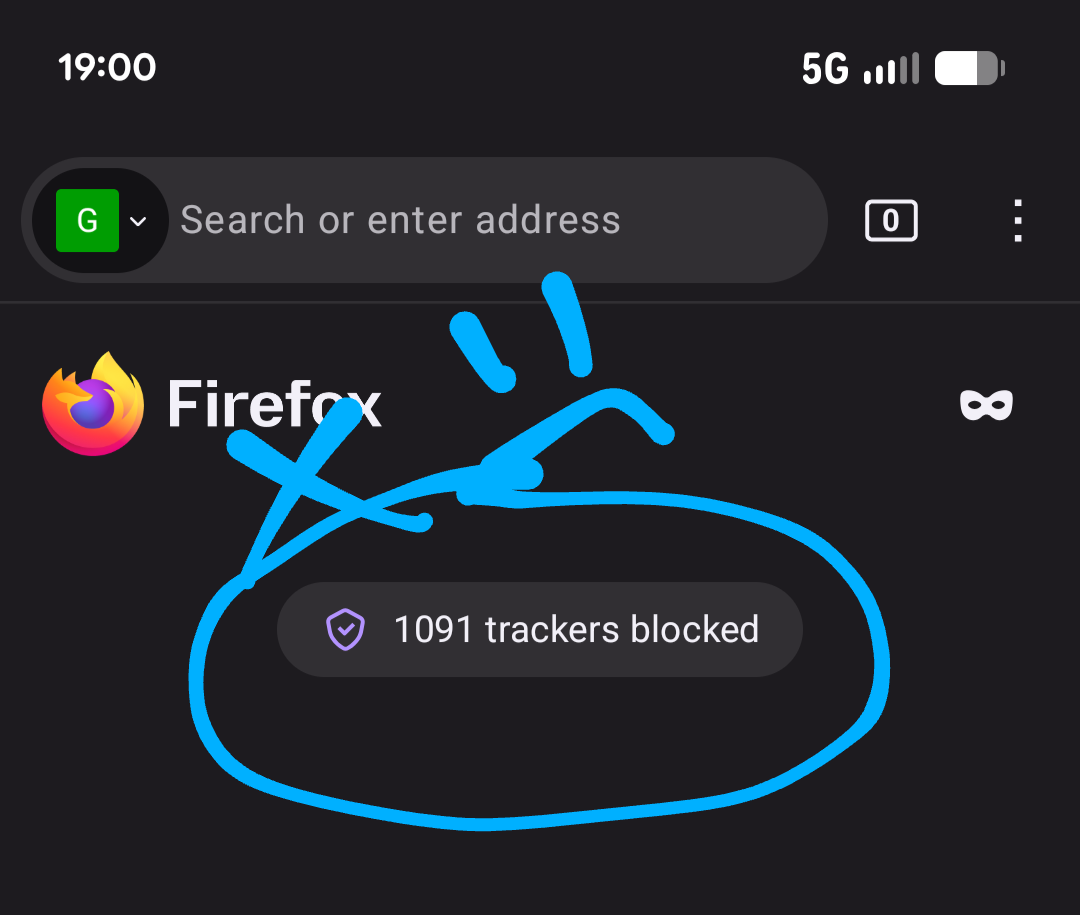
Turn off the annoying tracker announcement

I appreciate that my browser is blocking trackers. I even have two additional extensions to boost the power of this. But I don't want the announcement every time I load up my browser. How do I turn this off? I'm using Firefox 153.0.3 (Build #2016176519), on a Google Pixel 7 running Android 16, kernel 6.1.145-android14-11-gfa1d6308d1fe-ab14691759 #1 Fri Jan 9 16:33:46 UTC 2026.
Moderator note: Moved from the Firefox Desktop forum to the Firefox for Android forum.
I appreciate that my browser is blocking trackers. I even have two additional extensions to boost the power of this. But I don't want the announcement every time I load up my browser. How do I turn this off? I'm using Firefox 153.0.3 (Build #2016176519), on a Google Pixel 7 running Android 16, kernel 6.1.145-android14-11-gfa1d6308d1fe-ab14691759 #1 Fri Jan 9 16:33:46 UTC 2026.
''Moderator note: Moved from the Firefox Desktop forum to the Firefox for Android forum.''
Được chỉnh sửa bởi Denys vào
Tất cả các câu trả lời (2)
Giải pháp được chọn
Hi,
You can disable this in Settings > Homepage > Privacy report.
And if you also want to hide it in the tabs view, you can disable Settings > Tabs > Privacy report.
Excellent! Thank you!