


How do I turn on Folder Panes when vieweing a message (they are only visible when viewing a folder)

Until recently, Folder Panes were visible at all times, but after the most recent update, they only appear when I am on a folder and are not visible when I am on a message. I have activated Views/Folders/Folder Pane Header, but that does not solve the problem.
Tất cả các câu trả lời (6)
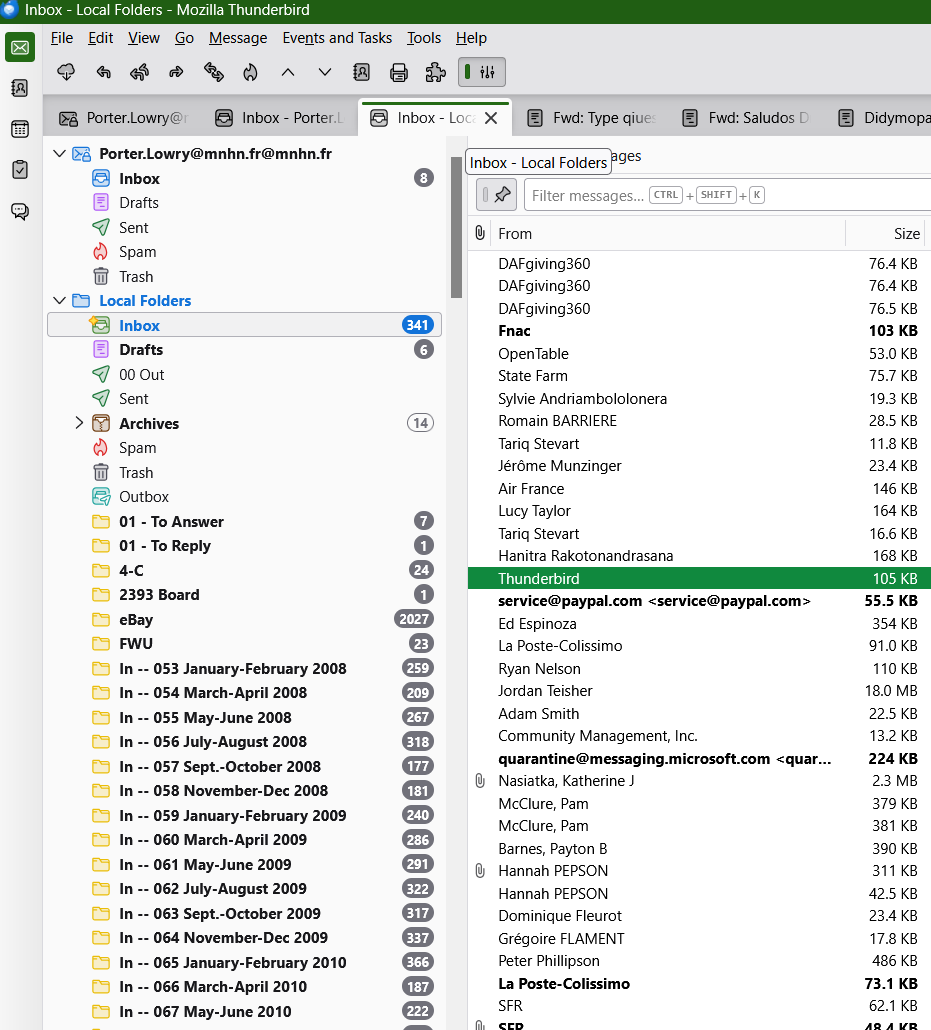
In View > Layout you have enabled "Vertical View" but disabled "Message Pane"... So when you a double-click on message to read it, it will be displayed in a new message tab. Go back to the View menu or just hit the F8 key.
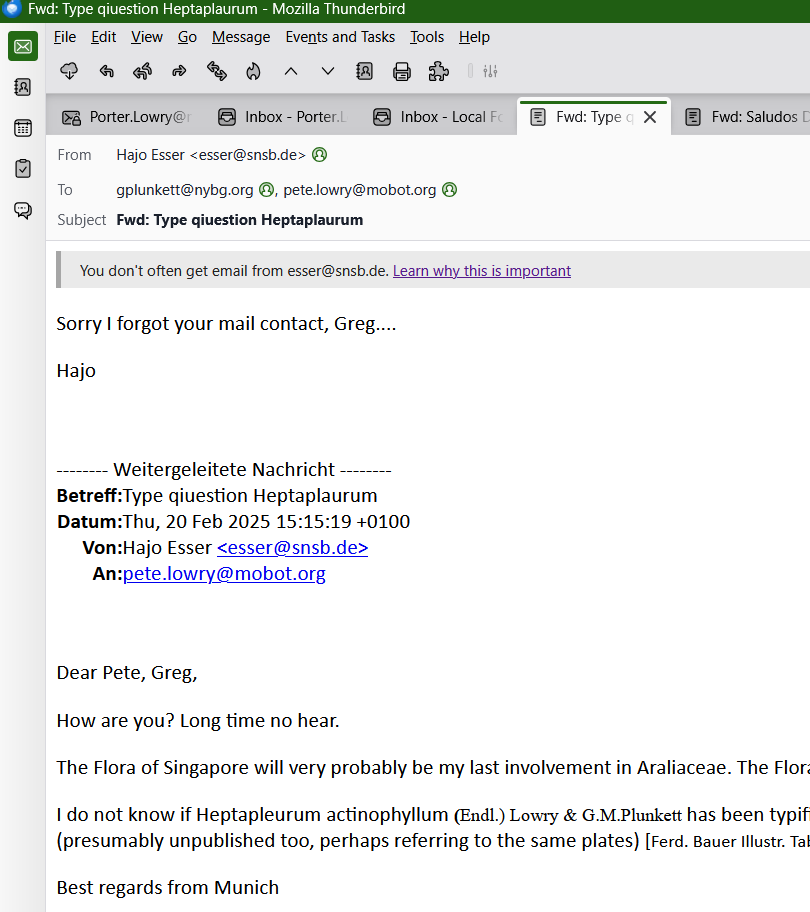
Thanks, but that does not solve the problem. It opens the message pane, which I don't use. Now (and before), which I double-click a message it opens in a new tab, but that tab does not show the folder pane, just the message (see the screen shot I posted).
pete.lowry said
Now (and before), which I double-click a message it opens in a new tab, but that tab does not show the folder pane, just the message (see the screen shot I posted).
Since Thunderbird has several update channels (release, esr, beta or Daily) it would be useful to mention the version you are using.
Your firstscreen shot shows several Inbox folders opened in tabs on the left ; of course the folder pane is displayed in the one you selected since this is a mail tab. You can open as many other folders as you like in new tabs and you'll always see the folder pane on the left.
But it is different for message tabs: your second screen shot shows a message opened in a tab, which doesn't show the folder pane. This is normal for message tabs as well as messages opened in new windows. As far as I can remember a double-click always opens a message in a new tab (or a new window), and in message tabs the folder pane has never been displayed.
I don't know any add-on or any userChrome.css tweak which would make this feature customisable.
Được chỉnh sửa bởi Mapenzi vào
Thanks for your reply, Mapenzi. I had indicated the version in my initial posting [153.0.2 (64-bit)] on Windows 11, but I should have stipulated that when I posted again.
This is very odd indeed. I am 100% certain that until my latest update, the folders pane was visible all the time, regardless of whether I was on a folder tab or a message tab, which is indeed opened on a double click. I'm certain because it still looks very, very strange to see a message tab open and nothing to the left after literally many years of having it be there.
Perhaps someone else will have some insight?
pete.lowry said
Perhaps someone else will have some insight?
Someone else already had some insight here https://support.mozilla.org/gu-IN/questions/1291663 BTW I can't see your Thunderbird version at the top of this page

The behavior in your system now is the same as the behavior in mine (140.12.1esr).