about:privatebrowsing ignoring userchrome.css / stuck on Alpenglow colours??

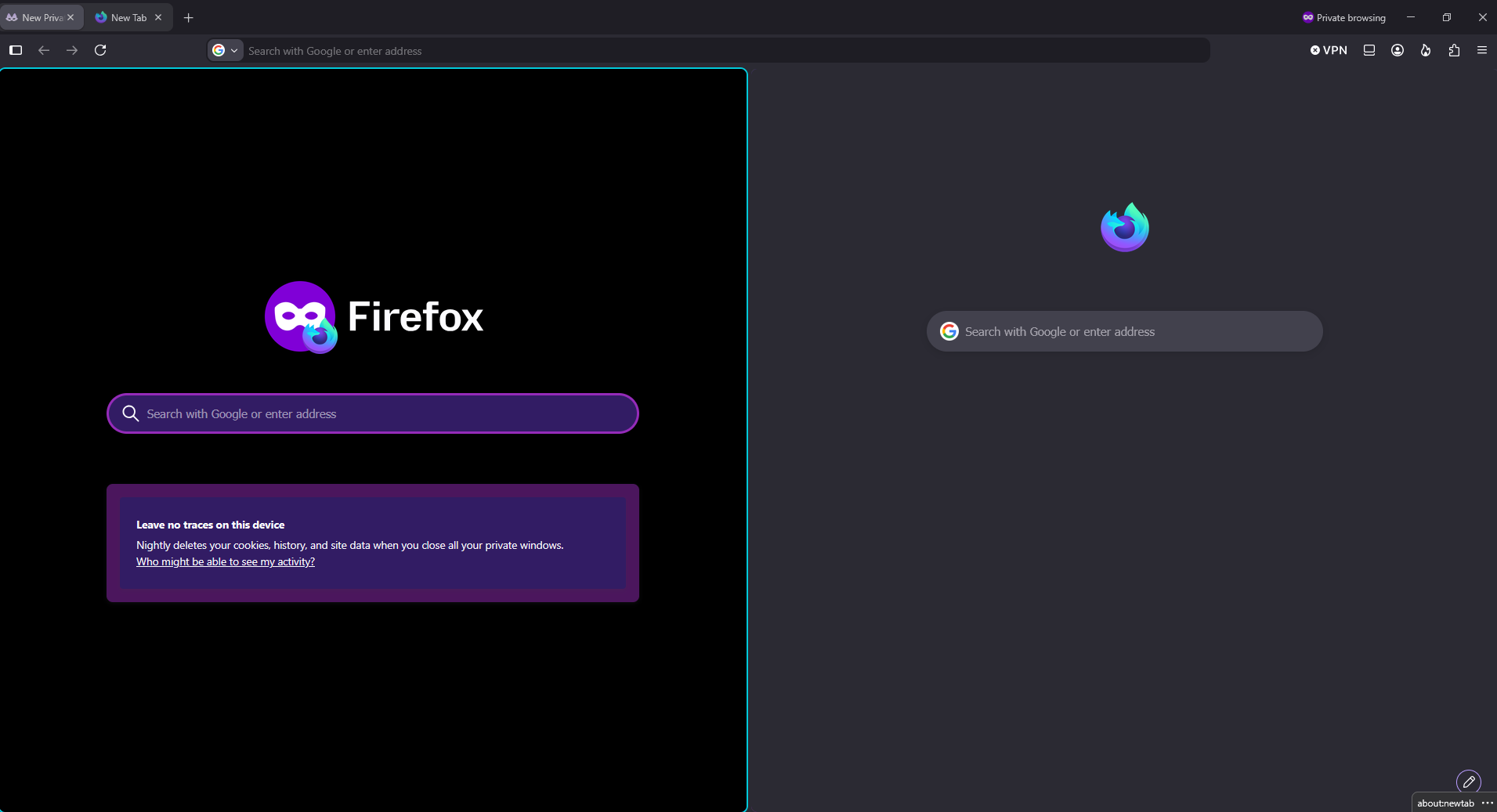
Updated to Firefox 152.0.1 and I've noticed about:privatebrowsing now has a very bright garish (subjective) purple background; I'd like to replace this with something else.
Here's what I've tried so far:
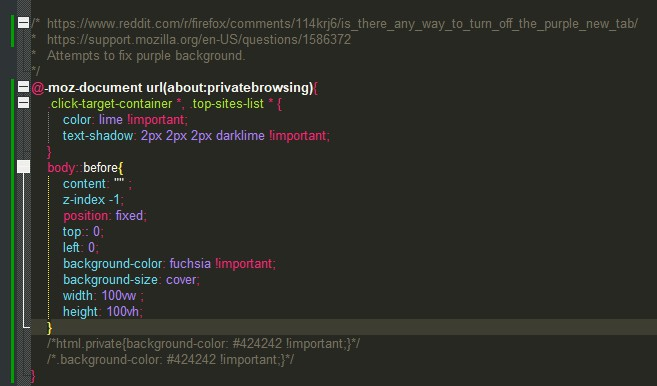
- Adding the css in this 2023 reddit post to my userchrome.css
- Fiddling with about:config, per Ty and James' replies in this similar 2022 question
- As a sanity check, directly editing the style element of the body tag in the inspector to check if `background-color: #424242` the css works. (obviously doesn't stick, see first point)
- As a second sanity check, changing the colour in the userchrome.css to fuchsia, as I'd read in older articles there'd sometimes be a flash of colour before something else was applied and bright pink is easier to see than grey
- Changing the Firefox theme from System theme (Auto) to Dark, Light, and then Firefox Alpenglow to see if that would change the background colour (it doesn't).
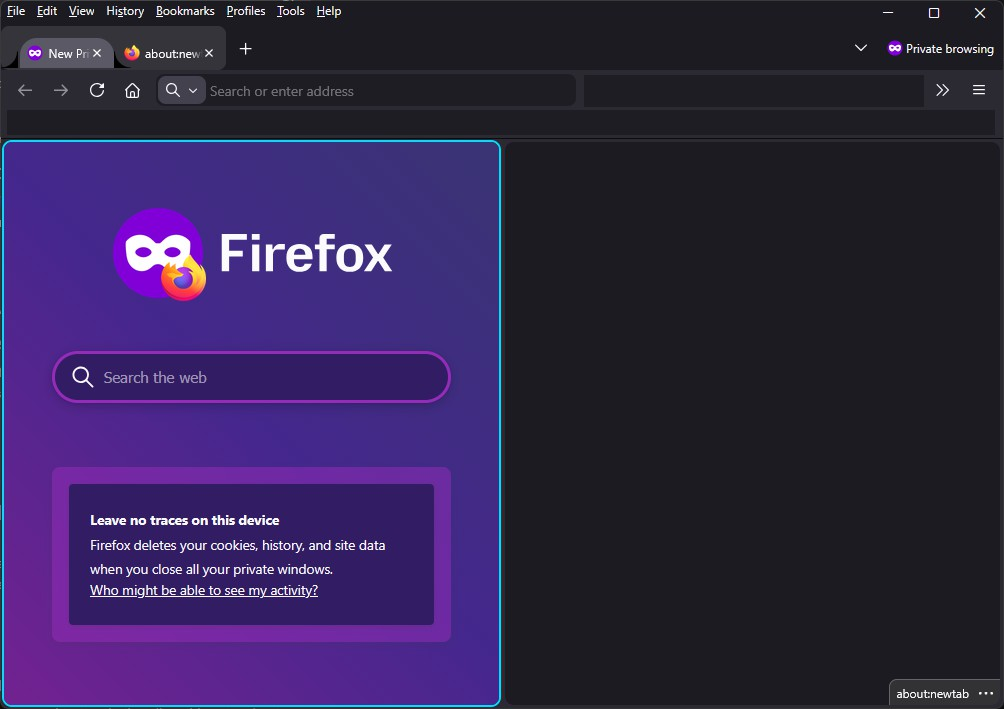
I do see that Alpenglow theme now matches about:privatebrowsing shockingly well, but it's not my preferred flavour of utilitarian blacks/dark greys.
Tried to show what I'm after, screenshot of about:privatebrowsing in a split view next to about:newtab. Other than above, the only other things in my userchrome.css are some styles to attempt to return curvy tabs edges.
Tất cả các câu trả lời (6)
Hello
A space for users to give product feedback https://support.mozilla.org/en-US/kb/what-mozilla-connect
These similar discussions https://support.mozilla.org/en-US/questions/1586372 https://connect.mozilla.org/t5/ideas/customize-private-browsing-page-colour/idi-p/129380
Được chỉnh sửa bởi Agent virtuel vào
Agent virtuel said
Hello A space for users to give product feedback https://support.mozilla.org/en-US/kb/what-mozilla-connect These similar discussions https://support.mozilla.org/en-US/questions/1586372 https://connect.mozilla.org/t5/ideas/customize-private-browsing-page-colour/idi-p/129380
Hello Virtuel, This isn't intended as feedback for Mozilla; I'm trying to customise my personal experience with Firefox as I understand should be able to be done??
In your linked answer to petetypo, you show some CSS and a demonstration. I tried transcribing that (substituting image for plain colours for visibility) and it had absolutely no effect on my own about:privatebrowsing; was that just a mockup in a test build or would I have done something wrong?? Is there a setting in about:config perhaps I need to tweak for this to work??
I am feeling even more lost and confused. >.<;;
edit: there is a bug in the image's css; darklime is not a named colour. replacing with darkgreen produces no visible effect.
Được chỉnh sửa bởi tullablue vào
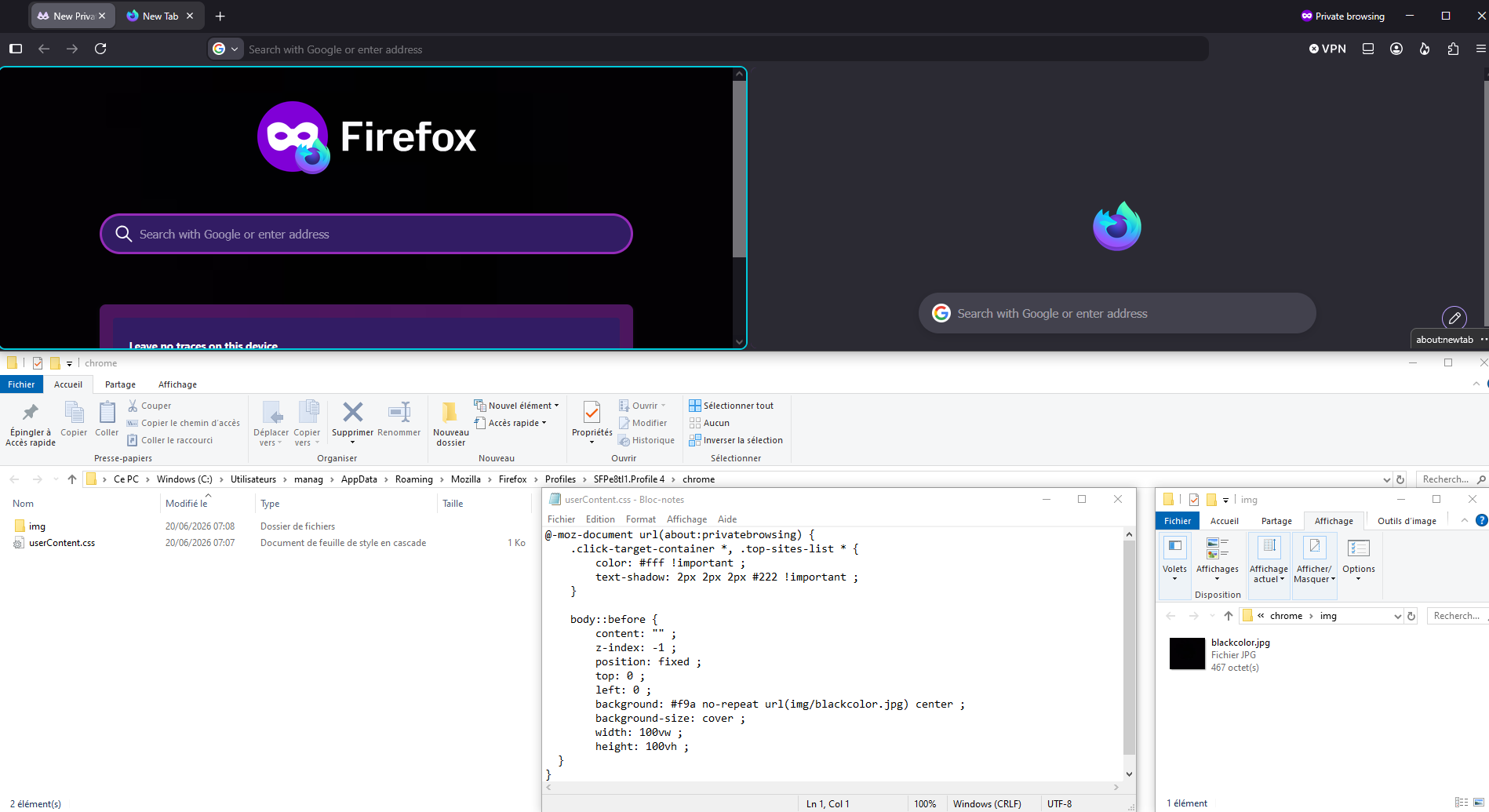
Virtuel,
It would appear we've reached the classic "works on my machine" problem. >.<;;
Do I understand this method from the Superuser article only works when specifying an image, instead of just setting a `background-color`?? Perhaps you know of documentation that I've so far been missing! :o Does firefox not recognise named colours when reading from a userchrome??
-blue
Change what's on your New Tab page https://support.mozilla.org/en-US/kb/customize-items-on-firefox-new-tab-page#w_change-whats-on-your-new-tab-page Wallpapers
Why is this not possible? with about:privatebrowsing
Share ideas for new features on https://connect.mozilla.org
Just for information https://www.reddit.com/r/firefox/comments/1reeudy/is_there_any_way_to_edit_the_private_tab
https://www.w3schools.com/colors/colors_hex.asp, below, userContent.css, a test performed
@-moz-document url(about:privatebrowsing) { :root { background: #000000 !important; } }