


Firefox unable to load font package

After the latest update, a website I use (https://compcon.app/) started throwing the following errors:
downloadable font: CFF : Failed validating CharStrings INDEX (font-family: "Helvetica Bold" style:normal weight:700 stretch:100 src index:0) source: https://compcon.app/assets/Helvetica-Bold-DaBjwqT2.otf downloadable font: CFF : Failed to parse table (font-family: "Helvetica Bold" style:normal weight:700 stretch:100 src index:0) source: https://compcon.app/assets/Helvetica-Bold-DaBjwqT2.otf downloadable font: rejected by sanitizer (font-family: "Helvetica Bold" style:normal weight:700 stretch:100 src index:0) source: https://compcon.app/assets/Helvetica-Bold-DaBjwqT2.otf
It can't load the font the website is asking it to use and is replacing it with a default one instead.
Do you know how to fix this? Either on my end or theirs?
Tất cả các câu trả lời (4)
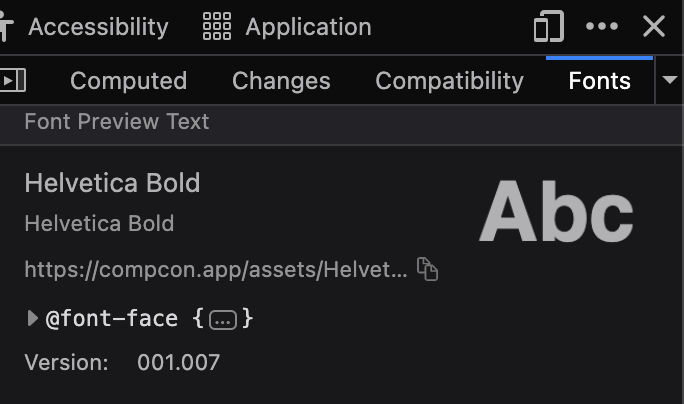
They seem to have fixed that on their side. The font now has a different bundle ID (so they published a new version presumably), and according to devtools the version served currently is fine:
Được chỉnh sửa bởi jbr vào
Huh? I'm still getting the error, and I've fully reloaded to make sure I'm on the latest version of both the website and firefox.
Được chỉnh sửa bởi carissa.skye vào
There's something wild going on with the site, so I won't investigate further — but basically their document font is Inter, pulled from GFonts.
The Helvetica ones are linked locally from some sentry(?) script (and who knows where end up being used, I don't see that right away — even though it later seems to rely on these. It seems like more Vue entrypoints are packed into that sentry script so it's perhaps just misleading, but it's messy to try to follow…)
I do see there are some "v2" "v3" options, and data classes added to the root elements that "appear" as potentially loading one or the another based on some preference — but I can only assume things based on how the home page loads for me by default. 🤷
When I last tried the bundles got CZdPKMP_ hashes and worked fine. Trying now, I can also get a response here and there with the DaBjwqT2 bundles — but these also seem to work fine and produce no errors.
However if I request the font URLs directly, I'm given some website content, not a font binary. So the site does something "smart" to only offer assets in certain circumstances (mandatory referrer header? dunno…) — so I can imagine if that HTML content gets served for you on the asset path, it really won't pass the sanitizer checks.
a) it's something the website does on purpose for assets in some circumstances that might affect you; b) you're not missing much, the site does not use these for its main body copy at least in the version served to me. c) if you need for the fonts to work you might wanna look into how they're trying to protect them (referrer? cookie/session data? etc.) and make sure you're not intentionally disabling that functionality in your browser.
Okay so it has nothing to do with Netlify and loading the assets — it seems all the requests are handled by their Service Worker (https://support.mozilla.org/questions/1144831#answer-931665) that interferes even when trying to request a single asset — I'd either just close all their tabs, and then remove their service worker from that debug page, and load it again… or maybe when on the site click the shield in location bar and "clear site data" and see if something gets "unstuck". Or go the usual troubleshooting route you'll find here in every other thread, cleaning caches, starting a separate new profile, etc. to avoid getting any previous accumulated crud from the site over time interfering with any of its functionality now — as it seems to work without errors in a clean slate.