


Đang mở
Does clearing up disk space from this option delete the emails from server as well?
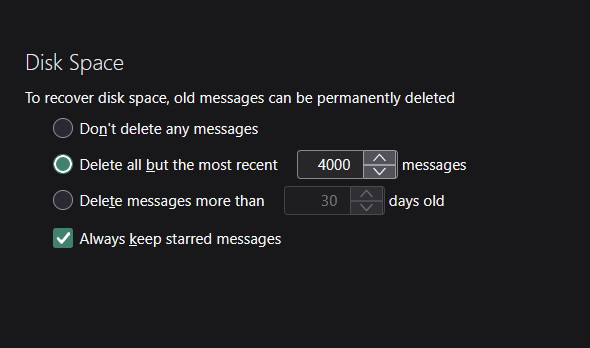
Does clearing up disk space from this option(see image) delete the emails from server as well? I have attached the image, if I were to delete the emails from this option will it delete the emails from the server as well? and additionally I couldn't find the manual triggering of "Compact Folders".
Does clearing up disk space from this option(see image) delete the emails from server as well? I have attached the image, if I were to delete the emails from this option will it delete the emails from the server as well? and additionally I couldn't find the manual triggering of "Compact Folders".
Tất cả các câu trả lời (1)

Does clearing up disk space from this option(see image) delete the emails from server as well?
It depends on your account type - POP or IMAP?
I couldn't find the manual triggering of "Compact Folders".
Again, it depends on what you're trying to achieve. You can set a threshold in Settings, when compacting shall be triggered automatically. To compact a single folder, right-click the folder in the folder pane - Compact Folder. To compact all folders of an account, right-click the account in the folder pane - Compact All Folders