


Why is login credentials suddenly asked for?

Hello from Sweden, and I'm sorry if any grammar or expression is incorrect.
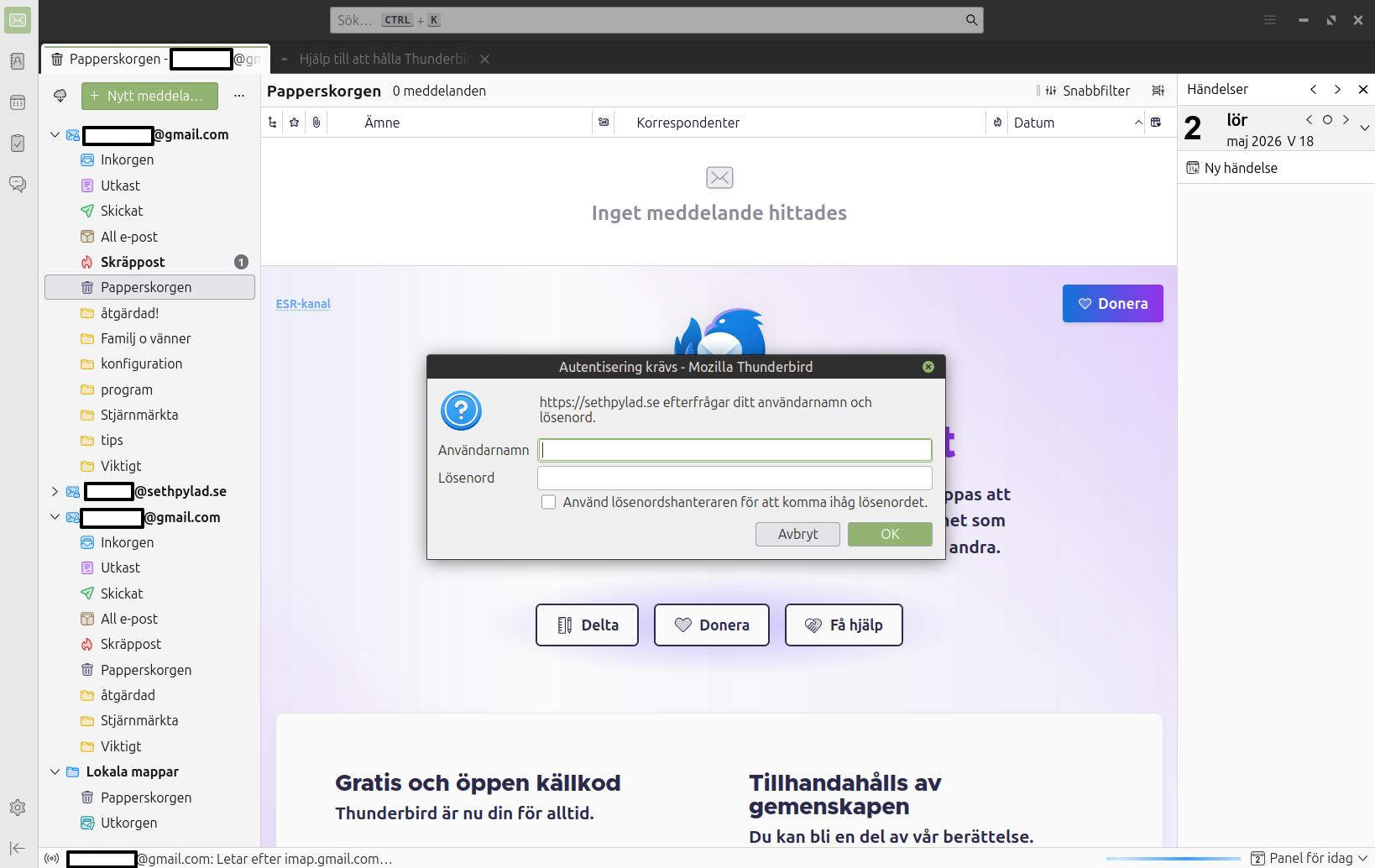
All of a sudden login credentials is asked for (see attached image), for an old account that I've already (a couple of weeks ago) deleted both in Thunderbird and also on the server (on sethpylad.se). I always click the Cancel button when this comes up, but I don't understand this at all because when I try to send an email to the existing new account on the same server it all works as it should? So it seems like it only ask for credentials for the old/deleted account?
Is there any way I can change any setting to not be annoyed by this from here on?
I'm using a HP laptop. And on my desktop computer I can't really recall having this problem at all.
Edit: I just deleted an Address Book that was associated with that old account, but the problem prevails. /edit
Thanx in advance! Seth Pylad from Sweden
Được chỉnh sửa bởi seth.pylad vào
Giải pháp được chọn
Solved!
Well, I at least think I've solved it. There was a Calendar too that needed to be "unregistered". After doing that the annoying popup (?) is no more.. at least for now.
I found the solution from a previous question about this (https://support.mozilla.org/en-US/questions/1577764), but one that I didn't find until I wrote my own.
Đọc câu trả lời này trong ngữ cảnh 👍 0Tất cả các câu trả lời (1)
Giải pháp được chọn
Solved!
Well, I at least think I've solved it. There was a Calendar too that needed to be "unregistered". After doing that the annoying popup (?) is no more.. at least for now.
I found the solution from a previous question about this (https://support.mozilla.org/en-US/questions/1577764), but one that I didn't find until I wrote my own.