


Windows 10 reached EOS (end of support) on October 14, 2025. If you are on Windows 10, see this article.

Tìm kiếm hỗ trợ

Tránh các lừa đảo về hỗ trợ. Chúng tôi sẽ không bao giờ yêu cầu bạn gọi hoặc nhắn tin đến số điện thoại hoặc chia sẻ thông tin cá nhân. Vui lòng báo cáo hoạt động đáng ngờ bằng cách sử dụng tùy chọn "Báo cáo lạm dụng".

Tìm hiểu thêm
Đang mở

I deleted an email account ***@gmail.com I am no longer authorized to use. I persistently receive Google "Verification" screens for that email account. These only appear if I have thunderbird running.

david đã trả lời
aball2

Every time I start up Thunderbird, I receive a "Please verify" message from Google (see screen shot). This message refers to an email account that I deleted because I am no longer authorized to use it ["s***@old****.com]. These requests also turn up regularly if I remain connected. I cannot verify the account because the password has been changed and the verification email is no longer mine.

I have 2 other accounts on Thunderbird; one is linked to a private domain; one is an ***@gmail.com account. Both perform correctly; are configured correctly and cause no problems with passwords, etc.. Other evidence:

In Box: The s***@old****.com account is not present in the left menu window. When I go to Accounts, Settings: The s***@old****.com account is not listed. When I go to Server Settings (In or Out) there is no trace of the 's***@old****.com' account, although the other two accounts have correct settings in the 'Outgoing' server.. Previosly, this email "s***@old****.com" was also linked to my Google Account. I have deleted it from my Google Account; I have deleted it from Thunderbird as an Account. When I disconnect my Google Accounts: This has no apparent effect on frequency of Verification prompts [I close my Safari browser]. When I Close Thunderbird: The Verification prompts for "s***@old****.com" no longer appear.

It seems like Thunderbird is still trying to "Get Messages" from "s***@old****.com" and triggering the Google password protection system (?).

IS THERE A WAY TO FIX THIS IN THUNDERBIRD?

Thanks, Al
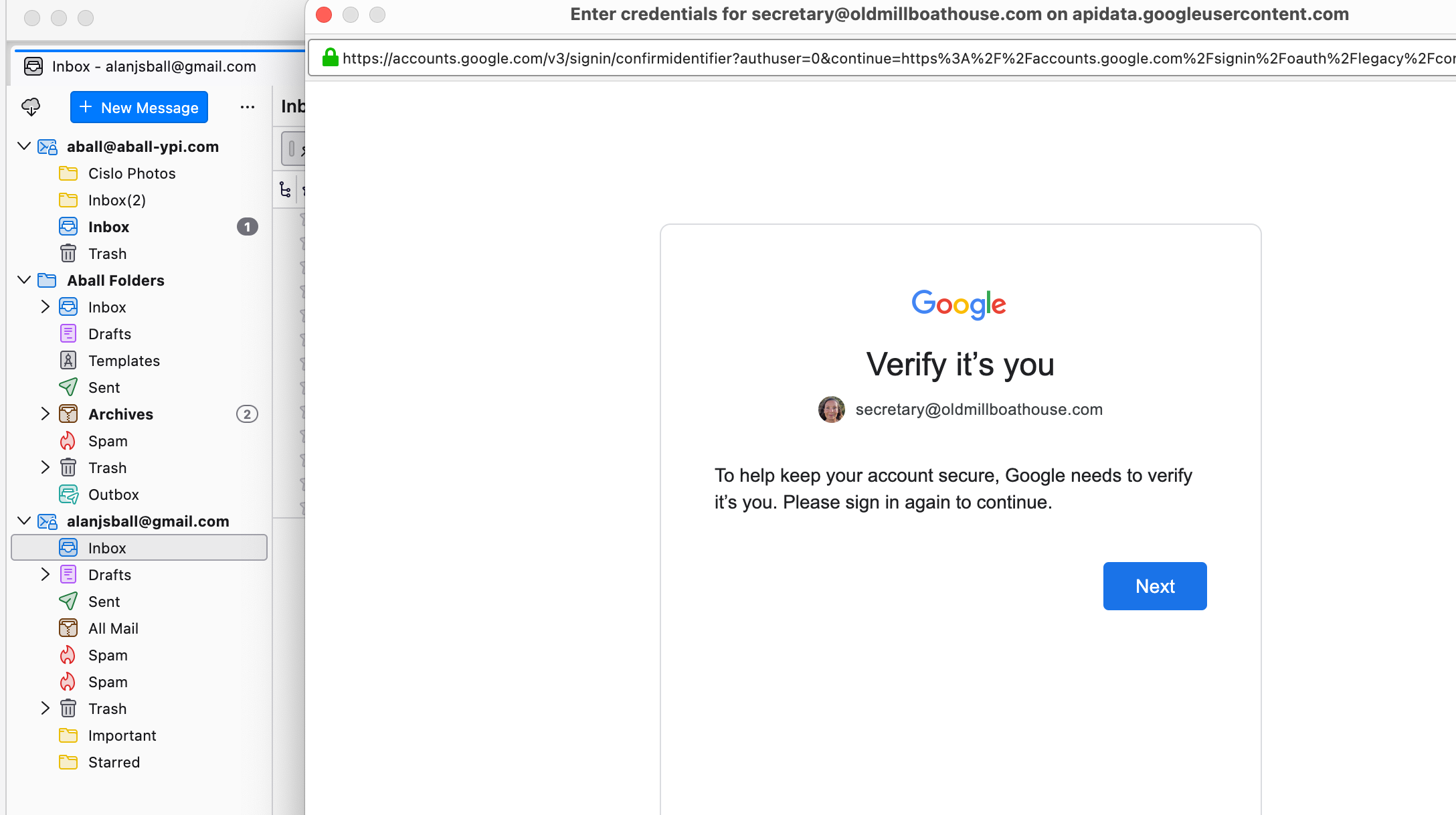
Every time I start up Thunderbird, I receive a "Please verify" message from Google (see screen shot). This message refers to an email account that I deleted because I am no longer authorized to use it ["s***@old****.com]. These requests also turn up regularly if I remain connected. I cannot verify the account because the password has been changed and the verification email is no longer mine. I have 2 other accounts on Thunderbird; one is linked to a private domain; one is an ***@gmail.com account. Both perform correctly; are configured correctly and cause no problems with passwords, etc.. Other evidence: In Box: The s***@old****.com account is not present in the left menu window. When I go to Accounts, Settings: The s***@old****.com account is not listed. When I go to Server Settings (In or Out) there is no trace of the 's***@old****.com' account, although the other two accounts have correct settings in the 'Outgoing' server.. Previosly, this email "s***@old****.com" was also linked to my Google Account. I have deleted it from my Google Account; I have deleted it from Thunderbird as an Account. When I disconnect my Google Accounts: This has no apparent effect on frequency of Verification prompts [I close my Safari browser]. When I Close Thunderbird: The Verification prompts for "s***@old****.com" no longer appear. It seems like Thunderbird is still trying to "Get Messages" from "s***@old****.com" and triggering the Google password protection system (?). IS THERE A WAY TO FIX THIS IN THUNDERBIRD? Thanks, Al
Đính kèm ảnh chụp màn hình

Tất cả các câu trả lời (1)

This situation usually happens when there was a related gmail calendar for the account. I suggest checking for that.

Đặt một câu hỏi

Bạn phải đăng nhập vào tài khoản của bạn để trả lời bài viết. Vui lòng bắt đầu một câu hỏi mới, nếu bạn chưa có tài khoản.