


Firefox freezes on printing pdf documents
Hello,
I have today encountered a reproducible issue with Firefox 145.0.2 (64-bit) on my system (CachyOS Linux). Whenever I press the "Print" button in the printing dialog for a PDF file, the browser freezes and no longer reacts to anything. I had to kill the process manually and try again. I have then downloaded the PDF and opened a different application to print it - that worked fine. Is this a known issue with Firefox? Does anyone have an idea how to fix this?
I already tried resetting the printer settings in the browser, but that did not change anything.
Thanks, Stefan
Tất cả các câu trả lời (9)
Hello
Fix printing problems in Firefox. https://support.mozilla.org/en-US/kb/fix-printing-problems-firefox
For information purposes, another path to print. From Firefox 101, a new preference, print.prefer_system_dialog, was added to print using the system dialog and not the new print preview.
Can the preference, print.prefer_system_dialog, be useful to you.
You can try. 1 - Go to configuration editor for Firefox https://support.mozilla.org/en-US/kb/about-config-editor-firefox 2 - Enter a search term print.prefer_system_dialog You can double-click on the preference to set the value to true
Agent virtuel said
... Fix printing problems in Firefox. https://support.mozilla.org/en-US/kb/fix-printing-problems-firefox For information purposes, another path to print. From Firefox 101, a new preference, print.prefer_system_dialog, was added to print using the system dialog and not the new print preview. Can the preference, print.prefer_system_dialog, be useful to you. ...
I already visited the referenced page to fix printing problems. It did not change anything.
The print.prefer_system_dialog even made the issue worse. Instead of showing the print preview when I click on "Print..." Firefox immediately freezes.
Of course, it's not the answer expected, i don’t know what else to tell you.
You can try bugzilla. https://bugzilla.mozilla.org/query.cgi?format=advanced
https://support.mozilla.org/en-US/kb/file-bug-report-or-feature-request-mozilla If you wish, you can file a bug report.
Product Firefox. https://bugzilla.mozilla.org/describecomponents.cgi?product=Firefox
Try downloading Firefox from Mozilla. Download, unzip, and run firefox-bin from the folder and see if you have the same issue. https://www.mozilla.org/en-US/firefox/all/#product-desktop-release
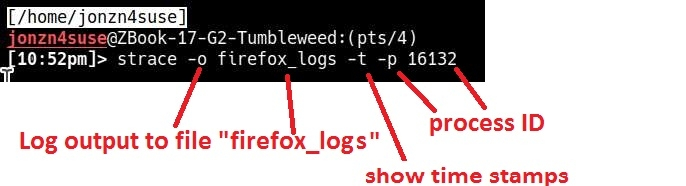
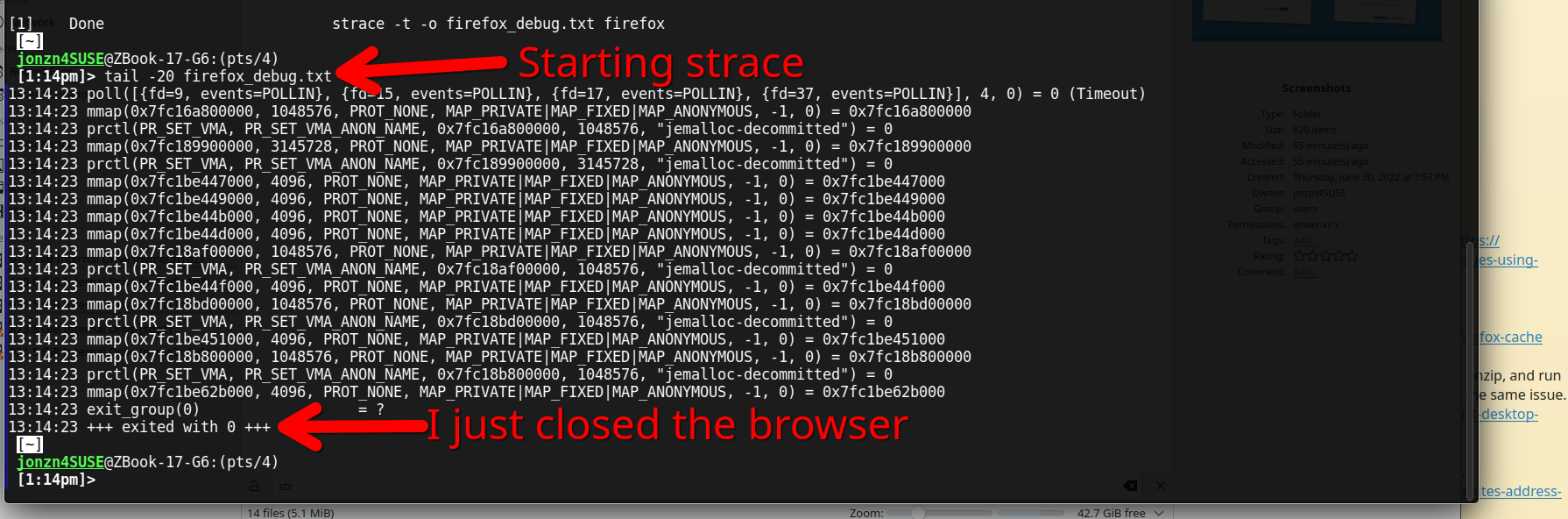
What Desktop? X11 or Wayland? Does it happen when printing to pdf? What's showing in the logs when firefox goes boom? You can also run a trace to see what's happening when it goes boom. strace -t -o firefox_debug.txt firefox &
Operating System: openSUSE Tumbleweed 20251127 KDE Plasma Version: 6.5.3 KDE Frameworks Version: 6.20.0 Qt Version: 6.10.1 Kernel Version: 6.17.9-1-default (64-bit) Graphics Platform: X11 Processors: 12 × Intel® Core™ i7-9850H CPU @ 2.60GHz Memory: 128 GiB of RAM (125.1 GiB usable) Graphics Processor: Intel® UHD Graphics 630 Manufacturer: HP Product Name: HP ZBook 17 G6
Được chỉnh sửa bởi jonzn4SUSE vào
jonzn4SUSE said
What Desktop? X11 or Wayland? Does it happen when printing to pdf? What's showing in the logs when firefox goes boom? You can also run a trace to see what's happening when it goes boom. strace -t -o firefox_debug.txt firefox & Operating System: openSUSE Tumbleweed 20251127 KDE Plasma Version: 6.5.3 KDE Frameworks Version: 6.20.0 Qt Version: 6.10.1 Kernel Version: 6.17.9-1-default (64-bit) Graphics Platform: X11 Processors: 12 × Intel® Core™ i7-9850H CPU @ 2.60GHz Memory: 128 GiB of RAM (125.1 GiB usable) Graphics Processor: Intel® UHD Graphics 630 Manufacturer: HP Product Name: HP ZBook 17 G6
OS: CachyOS x86_64 Kernel: Linux 6.17.9-2-cachyos DE: KDE Plasma 6.5.3 WM: KWin (Wayland)
Printing to PDF works fine without any issue. I also tried one of the PDF files from your second link and they fail the same on printing attempts.
The strace contained the following lines: 19:41:53 mprotect(0x2bb5db794000, 4096, PROT_READ|PROT_EXEC) = 0 19:41:53 mprotect(0x2bb5db794000, 4096, PROT_READ|PROT_WRITE) = 0 19:41:53 mprotect(0x2bb5db794000, 4096, PROT_READ|PROT_EXEC) = 0 19:41:53 poll([{fd=9, events=POLLIN}, {fd=16, events=POLLIN}, {fd=21, events=POLLIN}, {fd=41, events=POLLIN}, {fd=181, events=POLLIN|POLLPRI}], 5, 0) = 3 ([{fd=16, revents=POLLIN}, {fd=41, revents=POLLIN}, {fd=181, revents=POLLIN}]) 19:41:53 recvmsg(16, {msg_name=NULL, msg_namelen=0, msg_iov=[{iov_base="L\0\0\0\0\0\f\0>\352\1\0\1\0\0\0\1\0\f\0L\0\0\0", iov_len=272}, {iov_base="", iov_len=3824}], msg_iovlen=2, msg_controllen=0, msg_flags=MSG_CMSG_CLOEXEC}, MSG_DONTWAIT|MSG_CMSG_CLOEXEC) = 24 19:41:53 recvmsg(16, {msg_namelen=0}, MSG_DONTWAIT|MSG_CMSG_CLOEXEC) = -1 EAGAIN (Die Ressource ist zur Zeit nicht verfügbar) 19:41:53 poll([{fd=181, events=POLLIN}], 1, 0) = 1 ([{fd=181, revents=POLLIN}]) 19:41:53 poll([{fd=181, events=POLLIN}], 1, 0) = 1 ([{fd=181, revents=POLLIN}]) 19:41:53 poll([{fd=181, events=POLLIN}], 1, 0) = 1 ([{fd=181, revents=POLLIN}]) 19:41:53 poll([{fd=181, events=POLLIN}], 1, 0) = 1 ([{fd=181, revents=POLLIN}]) 19:41:53 poll([{fd=181, events=POLLIN}], 1, 0) = 1 ([{fd=181, revents=POLLIN}]) 19:41:53 poll([{fd=181, events=POLLIN}], 1, 0) = 1 ([{fd=181, revents=POLLIN}]) 19:41:53 poll([{fd=181, events=POLLIN}], 1, 0) = 1 ([{fd=181, revents=POLLIN}]) 19:41:53 poll([{fd=181, events=POLLIN}], 1, 0) = 1 ([{fd=181, revents=POLLIN}]) 19:41:53 poll([{fd=181, events=POLLIN}], 1, 0) = 1 ([{fd=181, revents=POLLIN}]) 19:41:53 poll([{fd=181, events=POLLIN}], 1, 0) = 1 ([{fd=181, revents=POLLIN}])
The last line was repeated until I killed the process... I do not really know what that means. Could this be printer driver related?
Good to hear that those pdfs from the irs also failed. Did you try Firefox from Mozilla? Could you also try the same steps in X11 and not wayland? I'm not dev, but the line that's repeated would need to be investigated.
Được chỉnh sửa bởi jonzn4SUSE vào
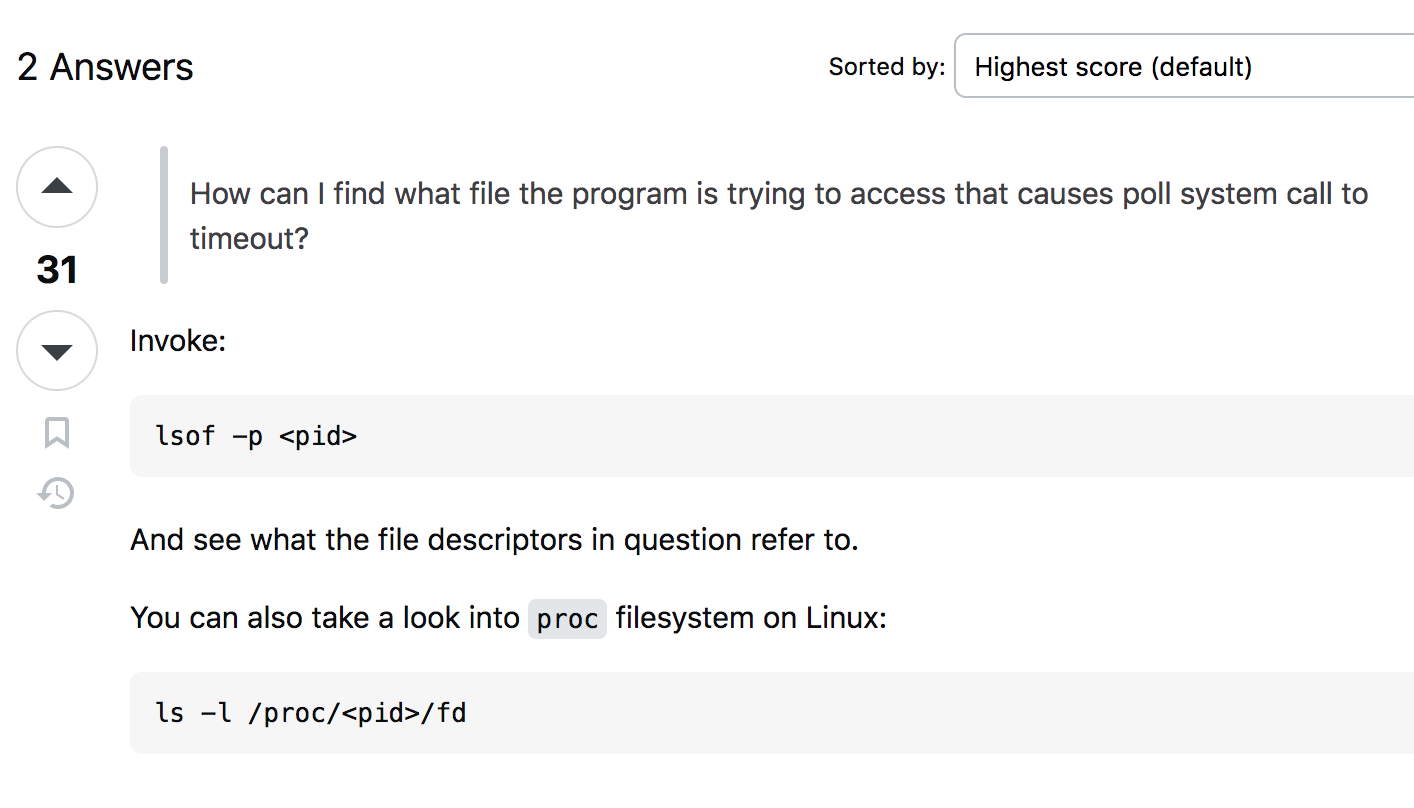
Getting way into the weeds, but this look interesting. https://stackoverflow.com/questions/13018981/poll-system-call-timeout
Also try your os and another via usb live stick to see if you have the same issue in x11 and wayland