passwords won't save

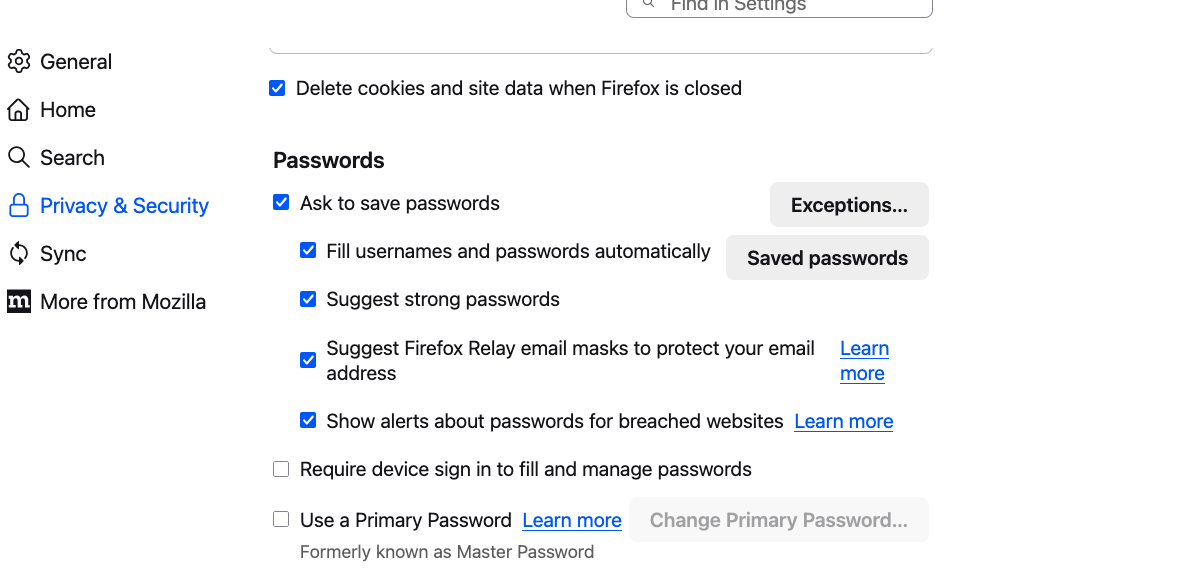
latest version of firefox will not let me save a password on a new website, it has always worked before, see image for settings. website is not included in exceptions
Tất cả các câu trả lời (5)
no error code, firefox just doesn't ask to save password. Problem could be with Lumosity website - they have technical issues - they also have some relationship with a service called "Link" which could be part of the problem
Is it a problem with one specific website, or any website you try? I have a test page (nothing you enter actually is saved on the web server) that still seems to be working in 145.0.1. I haven't installed 145.0.2 yet.
https://www.jeffersonscher.com/res/logintest.html
(It's a very basic form that makes no attempt to prevent saving your login.)
If I open the page at
https://app.lumosity.com/login?auto_focus_email=true
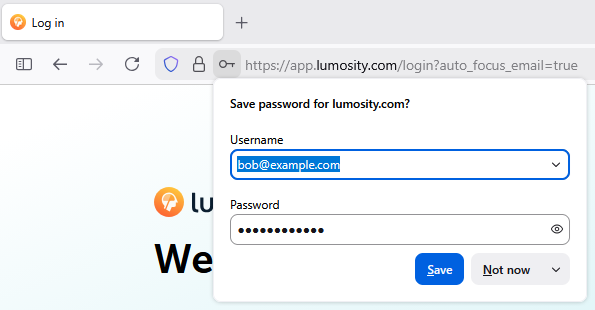
and enter an email address and password -- these aren't real, I don't have account -- even before I submit anything, a key appears in the address bar next to the lock that allows me to save the login (screenshot attached):
Do you see that?
You mentioned that another site or service is involved. If Lumosity needs to pass credentials to another server, but when you get there, it doesn't think you are signed it, the culprit could be Firefox's "Total Cookie Protection" feature. You can make exceptions to this feature when needed (for each server that you visit as part of the process of using this company's services):
- Click the shield icon at the left end of the address bar (next to the lock).
- On the drop-down, click the blue slider switch to disable protection.
- Repeat on the site's other servers as you encounter them.
More info in the following articles: Introducing Total Cookie Protection in Standard Mode, Total Cookie Protection and website breakage FAQ