


profile missing?

hi, I'm switching from 1 PC to another. I can download Thunderbird easily, however when I try to open, I get a popup saying profile missing. and I can't open Thunderbird. no idea what happened. any advice please? thank you! Jeff
Tất cả các câu trả lời (4)
this is the message I get - Your Thunderbird profile cannot be loaded. It may be missing or inaccessible
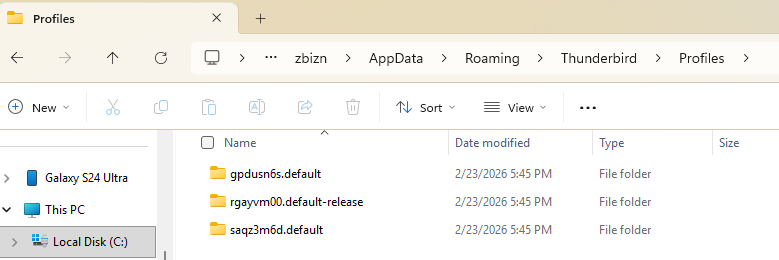
On the new PC click the Windows Start button. In the Search box, type: %APPDATA%\Thunderbird\ and hit Enter. You'll see the contents of the Thunderbird folder: • open the folder Profiles and show us a screen shot of its contents • open the file profiles.ini in a text editor and show us a screen shot of its content

I have the same thing happening and it's crazy making. Here's what that folder looks like to me. I've copied the Local and Roaming data repeatedly. Thunderbird opens just fine on my old computer. I have the old computer on airport mode so it doesn't change anything but it's been two days now unable to check my email. Of course I'm not sure how I'm supposed to find out if this question has been answered or not...
alanevil said
I have the same thing happening and it's crazy making.
What is this "same thing happening"? Do you get the "profile missing" error message when you launch Thunderbird? Please show a screen shot with the contents of the file profiles.ini which is located in the Thunderbird folder.