


Thunderbird is opening email as a New Message from Template instead of just reading it

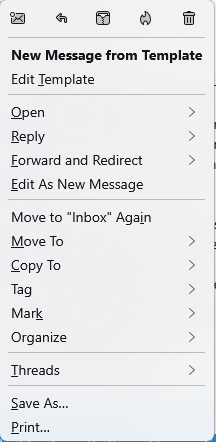
When I double click on an email in my inbox, a new reply email is being displayed with a yellow message across the bottom saying:
"A unique identity matching the From address was not found. The message will be sent using the current From field and settings from identity XXXXXXXXXX."
This happens only on my default account.
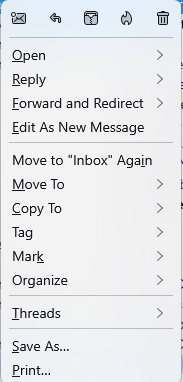
What can I do to get the email opened in a new tab as a default? See the attached context menus
Thunderbird: 140.0.1 (64-bit) Windows 11 Pro
Giải pháp được chọn
Problem solved. I just deleted and reinstalled the offending account.
Thanks for the help.
Tất cả các câu trả lời (5)
Thanks @sfhowes.
I took a look at the support item you mentioned. I think that my issue is a little different. The email in my offending inbox isn't tagged as a draft, but a "draft" response is what I get when I double click on it to view. It assumes that I'm using a Template for the "response" and displays a yellow footer (attached).
This only happens on one of my verizon.net email accounts.

Unfortunately, there is no version, yet, of FolderFlags for TB 140, but there is a method mentioned in the support topic to manually achieve the same result, i.e. remove the Drafts flag for a folder.
I retried that solution. First setting Drafts to the offending inbox and exiting the app. Then I reopened the app and set Drafts to the mbox->Draft folder and exiting again. The problem persists.
Thanks for your help. I guess I'll have to wait for a fix.
Giải pháp được chọn
Problem solved. I just deleted and reinstalled the offending account.
Thanks for the help.