


Unable to save links.

When I try to save a page as a link, the space for the URL is filled with 'VVVVVVVVVVVVVVVVV'! How do I fix this? I can't take a screenshot because it disappears when I switch to cut & snip or 'save screen'.
Giải pháp được chọn
I no longer get this problem without having done anything...
Đọc câu trả lời này trong ngữ cảnh 👍 0Tất cả các câu trả lời (5)

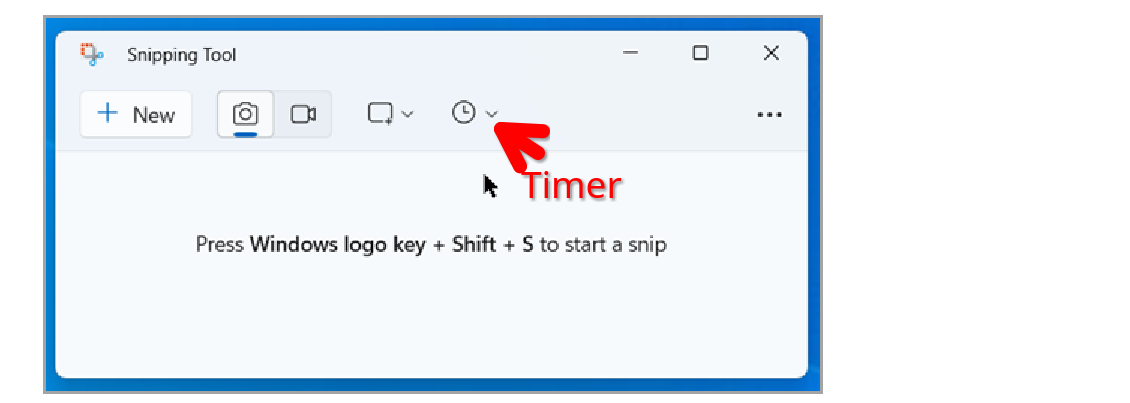
Steps to replicate please. Are you clicking on the menu or right clicking the page and then "Save page as..."? If you're in Windows, you can set the screenshot timer to 5 or 10seconds get the pic. What OS? What version of Firefox?
I'm right-clicking for 'save as' as I've always done. I just upped from Win 10 Pro to 11 Home. I have never seen a way to set a timer for the screenshot; where is it located? Firefox version is 141.0.3 and says it is up-to date. What would cause all those VVVVVVVVVVV's?
Use Snipping Tool to capture screenshots. Also see screenshot https://support.microsoft.com/en-us/windows/use-snipping-tool-to-capture-screenshots-00246869-1843-655f-f220-97299b865f6b
Here is what I see when I right click on this page to save. see 2nd screenshot Show the issue, where are you seeing the VVVVVVVVVVVVVVVVVVVVV?
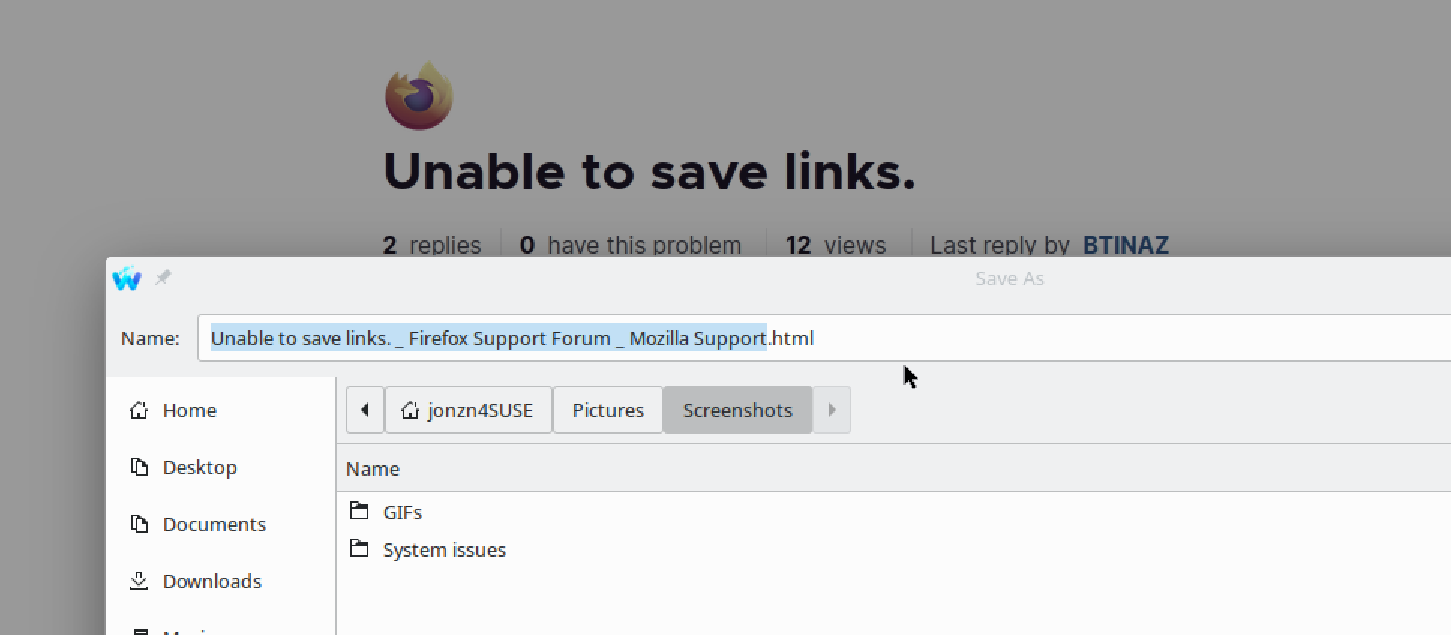
What steps are you using to save the page or a link to the page? For example:
- right-click > Copy on the URL in the address bar
- Ctrl+D or one of the other methods to bookmark the page
- Save Page As (to save the page as an HTML document)
- using an add-on (which one?)
- something else
Giải pháp được chọn
I no longer get this problem without having done anything...