


TB "monthly beta" with the same profile on a portable data drive

Hello I'm using TB 128 esr / flatpak on Ubuntu 25.04. I'm satisfied, but I want to install Thunderbird in parallel before switching to this version. https://support.mozilla.org/fr/kb/installer-thunderbird-sous-linux#w_changing-channels I read and managed to install TB "monthly beta" by extracting the tar file. It wasn't possible to retrieve the profile via the zip file because it's 2.4 GB. It seems to work, even though it uses quite a bit of CPU power, ~20%!
1/ Anyway, my main interest would be to have a usage similar to Firefox standalone, which I can use from my computer to my laptop :-) with the same profile stored on an SSD data drive. I don't want to install the profile on my computer or laptop system drives!
2/ How do I launch this version at startup?
REgards
Giải pháp được chọn
Hello [Desktop Entry] Version=1.0 Type=Application Exec=/media/user/xxx/thunderbird/thunderbird-bin %u Icon=/media/user/xxx/thunderbird/chrome/icons/default/default64.png Name=Thunderbird Comment=Définition personnalisée pour Thunderbird
Đọc câu trả lời này trong ngữ cảnh 👍 0Tất cả các câu trả lời (8)
If I understand correctly, what you need to do is locate the thunderbird folder for each profile and change the profiles.ini file to point to the profile on external media. The two versions should not be used simultaneously.
Hi I don't understand loading profile.ini ? I'd like a standalone monthly installation of Thunderbird by loading the profile I have on my external disk. I'd like to launch it automatically on my computer when I log in.
Thunderbird loads the profiles.ini file at startup and the profiles.ini tells thunderbird which profile to open. by putting the location of the shared profile in each profiles.ini file each thunderbird will automatically start with the shared profile.
Hello Sorry that doesn't help I installed thunderbird monthly I can launch it but it doesn't launch the right profile I go to the profile management to put the path of the profile which is /media/bruno/donnees/ComInformat./Donnees-applications/ProfilTBCom
So I'd like to know 1/ launch thunderbird in terminal mode. Actually @Lenovo-Z50-70:/media/bruno/donnees/ComInformat./Appli-donnees-port/thunderbird$ thunderbird The “thunderbird” command was not found, but can be installed with : sudo apt install thunderbird
2/ point in the path or in a file to the "ProfilTBCom" profile
3/ get a TB icone in my ubuntu 25.05 dock
regards
Được chỉnh sửa bởi HdInfAutre vào
Try this: - click help>troubleshootinginformation - scroll down to 'profiles' and click 'about:profiles' - now, click 'create profile' button in upper left - click next - enter a short name from profile, e.g., NEWPROFILE - now, click the 'choose' button and locate and select the desired profile' - finally, click finish and launch
reThanks, that's exactly what I did. It worked when I restarted it
Can you answer me if you know how to 2/ and 3/ For this one I have the image attached.
4/ how to pin in the dock
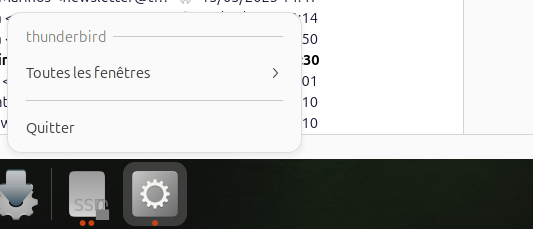
I do not know command line well, but this URL may help: https://kb.mozillazine.org/Command_line_arguments_-_Thunderbird
And a web search for 'thunderbird terminal mode' will bring up many sites, both windows and linux, with tutorials.
Giải pháp được chọn
Hello [Desktop Entry] Version=1.0 Type=Application Exec=/media/user/xxx/thunderbird/thunderbird-bin %u Icon=/media/user/xxx/thunderbird/chrome/icons/default/default64.png Name=Thunderbird Comment=Définition personnalisée pour Thunderbird
Được chỉnh sửa bởi HdInfAutre vào