


Windows 10 reached EOS (end of support) on October 14, 2025. If you are on Windows 10, see this article.

Tìm kiếm hỗ trợ

Tránh các lừa đảo về hỗ trợ. Chúng tôi sẽ không bao giờ yêu cầu bạn gọi hoặc nhắn tin đến số điện thoại hoặc chia sẻ thông tin cá nhân. Vui lòng báo cáo hoạt động đáng ngờ bằng cách sử dụng tùy chọn "Báo cáo lạm dụng".

Tìm hiểu thêm
Đã lưu trữ

Background color for the toolbar customization screen is awful

Wild Willy

I've looked at this page:

https://support.mozilla.org/en-US/kb/customize-firefox-controls-buttons-and-toolbars

It shows the toolbar customization page like in the attached image I've named Customize Toolbar.

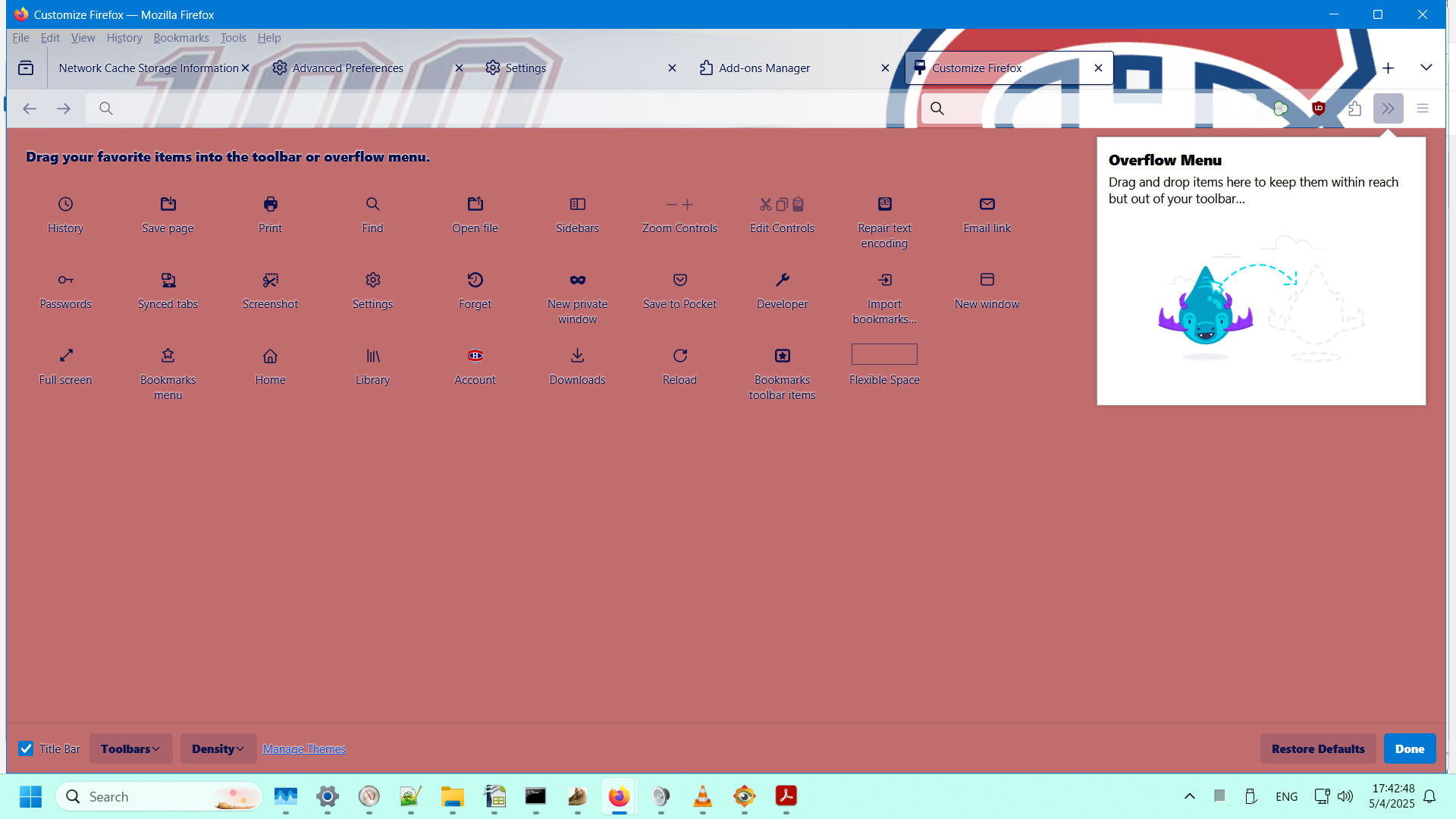
In my Firefox (138.0.1 64-bit on Windows 11), it looks like what I'm showing in the attached image I've named My Customize Toolbar.

I like the background shown in the Mozilla documentation. I hate the background I've got. I didn't choose that color. I have no idea where it's coming from. I sure would like to change that disgusting color to white.

How do I do that?
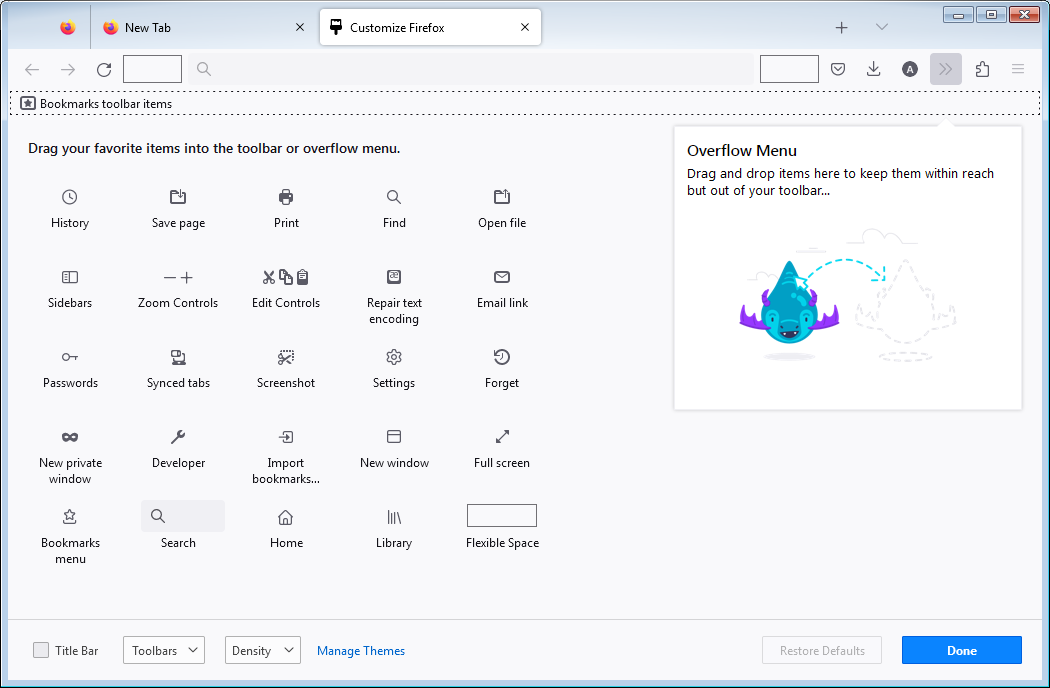
I've looked at this page: https://support.mozilla.org/en-US/kb/customize-firefox-controls-buttons-and-toolbars It shows the toolbar customization page like in the attached image I've named Customize Toolbar. In my Firefox (138.0.1 64-bit on Windows 11), it looks like what I'm showing in the attached image I've named My Customize Toolbar. I like the background shown in the Mozilla documentation. I hate the background I've got. I didn't choose that color. I have no idea where it's coming from. I sure would like to change that disgusting color to white. How do I do that?
Đính kèm ảnh chụp màn hình

Được chỉnh sửa bởi Wild Willy vào

Tất cả các câu trả lời (1)

Hmmmm...... My names for the images have gotten lost. But you can figure out which is which. The one I called Customize Toolbar is the one with the light background. The one I called My Customize Toolbar is, obviously, the other one.