


Partially displaying iframe in Firefox Browser

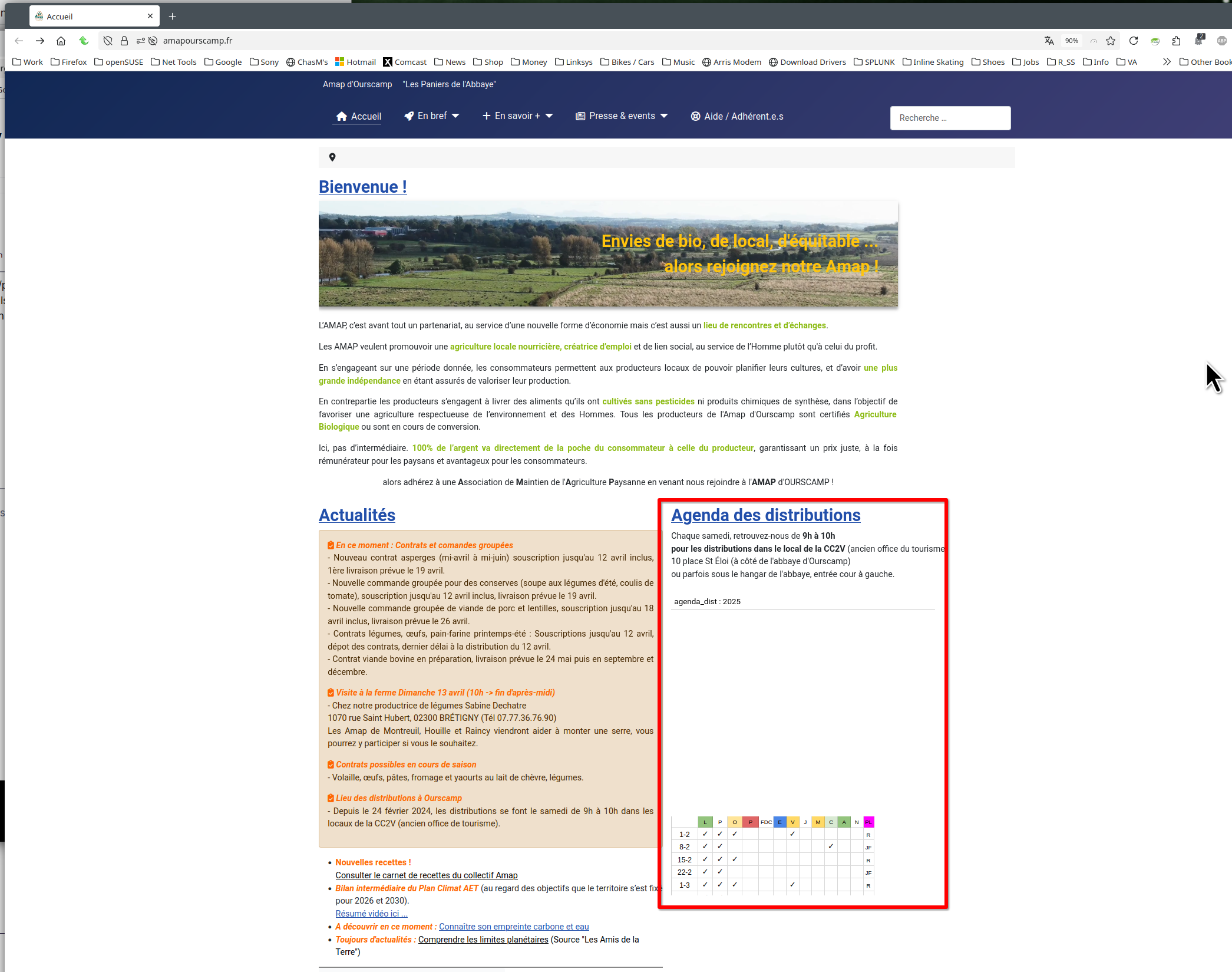
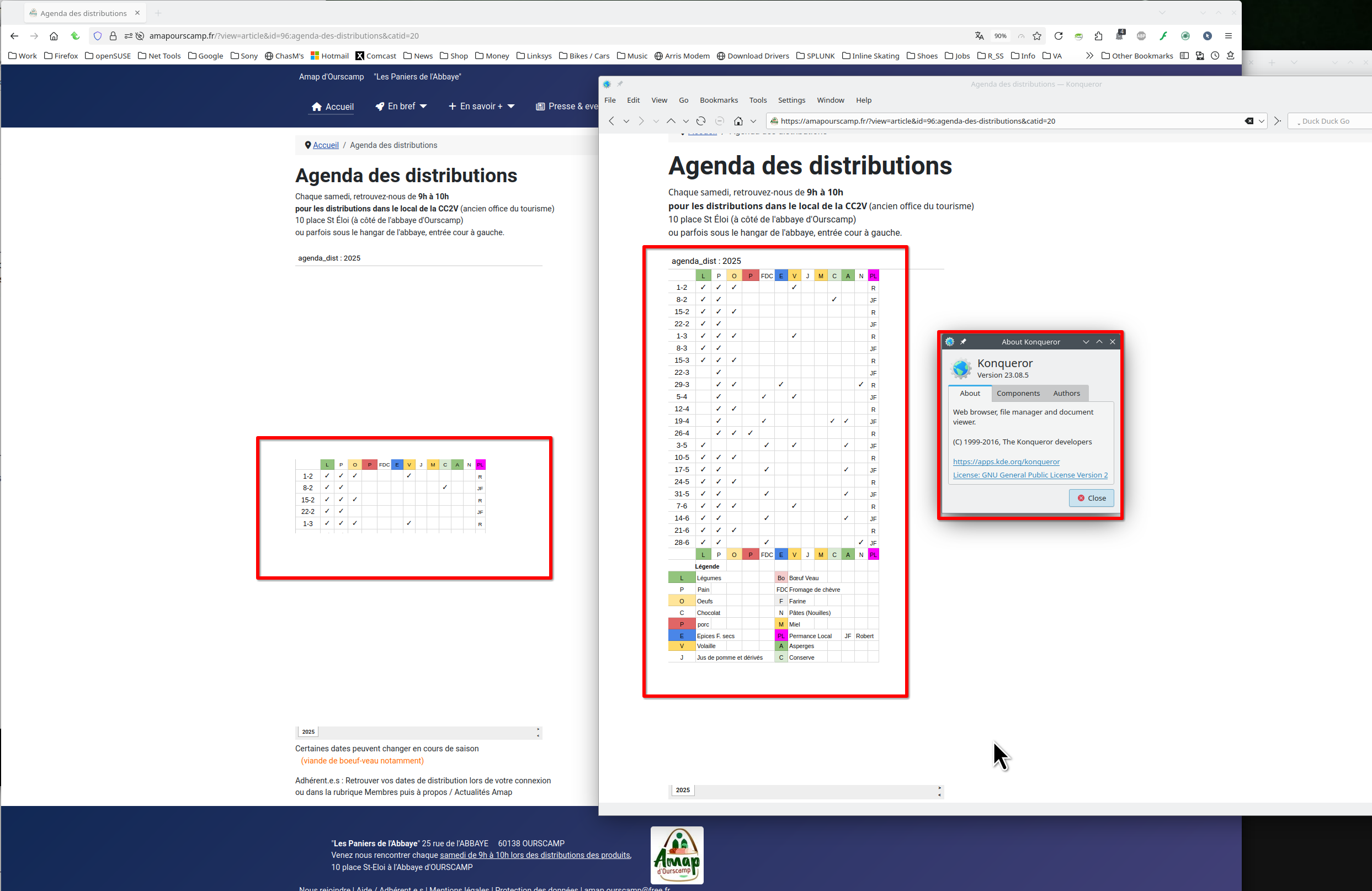
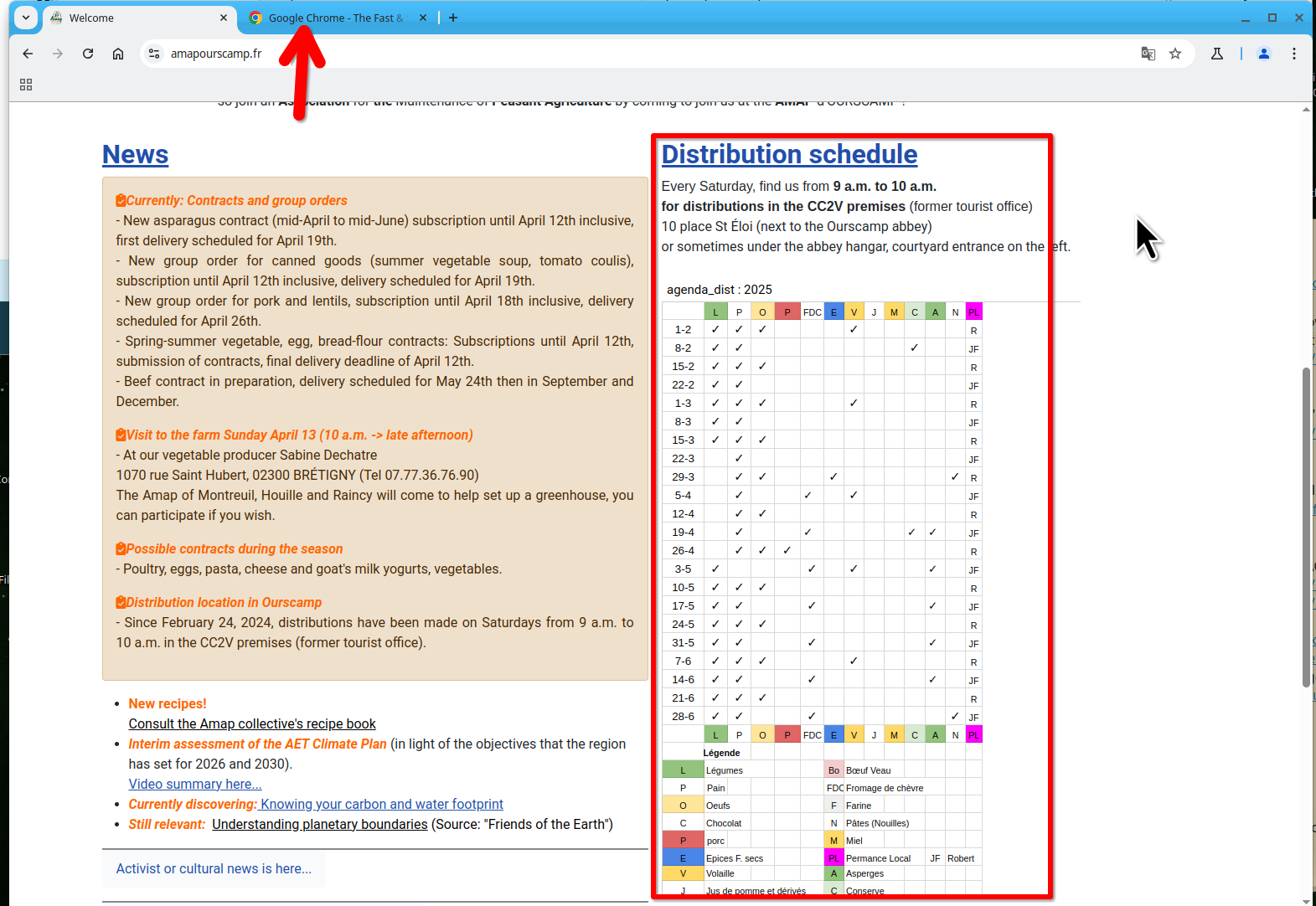
Hello, I am now seeing a problem displaying an Iframe with Firefox Browser 137.0.1 (64-bit). It appears but in a reduced form (about ten lines of a spreadsheet) without occupying the entire size of the Iframe. This problem did not exist previously in previous versions of Firefox. Please let me know if there is a solution. Other browsers display this Iframe correctly.
Tất cả các câu trả lời (3)

What OS? If windows, home or pro and are you running any security software besides MS Defender? Show the issue. Provide steps to replicate the issue.
I only use the built-in antivirus in Windows. For Firefox extensions, I use Biwarden, Ghostery, Ublock Origin, Wot, and Sauce for Strava. These extensions have never previously caused any problems. The iframe displays a Google Sheets spreadsheet. Previously, the spreadsheet completely filled the iframe; now, it only displays a banner of a few lines with a scroll bar on the side, which is very restrictive for viewing. For the steps to verify this, simply see this site: https://amapourscamp.fr/ "Distributions Agenda section" (site running Joomla 5). This problem occurs identically on another site running Wiz. Other browsers display this iframe correctly; only Firefox and its latest updates are causing problems... Thank you for your feedback,
jiefer said
For the steps to verify this, simply see this site: https://amapourscamp.fr/ "Distributions Agenda section" (site running Joomla 5).
I see the issue. see screenshots Site has been reported as broken, here's a link to the report.
https://webcompat.com/issues/152789
You can mark this issue as resolved because it will not get fixed here.
Được chỉnh sửa bởi jonzn4SUSE vào