System tray icon, Linux

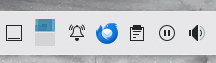
After latest update 136.0, a TB icon showed up in the 'system tray'. I'd like to hide it, I have no use for it. Browsing the settings including the advanced preferences yields nothing useful.
Tất cả các câu trả lời (2)

The magic words... system tray. What OS? What desktop? X11 or Wayland? Is it there when Firefox is not running? Thunderbird installed? Is there a process running for Thunderbird? What happens when you right click on it?
Được chỉnh sửa bởi jonzn4SUSE vào
Giải pháp được chọn
Hi jonzn4SUSE,
The magic words... system tray. It's not called that in KDE, but it's the most used name from the Windows sphere.
What OS? What desktop? X11 or Wayland? Operating System: Manjaro Linux KDE Plasma Version: 6.3.2 KDE Frameworks Version: 6.11.0 Qt Version: 6.8.2 Kernel Version: 6.6.80-1-MANJARO (64-bit) Graphics Platform: X11
Is it there when Firefox is not running? Yes.
Thunderbird installed? Of course. Are there situations where TB is not installed?
Is there a process running for Thunderbird? If I quit TB the Icon disappear, so yes.
What happens when you right click on it? I get one option to quit TB.
And just like that, I realized there might be a solution to this and sure enough there was!
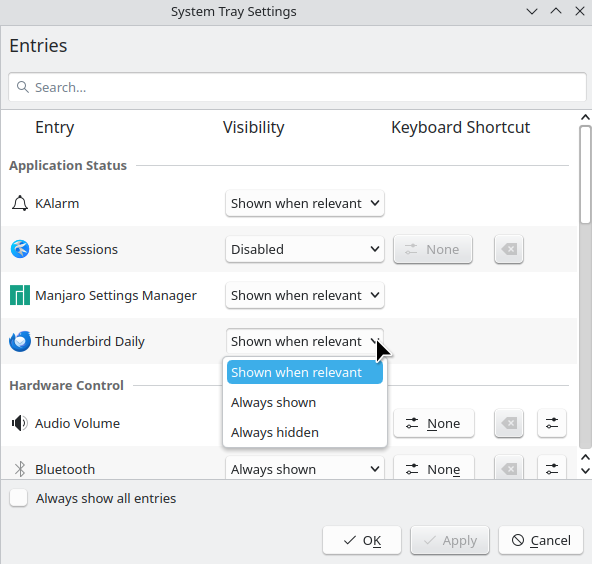
Open System Tray Settings (heh, so it is System tray after all!)
See picture.