


Updating FireFox on Linux

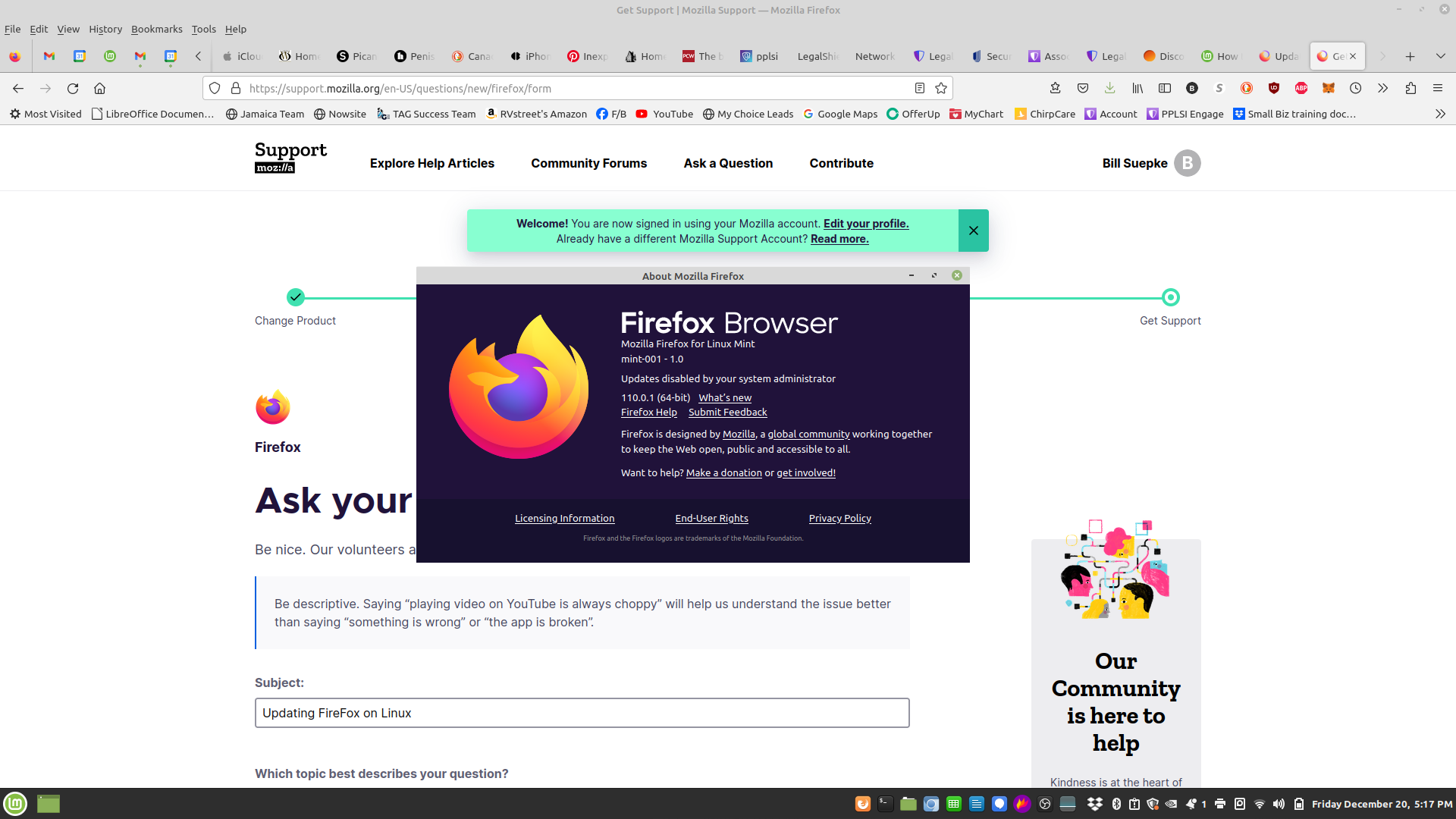
I am getting notices that I need to update my FireFox. I went to update and saw this message "updates disabled by your system administrator". What do I need to do to be able to do the update. Email:[edited from community support forum]
Được chỉnh sửa bởi James vào
Tất cả các câu trả lời (1)
Mozilla only provides updates to their official builds from Mozilla https://www.mozilla.org/firefox/all/desktop-release/
This "updates disabled by your system administrator" is in the package builds of Firefox from Mint as those third-party builds do not have internal Firefox updates as you get them as package updates from Mint.
You could use the tarball build of Firefox for Linux from Mozilla as it will get internal Firefox updates even if your version of the Linux distro is no longer supported with package updates by the distro.
You need to make sure the Firefox folder has read/write permissions for the user as an easy way is to have the Firefox folder in Home. https://support.mozilla.org/en-US/kb/install-firefox-linux
Được chỉnh sửa bởi James vào