


Unable to update at download.mozilla.org due to insecure connection

This has been a problem for me for a very long time, and I'm tired of having to use Chrome every time there's an update to Firefox.
The issue I have is that I will get the notification saying there's an update. I click the button to update now, the browser opens the auto download page and I get a not secure connection warning. The only work around I've found is to use Chrome, and sometimes I can use the "Other downloads" option.
I'm not running a VPN, or any other networking software on my pc. This is for the full program, not the Windows Store app.
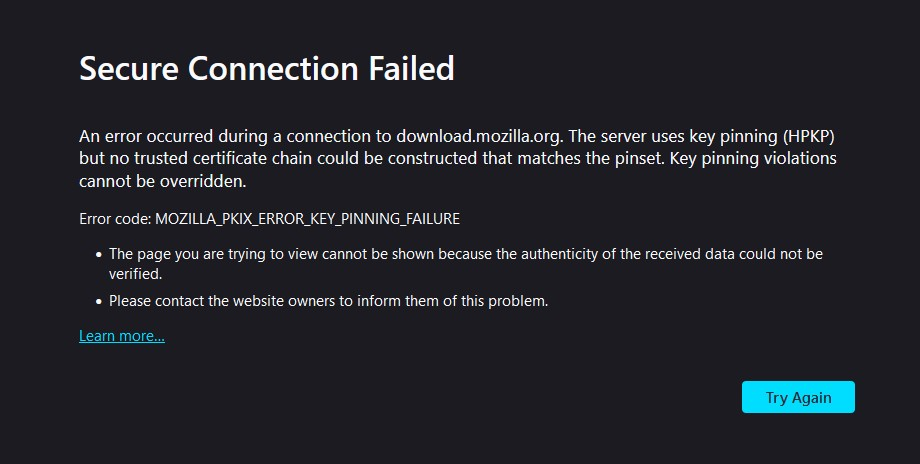
Secure Connection Failed
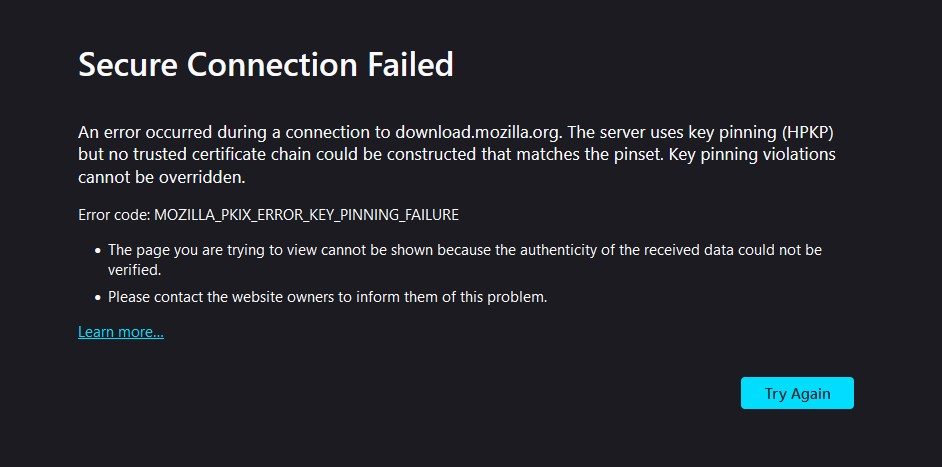
An error occurred during a connection to download.mozilla.org. The server uses key pinning (HPKP) but no trusted certificate chain could be constructed that matches the pinset. Key pinning violations cannot be overridden.
Error code: MOZILLA_PKIX_ERROR_KEY_PINNING_FAILURE
   The page you are trying to view cannot be shown because the authenticity of the received data could not be verified.
   Please contact the website owners to inform them of this problem.
Được chỉnh sửa bởi NoahSUMO vào
Tất cả các câu trả lời (6)

You need to provide actual screenshot error so others can see what it is showing to know what is happening.
I found another thread with the same issue and tried the suggestions there, no joy
https://support.mozilla.org/en-US/questions/1223625 -changed proxy settings to "no proxy" -checked hosts file -ran antivirus scan
markwarner22 said
You need to provide actual screenshot error so others can see what it is showing to know what is happening.
I copy and pasted the text at the bottom of my post but here you go:
It's now been two updates and Firefox seems to have fixed itself, it now auto updates without me having to manually attempt to download the installer.
HOWEVER, if I go to the Firefox download page and try to download the installer I still get the key pinning issue. I guess Mozilla has no desire to actually fix their website so good luck to other people with this issue.
Được chỉnh sửa bởi Dan C vào
Just kidding! Today Firefox prompted me to update and once again I got the "key_pinning_failure".
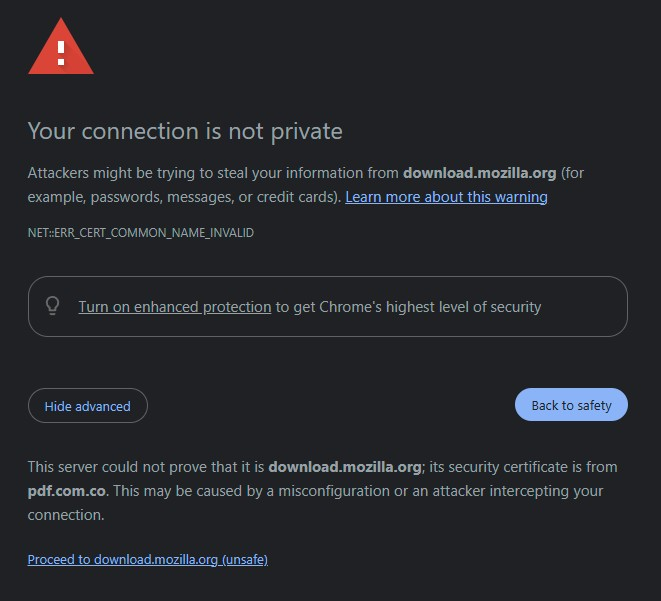
And now when I try to use google to download the installer in order to bypass the issue I get a warning stating that "download.mozilla.org" is using security keys from "pdf.com.co".
Would be great if this forum actually was helpful, or if the people in charge would fix their website with the correct certificates.
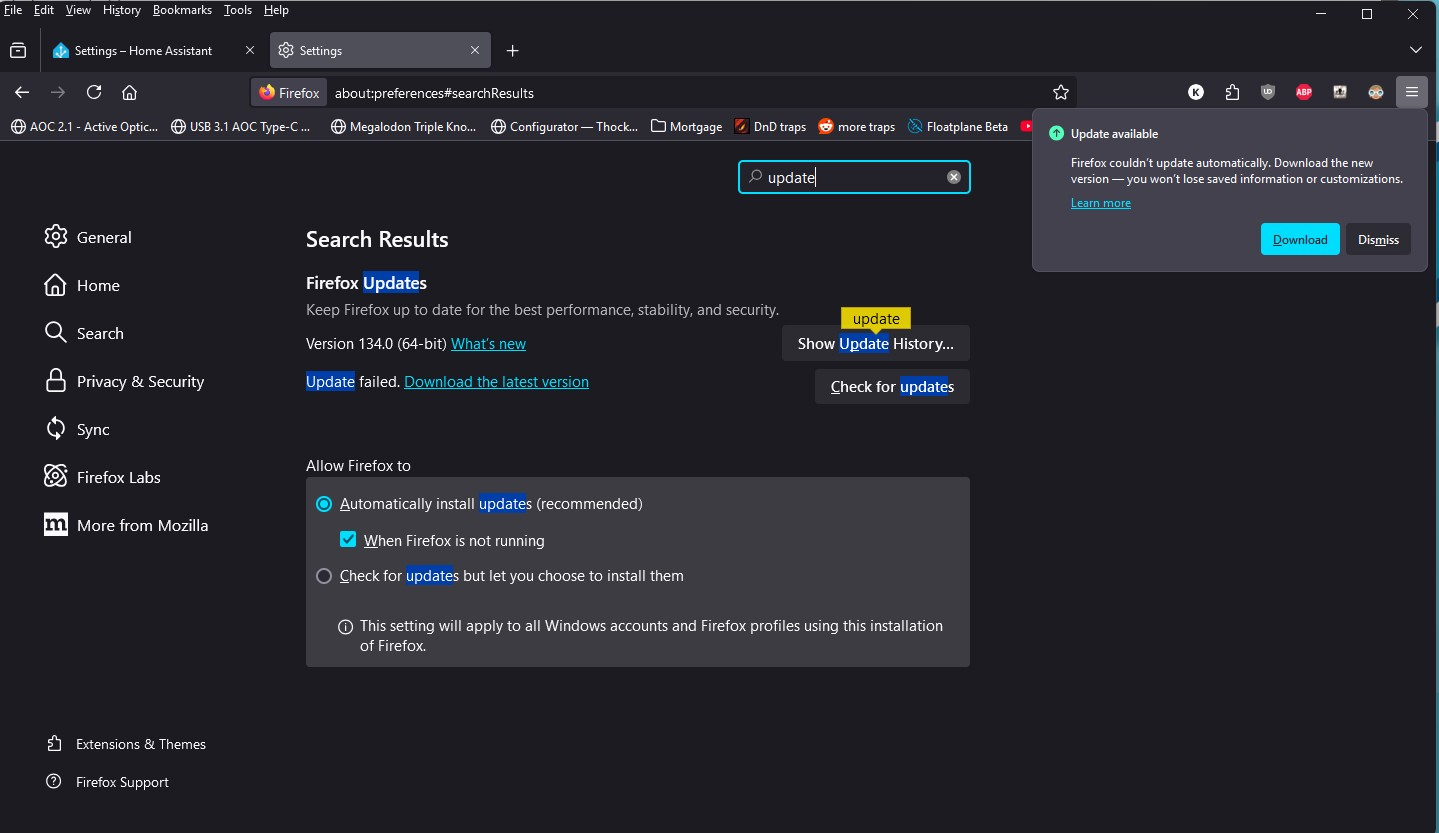
Attached are 3 screenshots, one from chrome showing the certificate mismatch, one from firefox settings showing that I have it set to auto-update, and one from when I tried to manually download the installer from Firefox.
I posted in your second thread already. But since my edit bumped your original thread up, I'll note that I reached out to a Mozilla certificate expert. Hopefully they'll have a idea on what's going on here & will comment soon.
I'll also note that this is very bad & looks like a fake certificate: "download.mozilla.org" is using security keys from "pdf.com.co".
Được chỉnh sửa bởi NoahSUMO vào