


Server not found

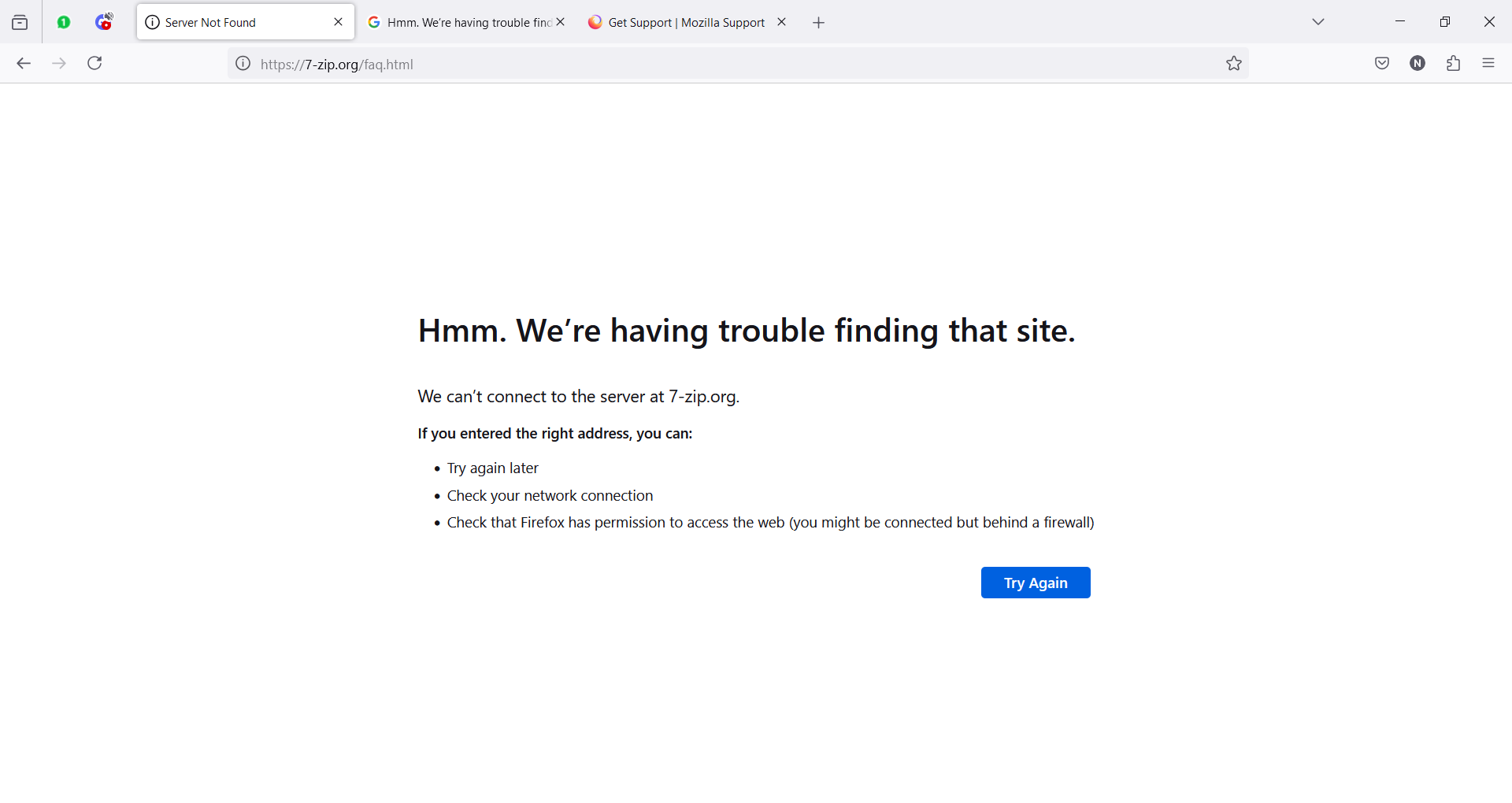
I get the server not found error on almost anything.
Hmm. We’re having trouble finding that site. We can’t connect to the server at [literally almost any site] If you entered the right address, you can:
   Try again later
   Check your network connection
   Check that Firefox has permission to access the web (you might be connected but behind a firewall)
The site usually loads after I wait like 2-3 mins before reloading the site, or I force reload it around 7 times, but I cannot find a way to make the issue go away. I have refreshed Firefox, I have uninstalled and reinstalled it fresh, I have opened Firefox in Troubleshooting mode and the issue persists. I am at the end of my wits. Someone please give me something else to try.
Giải pháp được chọn
nadejdarooo, is Firefox up to date on the affected computer?
Have you tried testing in a new profile, without importing any data or making any changes?
(Refreshing a profile will still import some data from the original profile, and so a new profile would rule out any errors with the original)
Đọc câu trả lời này trong ngữ cảnh 👍 1Tất cả các câu trả lời (7)

nadejdarooo, does it happen with other browsers?
Have you tried rebooting your router? That is, turning your router off, waiting a few minutes, then turning it back on?
TechHorse said
nadejdarooo, does it happen with other browsers? Have you tried rebooting your router? That is, turning your router off, waiting a few minutes, then turning it back on?
This does not happen on chrome or edge, and it also doesn't happen on another pc here that is connected to the same router/wifi. This problem seems exclusive to the firefox browser on my pc.
Giải pháp được chọn
nadejdarooo, is Firefox up to date on the affected computer?
Have you tried testing in a new profile, without importing any data or making any changes?
(Refreshing a profile will still import some data from the original profile, and so a new profile would rule out any errors with the original)
TechHorse said
nadejdarooo, is Firefox up to date on the affected computer? Have you tried testing in a new profile, without importing any data or making any changes? (Refreshing a profile will still import some data from the original profile, and so a new profile would rule out any errors with the original)
Firefox is up to date.
Testing a new profile seems to have fixed the issue, thank you!
nadejdarooo, glad a fix was found.
TechHorse said
nadejdarooo, glad a fix was found.
Update, after syncing my account on the new profile the problem reappeared, so I'm honestly back to square one
nadejdarooo, oh dear. Sounds like some data or information is corrupted. And so Sync brought the corrupted data back?
First thing you can try is to check places.sqlite for errors. It is recommended to disconnect from Sync while troubleshooting. Go to the Help menu and select "More Troubleshooting Information". Then scroll down to "Places Database" and press the "Verify Integrity" button. If any errors are reported then try restarting Firefox and repeating the above a few times, to see if this fixes things and no more errors are reported.
Another thing that you could try doing is to create another new profile, but this time do not sign into your Mozilla / Sync account on it. You would then try manually copying files from the original profile folder to the new profile folder, one type of data at a time, and testing after each import to see what is causing the problem.
See the "Your important data and their files" section of the following article for the various types of data and their files. Remember to close all Firefox windows before copying files. https://support.mozilla.org/en-US/kb/recovering-important-data-from-an-old-profile#w_your-important-data-and-their-files
For example, to test if the problem lies with either bookmarks or browsing history, then you would copy the file "places.sqlite" from the original profile folder to the new folder, then launch Firefox and test.