


Can't open Firefox - it says it is already running and must be closed first

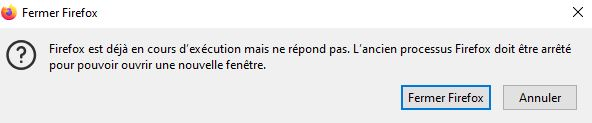
For 2 days now I have a big problem! Firefox froze, and I ended up closing it with the programme manager. When I wanted to reopen I got this: Firefox est déjà en cours d’exécution mais ne répond pas. L’ancien processus Firefox doit être arrêté pour pouvoir ouvrir une nouvelle fenêtre. BUT - it refuses to close when I click on "close" (fermer).
I tried the programme manager - but Firefox isn't shown as being open.
I've made a back up of my profile. I can't delete parent.block ... I'm told "Firefox is running already" and I must close it. Every troubleshooting step comes to the same barrier to completing it! Almost all guide one from an open Firefox page - and I can't open Firefox! I can't "uninstall" for the same reason!
All my passwords are in Firefox - and I can't import them to Chrome without closing Firefox completely! I'm going mad - urgent need to access my passwords!
Tất cả các câu trả lời (4)
I can't open Firefox to see which version, but it updated on 24 July 2024
Did you try to reboot the computer?
Thanks for responding, cot-el
That was the first thing I tried! Then I turned the computer off for several hours before restarting it. Then I started searching through the help articles, the forum etc. I made a copy of my current profile (but some wouldn't copy ... "close Firefox"!!)
parent.block, wleabcEoxlt-eengsairo.files
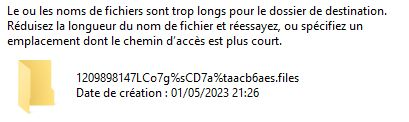
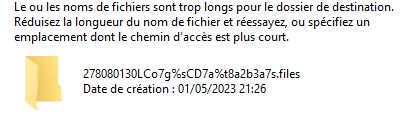
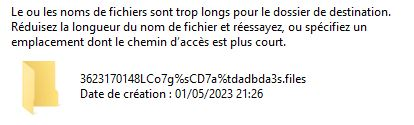
And 3 had too long names (see screen shots attached) I couldn't delete parent.block ("close Firefox") I couldn't rename places.sqlite ("close Firefox") I couldn't uninstall ("close Firefox") I've prepared a Transfer File as per that advice article - but to use it, I need to uninstall first!
I tried importing my passwords and bookmarks into Chrome (because I have urgent things needing password details so thought I'd use that while trying to get back a useable Firefox) - but to complete that, "Now close Firefox which is running"! :( :(
I have largely solved the problem by creating a new profile and following the "Transfer Folder" suggestion. I'm still trying to sort out some things that aren't there now - like the bookmarks short cut icon, and the small "search" box beside the address line.
I don't know if the blockage on my previous profile is still in place - and if so, can I address it from my new profile window? I hesitate to try anything without advice, as I'm not very IT-skilled!!