


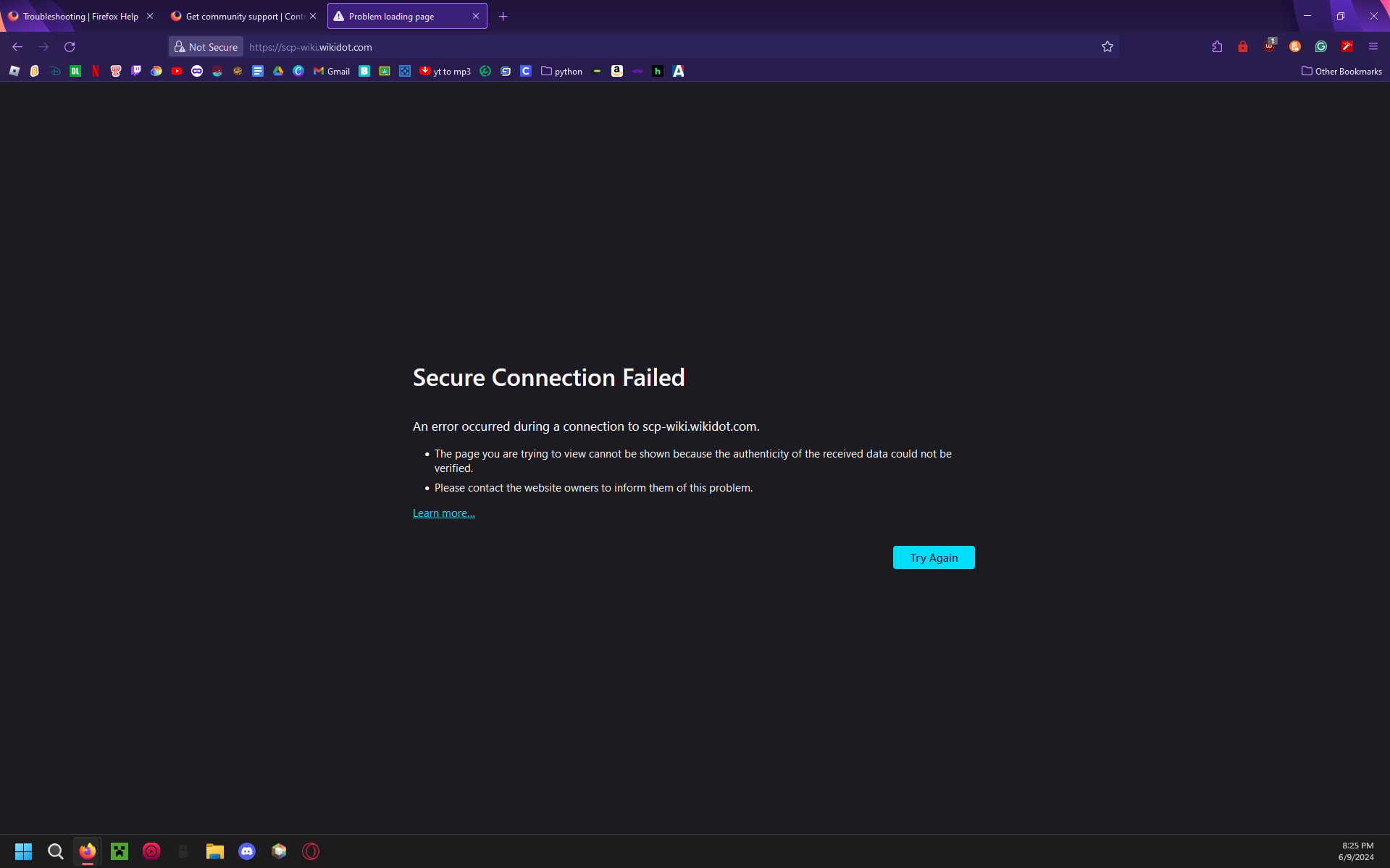
Wikidot not working on firefox. no way to get around it.

As the title says. cant access wikidot.
Giải pháp được chọn
You can check the connection settings and check for possible issues with a Proxy or VPN service.
- Settings -> General -> Network: Connection -> Settings
If you do not need to use a Proxy to connect to internet, select "No Proxy" if "Use the system proxy settings" or one of the others do not work properly.
See also:
- https://support.mozilla.org/en-US/kb/connection-settings-firefox
- https://support.mozilla.org/en-US/kb/websites-dont-load-troubleshoot-and-fix-errors
Reboot the computer into Windows Safe Mode with network support to see if that has effect.
- https://www.bleepingcomputer.com/tuto.../how-to-start-windows-in-safe-mode/
- https://www.digitalcitizen.life/4-ways-boot-safe-mode-windows-10/
Tất cả các câu trả lời (6)
Hi
This support article should help:
https://support.mozilla.org/en-US/kb/secure-connection-failed-firefox-did-not-connect
So I just can't use wikidot?
Did you walk through the steps in the support article I provided a link for above?
from the article: 'A Secure Connection Failed error page will include a description of the error and a Try Again button. There is no option to add a security exception to bypass this type of error. '
Giải pháp được chọn
You can check the connection settings and check for possible issues with a Proxy or VPN service.
- Settings -> General -> Network: Connection -> Settings
If you do not need to use a Proxy to connect to internet, select "No Proxy" if "Use the system proxy settings" or one of the others do not work properly.
See also:
- https://support.mozilla.org/en-US/kb/connection-settings-firefox
- https://support.mozilla.org/en-US/kb/websites-dont-load-troubleshoot-and-fix-errors
Reboot the computer into Windows Safe Mode with network support to see if that has effect.
cor-el said
You can check the connection settings and check for possible issues with a Proxy or VPN service.If you do not need to use a Proxy to connect to internet, select "No Proxy" if "Use the system proxy settings" or one of the others do not work properly. See also: Reboot the computer into Windows Safe Mode with network support to see if that has effect.
- Settings -> General -> Network: Connection -> Settings
thanks a ton!