


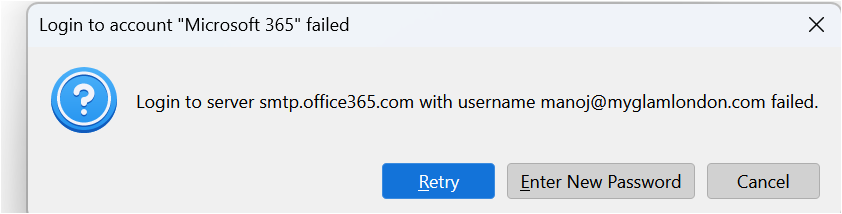
Login to server smtp.office365.com with username failed

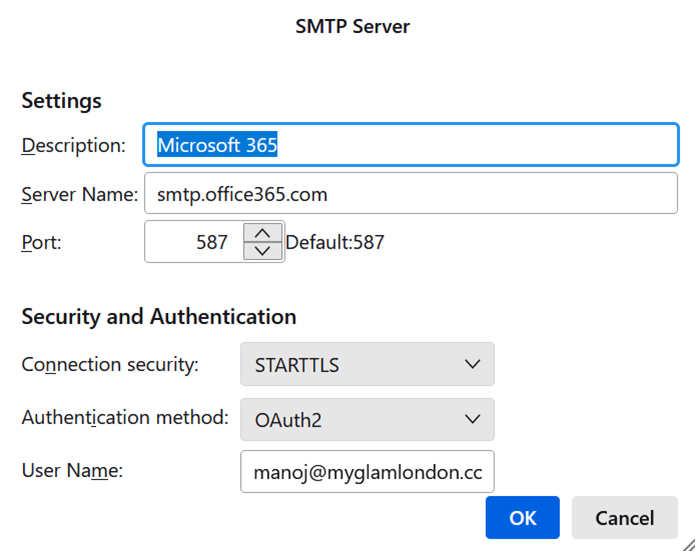
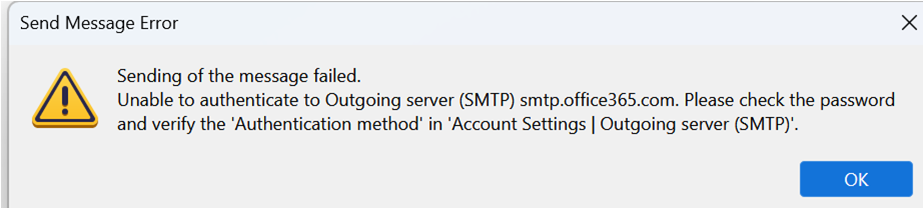
All the settings for both incoming and outgoing servers are correct. I can receive emails but cannot send any from Tbird. I keep getting an error message that says "Login to server smtp.office365.com with username failed". Additionally, the SEND folder is not visible in my email folders. I have confirmed that the outgoing server information in the account settings is correct, please see the screen shots.
Server Name - smtp.office365.com Port-587 Connection Security- STARTTLS Authentication method - OAUTH2 Username: my full email ID
Please can you help how can I resolve this error, thanks.
Tất cả các câu trả lời (1)
You shouldn't see the 2nd picture with the password prompt if the authentication is OAuth2, but there might be an obsolete password in Saved Passwords. Remove all entries for the account in Settings/Privacy & Security, Saved Passwords, restart TB, enter the account password in the OAuth window to allow access. Check that the incoming authentication is also OAuth2.