


Home screen shortcut icon

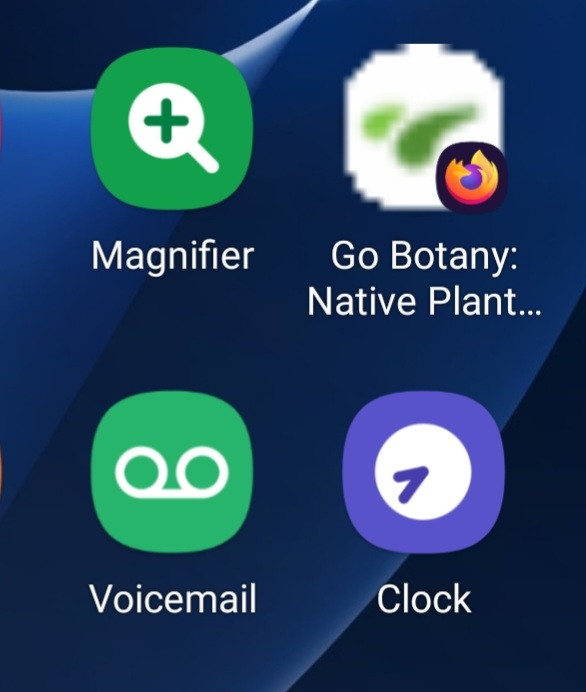
I used "Add to Home screen." The icon that resulted is much more pixelated than the rest of the icons (see screen shot). Can I fix this? My phone is a Galaxy S22 running Firefox 103.1.0, One UI 4.1, and Android 12.
Tất cả các câu trả lời (5)
Hi
So that I can look into this further, are you able to share the address if that website that you are adding as a shortcut?
Thank you for sharing that (great website).
I have tried it myself and I think this is a website issue rather than an issue with Firefox for Android. I have tested some other websites and while some are less sharp (like your example), others appear perfectly.
It sounds as if the icon is controlled by what the website provides. It's too bad Firefox cannot even smooth the perimeter; that jagged edge is jarring. However, I understand that this is cosmetic, and the shortcut does work which is the important part.
I agree. The challenge here would be making sure that icons for sites that do display perfectly are not impacted as well as being able to asses what is "good" before adding the image alteration code to Firefox.
Given the nature of the problem, it is likely that our developers time is more likely to be focused on other features at the present time.