


Firefox stopped displaying a CSS mask locally

I use Firefox locally to review the HTML/CSS while creating web pages (Win7 & Win10). Upon browser update, Firefox stopped displaying mask of any image format (SVG or PNG).
I did solve this issue in 2020 by changing the settings. about:config > privacy.file_unique_origin changing: to 'false' > refresh tab. Yet, since October 2021, it's no longer helping. After a browser update, I don't see the images with a mask, see attachment. The mask images show OK when the HTML page is on the server, but codding requires a constant 'quick check,' and usually uploading to the server is a final step. Can anyone help?
I prepared a simple example page [https://artenergy.com/mask] with a download link. Thus one can open this file locally to see the issue.
Thank you!
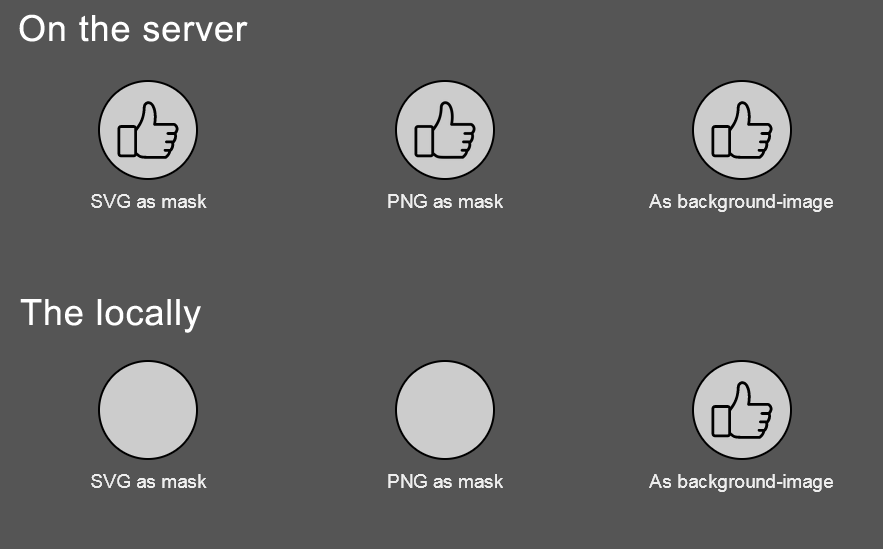
Được chỉnh sửa bởi Sergey Martinov vào
Tất cả các câu trả lời (2)
Giải pháp được chọn
This pref is still supported, but will be removed as well in the future.
- security.fileuri.strict_origin_policy = false
Safest is to use a separate profile with this feature disabled for testing locally.
- 1730535 - Remove the security.fileuri.strict_origin_policy pref, always require unique origins
(please do not comment in bug reports
https://bugzilla.mozilla.org/page.cgi?id=etiquette.html)
Thank you much, this did the trick, and now I can see the 'mask image' again. Your help is appreciated a lot!