Firefox browser is preventing pdf's from downloading
Firefox browser is preventing pdf's from downloading completely. When pdf is downloaded the file does not open, nor is it a pdf. I'm not sure how to solve this issue. I wind up opening Chrome to download and open the pdf.
Tất cả các câu trả lời (1)
Do you think the problem is that Firefox not adding a .pdf file extension to the files it is saving? In other words, the download was successful but due to the wrong file extension, Windows doesn't know to open it in Adobe or whatever your preferred PDF reader is.
To address that issue, you can exercise more control over file extensions by setting Windows to show all file extensions. This site has steps for that:
https://www.bleepingcomputer.com/tutorials/how-to-show-file-extensions-in-windows/
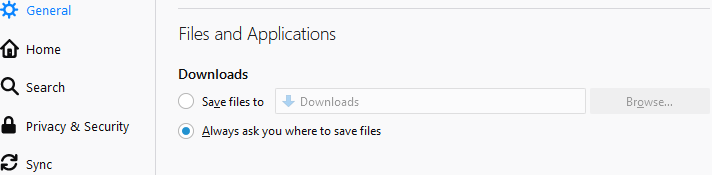
You also can set Firefox to always ask you where to save files, which includes the ability to rename them. Might help. That setting is on the Options page: