my saved logins are not showing in the login panels

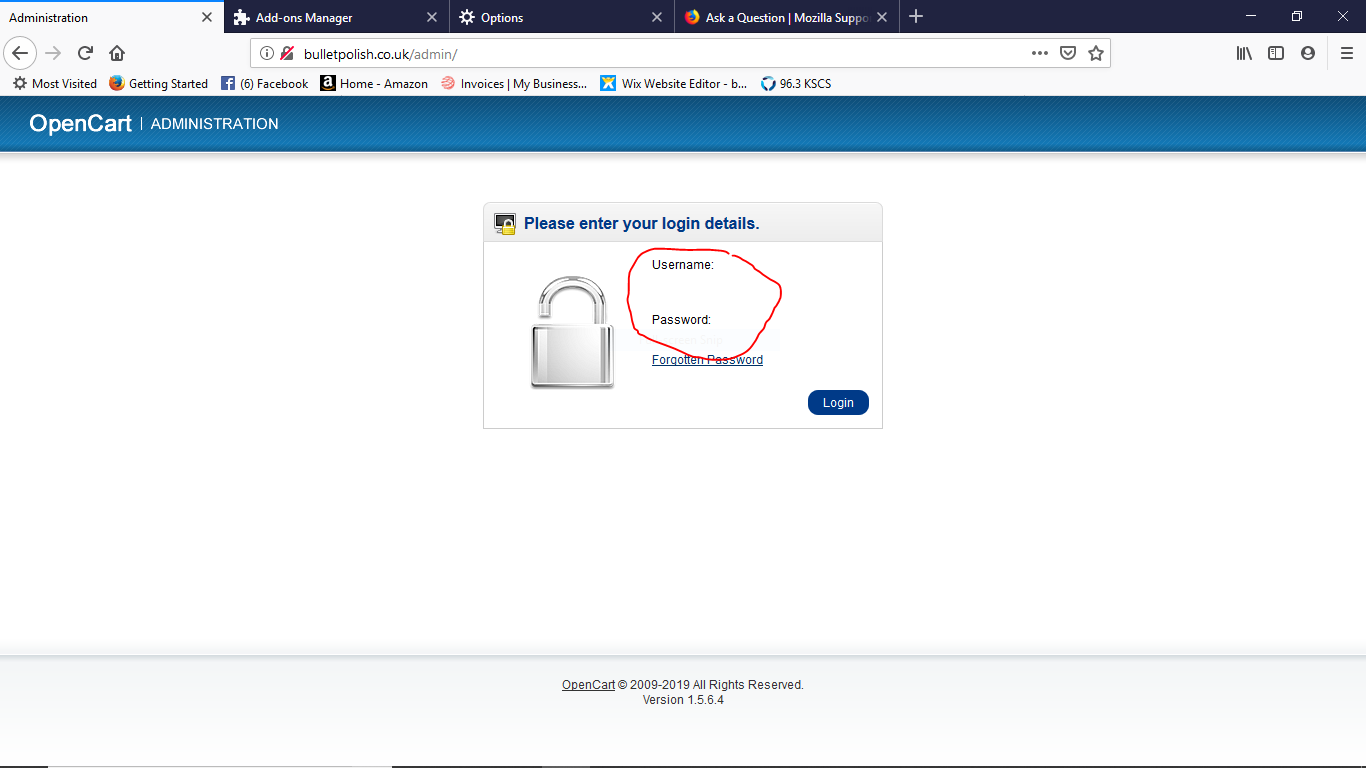
When I go to username and password on any website that I have previously saved my login details, my username and password are not showing but I can still log on to that site, see screen shot attached. It's hard to explain in laymans terms but my saved login details are present but they are invisible but still allowing me to login. Does anyone know why please?
When I go to username and password on any website that I have previously saved my login details, my username and password are not showing but I can still log on to that site, see screen shot attached. It's hard to explain in laymans terms but my saved login details are present but they are invisible but still allowing me to login. Does anyone know why please?
Tất cả các câu trả lời (2)
Does the text appear if you click in the field and press Ctrl+A to select all the text?
Hi Cor-el, no it does not solve the problem. This happens with every site I have saved logins for. The same happens on my Amazon account. When it happens I just press Login and i'm logged in. Any other idea's please?