


Where is permissions tab?

I'm trying to block popups. I go to 'privacy and security' under options, as directed by FF, but 'permissions', the tab needed to block popups, is nowhere to be found. I've confirmed I have the latest version.
I'm trying to block popups. I go to 'privacy and security' under options, as directed by FF, but 'permissions', the tab needed to block popups, is nowhere to be found. I've confirmed I have the latest version.
Tất cả các câu trả lời (3)
It's simple! Look at the screenshot...
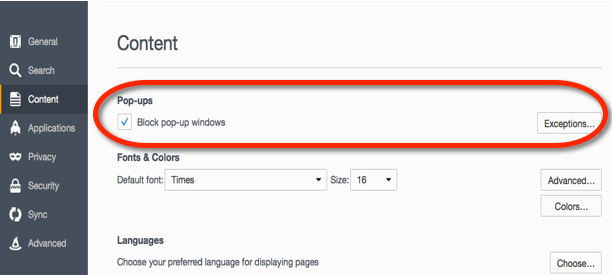
In the current Firefox release it is on "Options/Preferences -> Privacy & Security".
- Options/Preferences -> Privacy & Security -> Permissions
Hi mamumber, on this site, you usually can find the original poster's Firefox version in the "Question Details" section to the right of the question. Then you can tailor your screenshots or directions accordingly.
(It seems your screenshot is from Firefox 55 or earlier.)