


Getting error "ssl_error_weak_server_ephemeral_dh_key" on my website

I have a live video website and have recently installed SSL certificate on my video servers. I am having video playback issue on Firefox. On other browsers (Chrome, IE), everything is alright.
Example page: https://www.janjua.tv/cnn_livestreaming
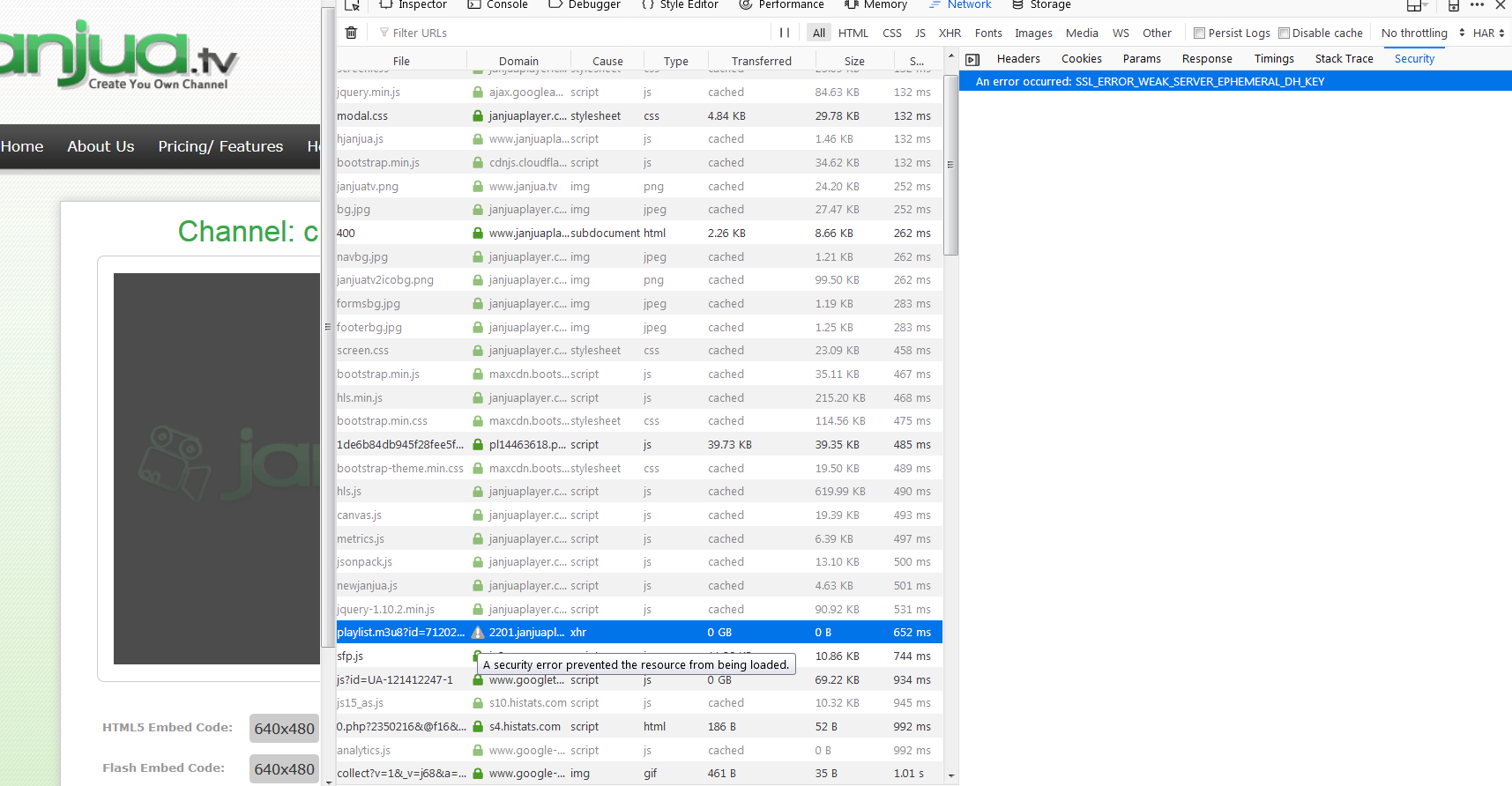
While debugging the network, I noticed the video is not being played due to the error "ssl_error_weak_server_ephemeral_dh_key" (Screenshot attached).
I have Wildcard SSL from Comodo, and had generated my CSR using the guide available here: https://www.sslsupportdesk.com/keystore-jks-keytool-csr-generation-ssl-installation-guide/
My video servers are Tomcat/Java so I had to import the entire chaining path of my SSL Certificate in the following order: Root > Intermediate > SSL Certificate (using the guide available here: https://www.sslsupportdesk.com/troubleshooting-advanced-tomcat-x509-failed-to-establish-chain-from-reply/).
I have successfully installed the SSL on my video servers and video is working perfectly on browsers other than Firefox. I'm trying to understand what I'm actually missing during the CSR, Key or installation which caused the error "ssl_error_weak_server_ephemeral_dh_key" on Firefox and prevented the playback.
Tất cả các câu trả lời (3)
Image attached.
I think that refers to the Logjam vulnerability. See whether you can find the steps to resolve that issue on that particular host's software. Possibly if you use a diagnostic site they will have the steps.
For example: https://www.ssllabs.com/ssltest/
Yes, it must be Logjam because I disabled these two ciphers in my Firefox (years ago) and this avoids the problem:
(1) In a new tab, type or paste about:config in the address bar and press Enter/Return. Click the button promising to be careful or accepting the risk.
(2) In the search box above the list, type or paste dhe and pause while the list is filtered
(3) Double-click the security.ssl3.dhe_rsa_aes_128_sha preference to switch the value from true to false
(4) Double-click the security.ssl3.dhe_rsa_aes_256_sha preference to switch the value from true to false