


Cannot download programs, save pages and documents in pdf. H

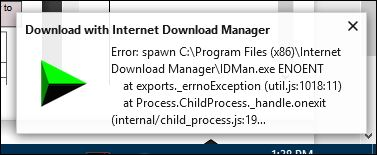
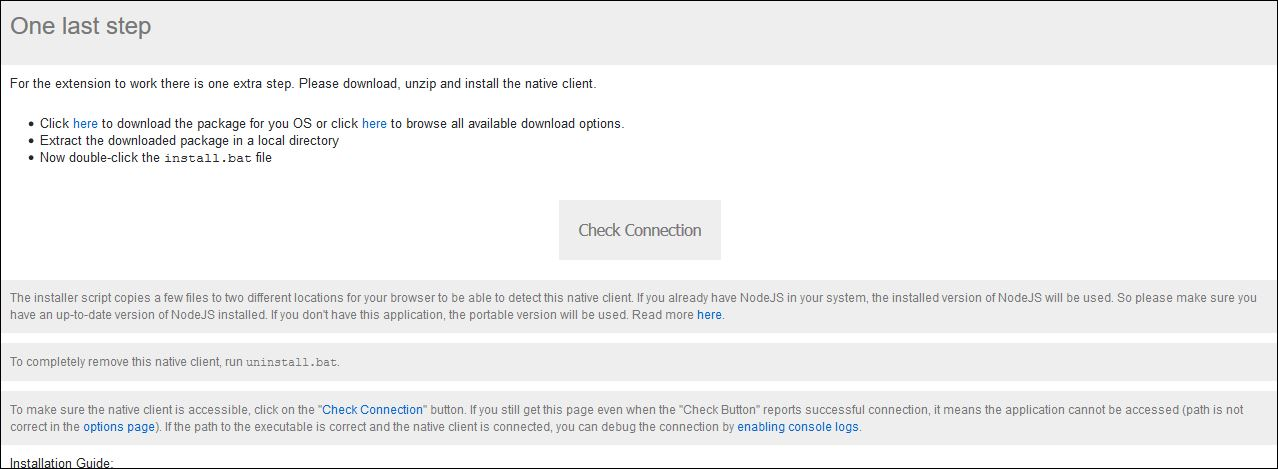
I have tried to download a program, save pages and documents in pdf and cannot. I uninstalled and reinstalled Firefox; still doesn't help. See attached image. I've added Download Manger add ons to no avail. Also get this page. Have no idea what it means. See image 2 Can someone please help me with these issues
Giải pháp được chọn
Thanks very much for your info and help. Downloaded Page to PDF and works perfectly.
Đọc câu trả lời này trong ngữ cảnh 👍 0Tất cả các câu trả lời (4)

The second picture is telling you that you need to download something else for the download manager to work.
Thanks for the info, but there were so many options when I open up the list, I have no idea which link to opt for. Appreciate your responding.
Hi Rita, can you provide a link to the download page for the Firefox add-on you installed? Hopefully there is more information there about what you are supposed to do next.
Also, what are you trying to download? You might not need that add-on.
PDF Converters
Firefox extensions can help you convert the currently displayed page to a PDF. Here's a new one that doesn't send the page to the web for the conversion:
https://addons.mozilla.org/firefox/addon/page-to-pdf/
I looked at a bunch of others a couple months ago, so if you're shopping around: So many PDF converters
Giải pháp được chọn
Thanks very much for your info and help. Downloaded Page to PDF and works perfectly.