


How do I activate my camera in Firefox/provide access to camera?

I'm using airbnb which requires a camera shot with every booking to confirm identity. I get to a page that says "your browser needs permission to activate your camera" and I cannot for the life of me figure out how to do that. I'm on an older macbook air...
Tất cả các câu trả lời (2)
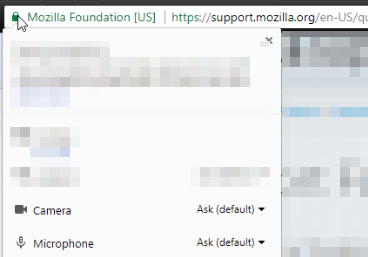
If you click on the left of your browser (The lock icon), you should see all of the available options for access. You can enable and disable pretty much every single interaction to the page. Hope this helps.
Could you double check your true current version of Firefox? It reported itself this way (next to your question, Question Details > More System Details):
Mozilla/5.0 (Macintosh; Intel Mac OS X 10.11; rv:34.0) Gecko/20100101 Firefox/34.0
Since Firefox 34 is from October 2015, it's difficult to comment on what media features/functions it supported.
You can check your true current version on the Troubleshooting Information page. Either:
- "3-bar" menu button > "?" button > Troubleshooting Information
- (menu bar) Help > Troubleshooting Information
- type or paste about:support in the address bar and press Enter
In the first table on the page, you hopefully will find Version and/or BuildID. What does that show?