


Firefox getting crash while changing default download option to Always ask me where to save files

If I change the download option (Settings -> Preference -> General -> Downloads) from Always ask me where to save files to Save files to (Defualt Downloads) it works fine while with "Always ask me option" it's getting creash when I save a any file (just after where do you want to save prompt).
I have a core dump file for debugging but not able to upload it here. Let me know how I can share it with you for debug this issue.
Thanks Niraj
Giải pháp được chọn
The issue has been resolved after setting the following env variable:
GSETTINGS_SCHEMA_DIR
Thanks for your support.
Regards Niran
Tất cả các câu trả lời (12)

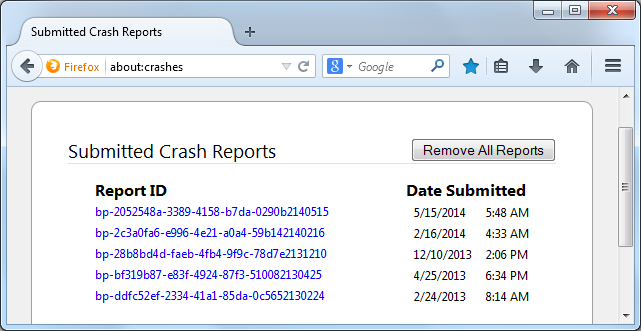
In the address bar, type about:crashes<enter>. Note: If any reports do not have BP in front of the numbers/letters, click it to submit them.
The crash report is several pages of data. We need the report numbers to see the whole report.
Using your mouse, mark the most resent 7 - 10 crash reports, and copy them. Now go to the reply box below and paste them in.
(Please don't take a screenshot of your crashes, just copy and paste the IDs. The below image is just an example of what your Firefox screen should look like.)
Do you have many downloads showing in the Downloads panel in the Library window?
FredMcD said
In the address bar, type about:crashes<enter>. Note: If any reports do not have BP in front of the numbers/letters, click it to submit them. The crash report is several pages of data. We need the report numbers to see the whole report. Using your mouse, mark the most resent 7 - 10 crash reports, and copy them. Now go to the reply box below and paste them in. (Please don't take a screenshot of your crashes, just copy and paste the IDs. The below image is just an example of what your Firefox screen should look like.)
I do not see any report here.
the-edmeister said
Do you have many downloads showing in the Downloads panel in the Library window?
No
Where did the core dump file for debugging come from? How large is it?
FredMcD said
Where did the core dump file for debugging come from? How large is it?
It just dump the core file on my home area. I have two file one is 4 MB and another one is 43 MB. If you need those files for debugging please do let me know how can I upload those filese as I do not see any option here to upload the file (There is only option to add images).
Thanks Niraj
Giải pháp được chọn
The issue has been resolved after setting the following env variable:
GSETTINGS_SCHEMA_DIR
Thanks for your support.
Regards Niran
That was very good work. Well done.
What did you set the GSETTINGS_SCHEMA_DIR to?
FredMcD said
That was very good work. Well done. What did you set the GSETTINGS_SCHEMA_DIR to?
It should be "glib-vX.X.X/share/glib-2.0/schemas/
Thank you. This information could help others.
Could you tell us what distro of Linux you're on? Maybe the developers could fix this somewhere in the Firefox code.
The only other bug close to this I found was: Bug 856400 - "Always ask me where to save files" crashes if primary disk is full
RHEL6.5